






Pinned Tweet
GPT-6.1 Terra means business.
Our new fast, efficient model pairs sharper visual reasoning and precise computer use with clearer, more natural writing.
From decoding technical drawings to drafting proposals, filling forms to editing videos—it’s built for the whole workday.
GPT-6.1 Terra is rolling out today to Plus, Pro, Enterprise, and Edu users in ChatGPT Work and Codex.
🤖 Made with AI
We have a gif for you—ChatGPT Images 2.6 is here.
ChatGPT Images 2.6 can turn your prompts and pictures into animated GIFs.
You can also keep reference images of yourself, pets, and characters ready to reuse in new creations...no need to upload them again.
Go on. Make it weird. Send more GIFs of your dog dancing.
Images 2.6 is available today in ChatGPT, and Codex across all tiers on web, desktop, and mobile.
openai.com/index/introducing…
Let’s talk money. Literally.
ChatGPT Voice has come to Finances. Securely connect your accounts through Finances, then use Voice to talk spending, savings, and all the money questions on your mind.
Try it: chatgpt.com/finances
Come build your next app or agent with us in the API.
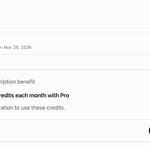
Eligible ChatGPT Pro and Business subscribers can claim up to $500 per month in API credits.
Get started: chatgpt.com/settings/billing

Install the OpenAI Developers plugin in ChatGPT or Codex to create an API key and start your first project: chatgpt.com/plugins/openai-d…
By popular request, you can now text your dot.
Give it a task to take off your plate or something to keep an eye on, using text, photos, or even voice notes. It will text you proactively with relevant updates.
Safe, secure texting via iMessage or RCS. You’re the only one who can text your dot, and your dot can only text you. Rolling out now as a preview for Pro users in the US.
To set it up, tap on your dot’s profile and select ‘Texting’. Your dot has the same context and plugins, wherever you reach it. This doesn’t give your dot or OpenAI access to your other text conversations.
AI is most useful when it works with tools you already use and shows up in places you already are, which is why we're excited to bring dots to texting.
Please try it and share your feedback so we can make the experience even better for everyone.
Much requested, and now yours to connect: iCloud Mail and Calendar plugins are available in ChatGPT.
Ask ChatGPT to find that email, catch up on your inbox, check what’s next, or update a calendar event. Phew.
Available on all ChatGPT plans on web, desktop, and iOS.
Keep sensitive conversations out of view with Locked Chats in ChatGPT.
Move chats out of your regular history and search into a protected space you can unlock with a PIN on web and desktop, or a PIN, Face ID, Touch ID, or device unlock on supported mobile devices.
New messages sent in locked chats won't update the memory used in your regular chats.
Rolling out starting today to Free, Go, Plus, Pro, Business, Enterprise, and Edu plans.
ChatGPT Slides has new ways to get your deck ready—and get everyone on the same page.
• Work together in real time in ChatGPT: Share decks, edit together, and leave comments. Ask ChatGPT or your dot to turn feedback into updates.
• Edit right on the slide: Click to change text, update charts, and move or resize images and shapes.
To get started, ask ChatGPT to "create ChatGPT slides" from a conversation or a file you've shared. Present in ChatGPT, or export to PowerPoint or Google Slides.
Available on Pro, Business, and Enterprise plans.
chatgpt.com/features/slides/


A few big upgrades for Chrome users today! We’re bringing the power of computer use to anyone who uses Chrome.
First up: ChatGPT can now use your tabs in Chrome to make answers more useful and get things done for you.
If you’re in Chat, it can look across your open tabs and gather info.
If you’re in Work, ChatGPT can control your Chrome tabs to get things, like sending messages, filling out forms, or downloading files. It can even help you organize and group that pile of tabs you have open.
At DevDay, we introduced ChatGPT Space: a new home for your team to collaborate with AI to get work done.
In Space, you can create living documents with ChatGPT and the people you work with. Turn a messy conversation into an organized plan, and invite a teammate to edit together or leave feedback in comments. Tag ChatGPT or your dot to make changes or help with next steps.
You can also ask ChatGPT to keep the page updated from your connected tools, so you can focus on the work—not updating the doc.
See how it works below and go to chatgpt.com/space to get started.
Available on Pro, Business, and Enterprise plans on web and desktop.
Delegate work in Codex to your dot.
Your dot can now start work in Codex and follow up on existing threads, drawing on your ChatGPT conversations, Codex threads, and automations. It’s also better at deciding when to keep a thread going or start fresh.
Your dot can also review and edit Scheduled Tasks in ChatGPT Work, too. Ask what’s scheduled or update a recurring task as plans change.
ChatGPT just got a lot more visual—introducing Intelligent UI.
Intelligent UI allows ChatGPT to answer quickly with fully interactive user interfaces that make everyday answers more visual.
It makes learning complex topics easier, and it quickly creates tools to solve a task right in the moment.
Oh, and also...GPT-6 is coming to ChatGPT. For everyone.

Your next meeting comes with a note-taker who can help with the follow-up.
The Meetings plugin takes notes for you and saves a personalized summary and next steps in ChatGPT Space, based on what ChatGPT knows about you and the work you’ve done together.
Keep notes private or share them with your team, then ask ChatGPT to update a project plan or draft a follow-up.
Available in beta for Pro and Business users in the ChatGPT desktop app on macOS. Enterprise is coming soon.
Download the desktop app, then search for “Meetings” in the plugin directory.
chatgpt.com/download/

With Finances in ChatGPT, you can:
- Find subscriptions you forgot you were paying for
- Spot unfamiliar charges or possible duplicate payments
- See which recurring bills have gone up
- Get weekly updates of your finances
- Understand what’s driving your spending each month
- Build a budget based on your actual spending
- Track your credit score and understand what’s affecting it
- Explore a plan to pay down debt
- Work out how much you could put toward an emergency fund
- Talk through what a job change could mean for your finances with Voice
- Understand your investment mix across accounts
- Explore how a big purchase would fit into your budget
- See where your portfolio is concentrated
Try it: chatgpt.com/finances
You built it, now show it off and share it.
With shareable profiles, you can bring your Sites and plugins together in one place so others can find them, and reuse them. Teammates can discover your shared skills, too—those stay within your workspace.
Available to Free, Go, Plus, Pro, and Business users. Rolling out to ChatGPT Enterprise, Edu, and Healthcare plans soon.

Yessss, you can now @ ChatGPT in Slack and Microsoft Teams.
Mention @ChatGPT in a channel, thread or DM to to turn a messy thread into a plan, slides, or a spreadsheet.
It can bring in context from beyond the thread using approved connected sources, and teammates can add context and refine the results in the same conversation—without needing an individual ChatGPT license.
Available to Business and Enterprise plans.
chatgpt.com/features/chatgpt…
