

Don’t Dream, Do | Systems Engineer at @TunedPC & @SenseQuality | Want more FPS? Want your game to run smoother? Then schedule here 👇🎮
Joined September 2018
- Tweets43.7K
- Following2.7K
- Followers58.9K
- Likes80.4K







KIRNEILL retweeted
🚨 MW4 BETA MAX FPS CONFIG INSTALL GUIDE🚨
1️⃣ Open MW4 at least once, then fully close it.
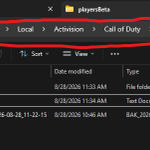
2️⃣ Open File Explorer and go to:
C:\Users\[YourUsername]\AppData\Local\Activision\Call of Duty\playersBeta
Can't see AppData?
View → Show → Hidden items
3️⃣ Delete these if they exist:
s.1.0.bt.cod26
s.1.1.bt.cod26
4️⃣ Download my config:
drive.google.com/file/d/1sfo…
5️⃣ Paste s.1.1.bt.cod26 into the playersBeta folder.
6️⃣ Launch MW4. If prompted to reset/replace the config, click No.
Best settings in game:
teapaw.org/KIRNEILL/status/209338…

Best Config files:
teapaw.org/KIRNEILL/status/209338…
🚨 MW4 BETA MAX FPS CONFIG INSTALL GUIDE🚨
1️⃣ Open MW4 at least once, then fully close it.
2️⃣ Open File Explorer and go to:
C:\Users\[YourUsername]\AppData\Local\Activision\Call of Duty\playersBeta
Can't see AppData?
View → Show → Hidden items
3️⃣ Delete these if they exist:
s.1.0.bt.cod26
s.1.1.bt.cod26
4️⃣ Download my config:
drive.google.com/file/d/1sfo…
5️⃣ Paste s.1.1.bt.cod26 into the playersBeta folder.
6️⃣ Launch MW4. If prompted to reset/replace the config, click No.
6
8,611
If you want the best FPS for COD MW4 Beta, I released a new update to the @TUNEDPC app.
1. Click Call of Duty Beta
2. Turn on Windows Optimization
3. Click Optimize
4. You're done. Enjoy the FPS
You can get the app at tunedpc.com


KIRNEILL retweeted
Windows update KB5077181 may be causing stutters in your games.
It's may be caused by Fullscreen optimization.
Fix: Right-click your game .exe → Properties → Compatibility → check "Disable fullscreen optimizations"
If you updated recently & your games feel off, try this.

KIRNEILL retweeted
Windows 11 Widgets are running in the background eating your CPU even if you never open them.
WidgetService.exe and Microsoft.Widgets.exe load at startup and stay resident, checking for weather updates, news feeds, and stock prices while you game.
Fix: Settings -> Personalization -> Taskbar -> Widgets -> OFF
Easy way to gain more FPS in CPU intensive games like Fortnite, CSGO2, and Valorant!

KIRNEILL retweeted

AMD’s Ryzen X3D CPUs are so powerful that they were causing physics-related stutters in Apex Legends.
Thanks to their massive 3D V-Cache, these processors let the game run at extremely high frame rates, often well over 240 FPS and sometimes pushing toward the 300 FPS cap.
Apex Legends uses a physics system built on a heavily modified Source engine that simply wasn’t designed to handle today’s ultra-fast modern CPUs.
At those extreme speeds, physics calculations can stall the main thread during complex scenes, leading to noticeable stutters.
Respawn Entertainment fixed the problem in the Season 29 “Overclocked” patch.
They improved CPU performance on physics calculations, eliminating the stutters that were especially prominent on CPUs like the Ryzen X3D series

