

Cool Tools Database: https://teapaw.org/t.co/mmVmxk3buH Tech News & Commentary: https://teapaw.org/t.co/vUwzYBzCxO
Join 250,000+ Readers →
Joined July 2022
- Tweets9.3K
- Following1.5K
- Followers122K
- Likes53.9K




Pinned Tweet
I just had such an amazing conversation with @demishassabis about how AI works under the hood, the future of the technology, and how we ensure people can feel comfortable using it. Can’t wait to share it with you!

In my latest YouTube video, I sat down with @nateherk and asked him to breakdown 3 of his favorite AI workflows. He explained how AI edits his videos, how he's built an automated IG account, and, my favorite, he shared his Roast Room.
Matt Wolfe retweeted

By popular request, you can now text your dot.
Give it a task to take off your plate or something to keep an eye on, using text, photos, or even voice notes. It will text you proactively with relevant updates.
Safe, secure texting via iMessage or RCS. You’re the only one who can text your dot, and your dot can only text you. Rolling out now as a preview for Pro users in the US.
If you haven't seen my video with @bilawalsidhu about God's Eye View, definitely check it out.
Here's my 9th video in 14-days (trying to post 15 over 30-days to meet X's video kickstart requirements). For some reason, the backend shows I've only posted 5. 🤷♂️
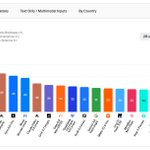
Google's latest model (which is announced but not publicly available yet) just jumped into the lead. Everyone talks about Google dropping the ball. I keep saying over and over again, never count out Google.


Introducing Gemini 4 Carbon, it's a big jump over Argon which we released just 2 weeks ago.
Gemini 4 Carbon is SOTA on cyber, long horizon tasks, ranks #1 on Artificial Analysis V5, significantly improves on usability in domains like coding, and is more aligned.

Genie 4 is pretty impressive. I find the visuals to be very realistic and high-quality. The ability to prompt anything into the world and have it just appear opens up all sorts of possibilities to steer a scene in whatever direction you want.
I found it really difficult to control the object on the screen, the monkey, the car, and the bi-plane all sort of ignored my attempts to steer them. There was also some temporal coherence issues where I'd turn around and face a different direction and then return to my original position and things would have changed. The Mustang, for instance, changed directions when I turned around. When it drove off later in the scene, it turned into a taxi... Little things like that change over time.
Visually, however, it's really impressive. (IMO)
This anti-drone drone is wild.
This is video 8 of 15 during my 15-videos in 30-days. Each video I'm testing letting AI do more and more on the edit. Ideally, over the next couple weeks, you'll see the videos improve.
I have a feeling Peter is going to get really popular and gain a lot of followers over night. :)

I’m joining the team at @X to lead Product.
I am a huge believer in @SpaceX's mission to extend human consciousness to the stars, so it’s time to make shitposting multiplanetary.
X is the best way to find out what’s happening in the world right now and talk about it. The team has been working tirelessly to make X a better place and product for the people who love it, and many have noticed the recent momentum. My goal is to help accelerate that momentum for our community, new users, and businesses globally by continuing to make this product beautiful and useful.
We are twenty years in, but it truly feels like X’s next chapter will be our greatest. I look forward to your ideas and feedback; I’m sure the replies will be measured and magnanimous.
Check out the Voxel Butler robot... Could be yours in 2028 for roughly $20k.
(New video edit test - Gave Claude ungraded S-Log footage and had it color grade as part of the editing workflow)
This is the second video where I let AI edit the entire thing. I recorded my A-roll, gave it to the Claude, gave it ZERO instructions, and it used the skill from my previous video to edit the whole thing (now with music from ElevenLabs). This was one prompt. And the prompt was me just dragging the A-roll (talking head) video in and giving it a link to Kimi's launch video on YouTube.
This was my first attempt at editing a video 100% without something like Davinci Resolve. This one was with Claude Code. I recorded the a-roll of me talking and it sourced the b-roll, timed it with me talking, split the top and bottom, and added the subtitles.
Here's attempt #2 (with a different subject matter and music added): teapaw.org/mreflow/status/2114061…

This is the second video where I let AI edit the entire thing. I recorded my A-roll, gave it to the Claude, gave it ZERO instructions, and it used the skill from my previous video to edit the whole thing (now with music from ElevenLabs). This was one prompt. And the prompt was me just dragging the A-roll (talking head) video in and giving it a link to Kimi's launch video on YouTube.

The coolest thing is that, every little suggestion and fix I told it to make, it kept going back and updating the original skill it created. So now, future edits, should require way less back and forth. And it'll get smoother with each new video.