
Hi! I'm Andrew. I'm a automatization expert in https://teapaw.org/t.co/YDWZX7hA6l. I can automate manual tasks and setup fully automatized CRMs.
Santiago, Chile
Joined November 2021
- Tweets284
- Following74
- Followers117
- Likes86


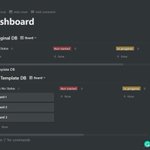

Build a content bank in Notion:
- Store ideas in a structured database.
- Tag them by platform & category.
- Move them through a pipeline from draft to published.
How do you track content ideas? Let’s share.
22
Automate client onboarding in Monday.com:
- Use templates for consistency.
- Auto-assign tasks to teams.
- Share a live progress tracker with clients.
How do you improve onboarding? Let’s discuss.
13
Track your network with Airtable:
- Store contacts & last interaction dates.
- Automate follow-up reminders.
- Use tags to categorize relationships.
How do you manage networking? Let’s discuss.
10
Cut meetings in half with Loom & Notion:
- Record updates instead of live calls.
- Store videos & summaries in Notion.
- Collect feedback asynchronously.
How do you limit meeting overload? Let’s talk.
20
Automate task assignments in Monday.com:
- Auto-assign tasks by team roles.
- Set dependencies for task progression.
- Notify team members of deadlines.
How do you streamline task management? Let’s talk.
12
Manage your sales pipeline in ClickUp:
- Use custom statuses for deal stages.
- Visualize with a Kanban board.
- Automate stage-change notifications.
How do you track deals? Let’s discuss.
10
Build a team wiki in Notion:
- Organize knowledge into clear sections.
- Use databases to connect SOPs & guides.
- Set access permissions for key documents.
How do you document processes? Let’s share.
7
Use ClickUp for performance reviews:
Create a task template.
Set recurring tasks.
Use private notes for feedback.
How do you structure reviews? Let’s talk.
1
16
Track team availability in Monday.com:
Add status columns for availability.
Automate notifications when changes happen.
Use a dashboard for quick insights.
How do you manage team schedules? Let’s talk.
9
Track client requests in Notion:
Use a database with priority and status.
Let clients submit requests via forms.
Filter views by urgency or client name.
What’s your best tip for tracking requests? Let’s talk.
13
Track budgets easily in Monday.com:
🏛️ Add columns for categories and spending.
🤖 Set automations for alerts.
🎛️ Visualize data with dashboards.
How do you manage budgets? Let’s talk.
14
Use ClickUp for smooth onboarding:
✅ Build a task template for all steps.
⚙️ Add custom fields for start dates and roles.
🤖 Automate notifications for progress.
How do you handle onboarding? Let’s share.
1
18
Build a client dashboard in Notion:
💽 Create a database for updates.
🔗 Share the page with clients.
👀 Add progress bars and timelines.
How do you use Notion for clients? Let’s discuss.
12