

The audio layer for information for people, agents and autonomous systems. Turn multimodal content into portable audio.
Joined February 2026
- Tweets53
- Following92
- Followers3
- Likes354






Wondering how your product, workflow, or agents can use Lector?
We made this for you.
Text. Documents. Images. URLs. Agent output.
One API to turn them into audio. Choose the voice, delivery, and metadata your workflow needs.
Here’s how Lector works:
lectorai.app/comms/how-lecto…
🤖 Made with AI

14
Adding audio to your product sounds simple.
Until you have to support different voices, multiple content types, streaming, hosting, structured metadata, and agent-ready workflows.
That's why we built Lector.
Your product already knows what to say. Lector helps it say it.
lectorai.app/comms/your-prod…
🤖 Made with AI

12
🎥 💻Turn your sports coverage into audio
⚽️🏀🏈🏟️⚾️🎾🥊
📑Add your content, 🗣️choose a voice, 🔊generate audio, ▶️play it, and ⬇️download the file.
With Lector's Web Player, you can move quickly without waiting on a production team. For teams with developers, the Lector API makes the workflow easier to scale.
Try it today at lectorai.app/app
More info ➡️ lectorai.app/comms/turn-spor…
17
Publishers: your content does not have to wait until someone has time to read.
With Lector, turn articles, newsletters, documents, and internal content into audio your audience can listen to anywhere.
- Try Lector's Web Player for easy audio creation.
- Use Lector’s API to add audio to your publishing workflows, internal tools, and agents.
lectorai.app/comms/lector-fo…
🤖 Made with AI

Give your robot a voice without building the whole voice stack.
Voice should not become another infrastructure project for robotics teams.
Use Lector to give robots and intelligent interfaces a narration layer: turn text, URLs, documents, images, instructions, updates, and agent workflows into audio through one API.
Developers can feed Lector different content structures, choose from different voices (xAI, OpenAI, or Gemini, more voice providers coming soon), and receive narration-ready audio back through the API.
The narration layer for delivery robots, kiosks, airport guides, hotel robots, warehouse systems, and public information interfaces. lectorai.app/api

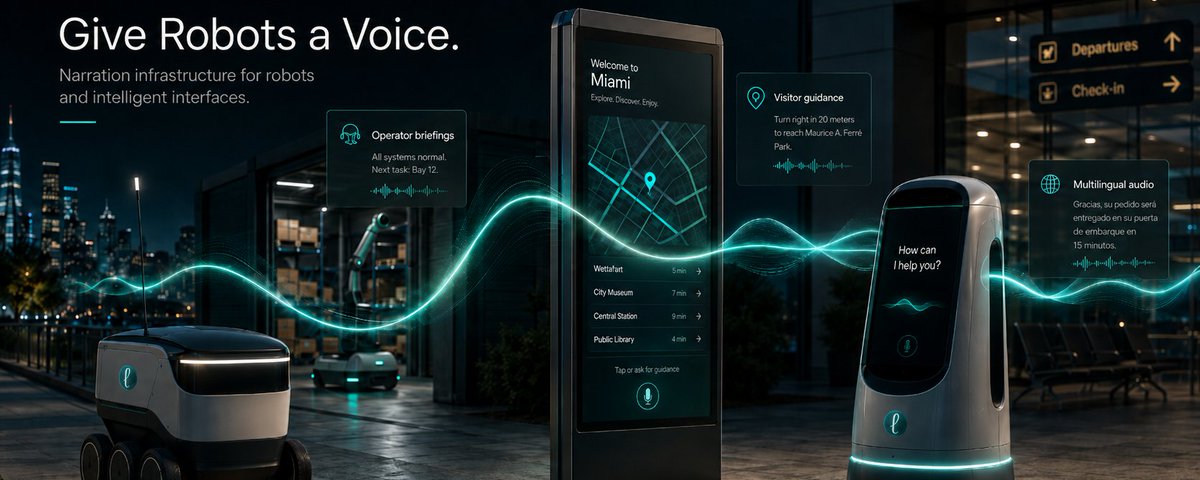
26

Calling all publishers, designers and content creators, robotics teams, newsletter owners, or developers building autonomous systems that need narration layers: have you lectored yet?
lectorai.app/api

14
🤩Lector API now supports voice selection across OpenAI, xAI, and Gemini.
💭Lector a quote from a local or online image with Eve from @xai.
📄Lector a PDF from Google Drive with Alloy from @OpenAI.
📧Lector extracted content from your @gmail with a @GeminiApp voice.
Same API. More voices. More ways to turn information into audio. 🔊
🤖 Made with AI

These demos are not voice cloning. They are image-to-audio narration.
The voice is selected by the developer or agent to turn the text in the images into audio.
Here are a few examples of what your agent/app might sound like narrating what is on an image using Lector to do so ⬇️🧵
1
29
Here’s an example of what an agent might sound like narrating a quote from a GIF URL with an xAI voice using Lector’s listen-image-url endpoint to produce a .wav audio.
Perfect for agents, accessibility layers, dashboards, research tools, and workflow automation.
Lector read the GIF located at ibbds.com/wordpress/wp-conte…
1
24
Here’s an example of what an agent might sound like narrating a quote from a JPG URL with a Gemini voice using Lector’s listen-image-url endpoint to turn the text in the image into a .wav output.
Image input.
Audio output.
Agent-ready.
Lector read this JPG from dreamwalk.com.au/wp-content/…
Try it today at lectorai.app/api and lectorai.app/docs 🔊
20
Lector’s v1/listen-image and v1/listen-image-url endpoints turn screenshots, graphics, scanned documents, and other visual inputs into narrated audio with a simple API call.
But these return more than audio.
Agents and apps can also receive useful response data such as language metadata, playback details, usage information, and delivery/output metadata - making the result easier to route, store, replay, and use inside workflows.
Image → OCR/extraction → narrated audio.
Built for agents, apps, accessibility, and multimodal workflows.
Get started today at lectorai.app/api

12
We are entering the agent era.
Agents won’t just read information. They’ll consume, transform, narrate, and deliver it.
But most information still isn’t designed for listening.
It’s trapped inside tabs, PDFs, screenshots, emails, articles, dashboards, and websites.
Enter Lector 🔊🎧
The narration layer that turns multimodal content into audio for humans and agents.

Lector API allows developers to turn multimodal content into narrated audio and structured metadata that humans and systems can actually use.
Some examples:
• Turn quotes from an image into a voice note
• Convert market or sports analysis into audio
• Listen to articles instead of reading tabs
• Transform email content into audio briefings
• Extract audio from online documents and websites
• Create narrated research workflows
• Stream spoken updates into apps and assistants
• Generate long-form audio from PDFs, URLs, screenshots, and text
Built for:
• OCR + extraction
• Long-form narration
• Streaming audio
• Hosted delivery
• Choose from xAI, OpenAI, and Gemini voice providers
If you are developer - try it today at lectorai.app/api

33


