

Developing stylized 3D rendering in Blender. I build custom tools + pipeline now. https://teapaw.org/t.co/XJ2dNUpt2G
Bay Area, California
Joined September 2015
- Tweets3.5K
- Following419
- Followers8.9K
- Likes9.3K




Pinned Tweet
aVersion_Lines is out!
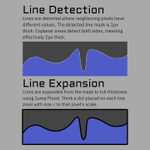
Draw lines from any data, not only geometry. Screen-space Jump Flood line art in Blender 5.2's Compositor. Draw lines from Depth, Normals, or Custom Color IDs.
Store: aversionofreality.gumroad.co…
Guide: youtu.be/Ejzm687bvzA
Docs: aversionofreality.github.io/…

aVersionOfReality retweeted
Blender Geometry Nodes trick: you can exclude some geometry from later modifiers by converting it to an instance. Here I use it to stop the various mesh decals on Miku's skirt from getting unnecessary subdivision surface.
Blender Geometry Nodes trick: you can exclude some geometry from later modifiers by converting it to an instance. Here I use it to stop the various mesh decals on Miku's skirt from getting unnecessary subdivision surface.
aVersionOfReality retweeted
aVersion_Lines is still 25% off on Gumroad today and tommorrow!

aVersion_Lines is out!
Draw lines from any data, not only geometry. Screen-space Jump Flood line art in Blender 5.2's Compositor. Draw lines from Depth, Normals, or Custom Color IDs.
Store: aversionofreality.gumroad.co…
Guide: youtu.be/Ejzm687bvzA
Docs: aversionofreality.github.io/…
aVersion_Lines is still 25% off on Gumroad today and tommorrow!
aVersion_Lines is out!
Draw lines from any data, not only geometry. Screen-space Jump Flood line art in Blender 5.2's Compositor. Draw lines from Depth, Normals, or Custom Color IDs.
Store: aversionofreality.gumroad.co…
Guide: youtu.be/Ejzm687bvzA
Docs: aversionofreality.github.io/…
aVersion_Lines is now also available on superhive market!
superhivemarket.com/products…

aVersionOfReality retweeted

If you're into stylized 3D, check out this tool for Blender's Compositor by @AversionReality, which creates line art from rendered images instead of relying solely on geometry.
Available now with 25% off: 80.lv/articles/create-line-a…
aVersionOfReality retweeted
aVersion_Lines is out!
Draw lines from any data, not only geometry. Screen-space Jump Flood line art in Blender 5.2's Compositor. Draw lines from Depth, Normals, or Custom Color IDs.
Store: aversionofreality.gumroad.co…
Guide: youtu.be/Ejzm687bvzA
Docs: aversionofreality.github.io/…
The big drawback (for now) is that you need to disable regular filter Anti-Aliasing and then use the Anti-Aliasing node in the Compositor instead. This is worse quality in general, but for most toon or stylized work its still fine with the right settings. This will hopefully change with upcoming Compositor AA improvements.
It is also heavy on the VRAM use. If you are doing very high resolution and don't have 8gb VRAM, it may run over into system RAM. It will still work, but that slows things down. This will hopefully also change with further Compositor improvements.
Please see the documentation for other requirements and limitations before you buy:
aversionofreality.github.io/…


Like other 3D line art, the quality is still heavily dependent on your mesh. This tool gives more options, but it isn't a magic button to get nice lines on any model. Dirty input = dirty output, as always.
It doesn't care about topology as much as geometry based line art, but since it also gives you the ability to feed in textures and shader data, you have more opportunities for things to get funky!


aVersionOfReality retweeted
The documentation is now online! Go check it out if you want to understand more about what my compositor line addon does, how it's different from other options in Blender, pros and cons, and if it'll be right for your projects. I'm still working on guides and examples before the full launch, but the technical details are all here!
aversionofreality.github.io/…
They long, tedious grind of documentation and guides is almost over. This is definitely the most exasperating part of creating tools. I'm not going to wait for long form video guides to release this as that could push it out weeks more and most people won't need them. Trying to get to a minimum viable release asap!


They long, tedious grind of documentation and guides is almost over. This is definitely the most exasperating part of creating tools. I'm not going to wait for long form video guides to release this as that could push it out weeks more and most people won't need them. Trying to get to a minimum viable release asap!
Here's a rough draft demonstration of how the Blender Compositor Lines addon works, and how I made those lines. This shows how setup and the actual workflow goes. It isn't hard to get results, but the tool is extremely open ended by design, and so can get complicated!
This is also why it isn't out quite yet, because there's a lot to cover in the documentation and guides. But it is close!
The documentation is now online! Go check it out if you want to understand more about what my compositor line addon does, how it's different from other options in Blender, pros and cons, and if it'll be right for your projects. I'm still working on guides and examples before the full launch, but the technical details are all here!
aversionofreality.github.io/…
The documentation is now online! Go check it out if you want to understand more about what my compositor line addon does, how it's different from other options in Blender, pros and cons, and if it'll be right for your projects. I'm still working on guides and examples before the full launch, but the technical details are all here!
aversionofreality.github.io/…
They long, tedious grind of documentation and guides is almost over. This is definitely the most exasperating part of creating tools. I'm not going to wait for long form video guides to release this as that could push it out weeks more and most people won't need them. Trying to get to a minimum viable release asap!
aVersionOfReality retweeted
They long, tedious grind of documentation and guides is almost over. This is definitely the most exasperating part of creating tools. I'm not going to wait for long form video guides to release this as that could push it out weeks more and most people won't need them. Trying to get to a minimum viable release asap!
Here's a rough draft demonstration of how the Blender Compositor Lines addon works, and how I made those lines. This shows how setup and the actual workflow goes. It isn't hard to get results, but the tool is extremely open ended by design, and so can get complicated!
This is also why it isn't out quite yet, because there's a lot to cover in the documentation and guides. But it is close!
I appreciate the hundreds of you that have liked and bookmarked this already and not taken the easy shot at me for having literally the first word be a typo :P
aVersionOfReality retweeted
Here's a rough draft demonstration of how the Blender Compositor Lines addon works, and how I made those lines. This shows how setup and the actual workflow goes. It isn't hard to get results, but the tool is extremely open ended by design, and so can get complicated!
This is also why it isn't out quite yet, because there's a lot to cover in the documentation and guides. But it is close!
Here's a turntable in 4k of the Blender Compositor Line Art from my addon. The lines hold up well in animations. There are some areas that aren't so great, but these are issues with the input data. My detail line pass is a bit messy in some areas because I made it by ramping the color textures, which isn't really the proper approach 😅


Here's a rough draft demonstration of how the Blender Compositor Lines addon works, and how I made those lines. This shows how setup and the actual workflow goes. It isn't hard to get results, but the tool is extremely open ended by design, and so can get complicated!
This is also why it isn't out quite yet, because there's a lot to cover in the documentation and guides. But it is close!
Here's a turntable in 4k of the Blender Compositor Line Art from my addon. The lines hold up well in animations. There are some areas that aren't so great, but these are issues with the input data. My detail line pass is a bit messy in some areas because I made it by ramping the color textures, which isn't really the proper approach 😅
aVersionOfReality retweeted
Here's a turntable in 4k of the Blender Compositor Line Art from my addon. The lines hold up well in animations. There are some areas that aren't so great, but these are issues with the input data. My detail line pass is a bit messy in some areas because I made it by ramping the color textures, which isn't really the proper approach 😅
It needed some more time to cook, but my Blender Compositor Line Art addon is very close to finished (again)! Check out this test on a model by @lil_blk_rabbit
This shows multiple line sets with different levels of detail being set to different thicknesses. And when zooming out, they scale to 0 and disappear at different rates. Stylistic LOD control!
The addon includes tools for setting up these sorts of ID group lines conveniently, and also the scaling.