

Dev tools should reduce friction, not add complexity Building icon tools & workflows @ AXIALIS macOS + Windows
Paris, France
Joined September 2010
- Tweets3.6K
- Following1.4K
- Followers421
- Likes2.1K


Pinned Tweet
Developers rarely get blocked by the main feature.
More often, it’s the small visual tasks around it that slow things down:
fixing an SVG, adjusting an icon, re-exporting assets, or keeping everything consistent across platforms.
IconVectors 1.50 is designed to help with that.
A simpler way to work on SVG icons, keep assets clean and consistent, and use the same workflow on Windows and macOS.
With full macOS support now included, it’s easier to handle visual polish as part of the normal dev process, not as a separate task.
See what’s new:
axialis.com/iconvectors/#cha…
#DevTools #SVG #AppDevelopment #IndieDev #BuildInPublic

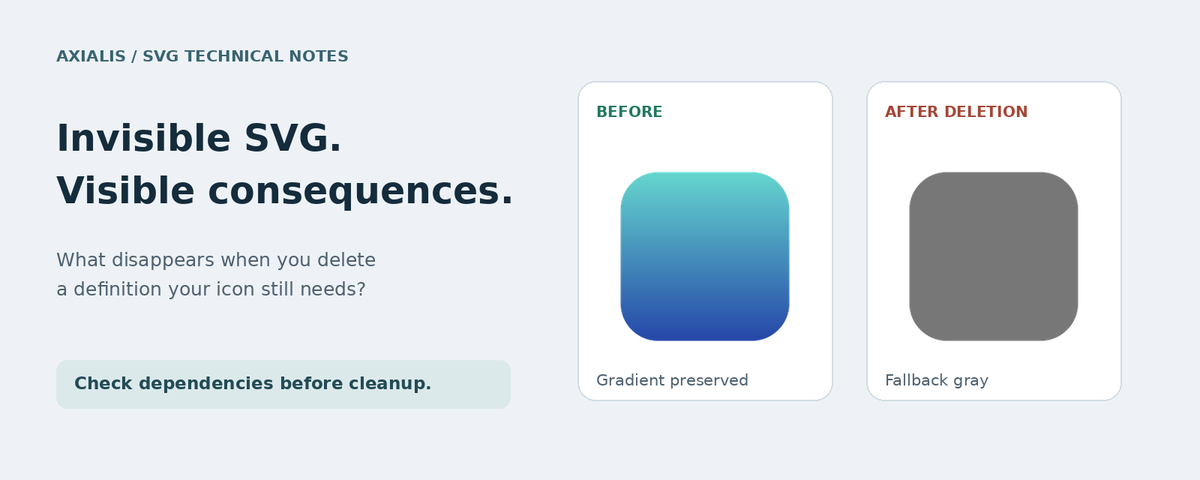
An SVG cleanup can leave the shape intact and still break its appearance.
Our new article explores three dependencies worth checking before deleting invisible elements: gradients, reused shapes, and text paths.
xitter.cf/AxialisSoftware/status…

Building a learning app? Finding one icon is easy. Finding 170 that match is harder.
Meet Axialis Line Pro Education.
Teaching, exams, subjects & AI-assisted study.
SVG, XAML, PNG. Customizable strokes and colors.
axialis.com/icongenerator/st…

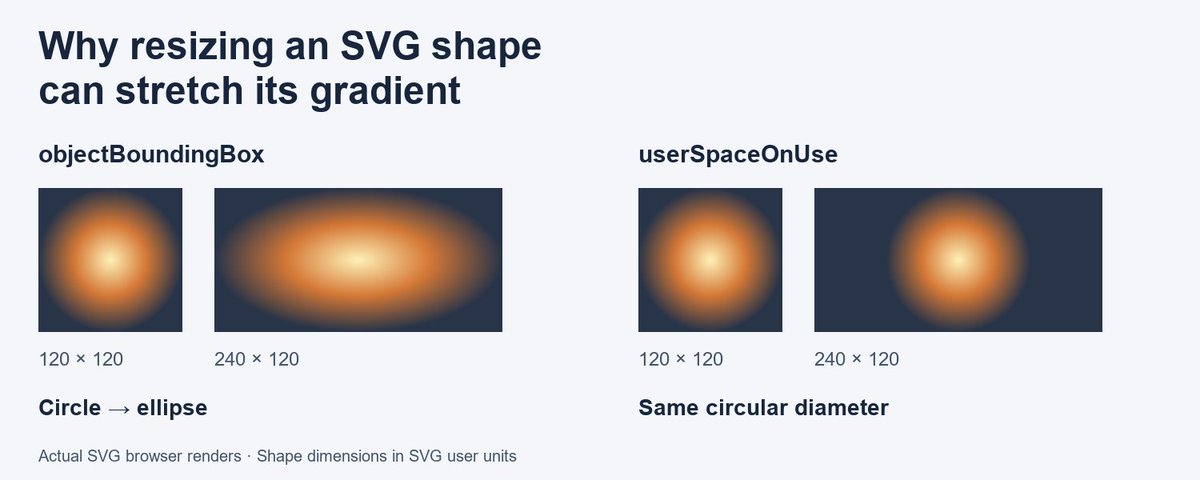
Resize the shape. Stretch the gradient.
Why does a circular SVG highlight become an ellipse? The answer often starts with gradientUnits.
Our new illustrated article explains what change, and how to keep the highlight circular.
xitter.cf/AxialisSoftware/status…
Fixing an SVG is easy. Fixing the next 39 is where the friction starts.
Open. Edit. Save. Close. Find the next file.
Each icon needs a different fix. The repetitive part is the file handling.
Auto-save on opening the next icon keeps the review moving.


Your SVG looks right in the editor. What about after saving, reopening and exporting to PNG?
A practical guide to checking gradients, transparency and the pixels you actually deliver.
xitter.cf/compose/articles/edit/…


Pick a color once. Use it across your icon.
In IconVectors 2.10, your chosen color stays put as you select other elements.
Left-click for fill. Right-click for stroke.
A small detail that saves a lot of picking.

Matching rounded corners by eye gets tedious.
In IconVectors 2.10, select several corners and drag one rounding handle to adjust them together.
A useful detail when refining folders, shields or other geometric icons.

You're adding a language selector to your app.
Flags, language names, or a globe icon?
We’ve been drawing icons for multilingual interfaces, and this question keeps coming up.
axialis.com/icongenerator/st…

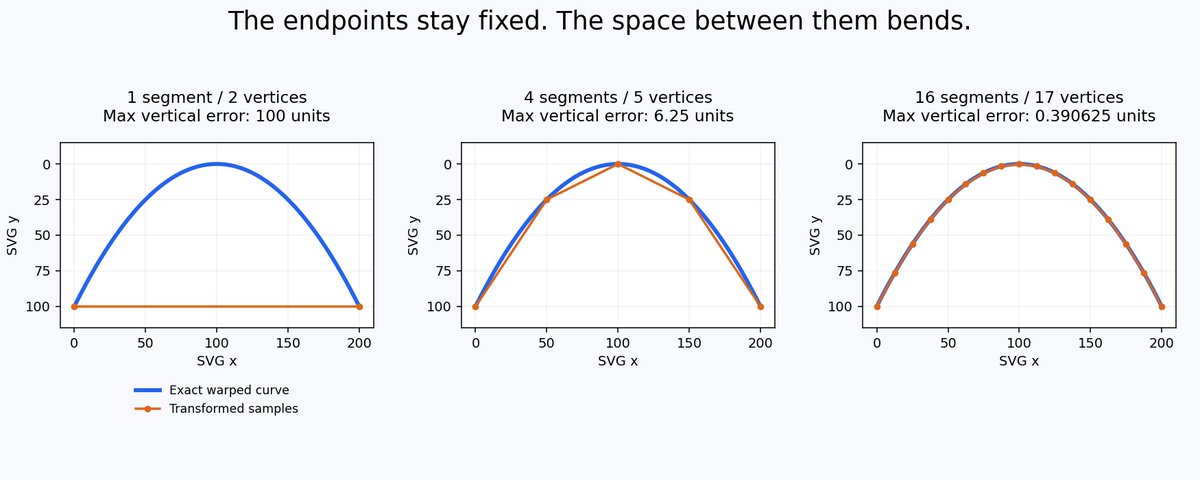
Both endpoints are correct. The SVG outline is still wrong.
A nonlinear warp can bend the space between anchors. Here’s a visual example showing why subdivision matters, and when a single Bézier curve works better.
xitter.cf/AxialisSoftware/status…
Finding one good icon is easy.
Finding 50 that actually look like they belong together? Not so much.
Consistent strokes, proportions and visual style make a real difference in an application's UI.
Explore our different icon collections:
axialis.com/icons/

Another check: do your icons still read clearly at the size you actually ship?
Details that look great at 64px can disappear at 16px.
We ’d check them inside the actual buttons and menus, too.

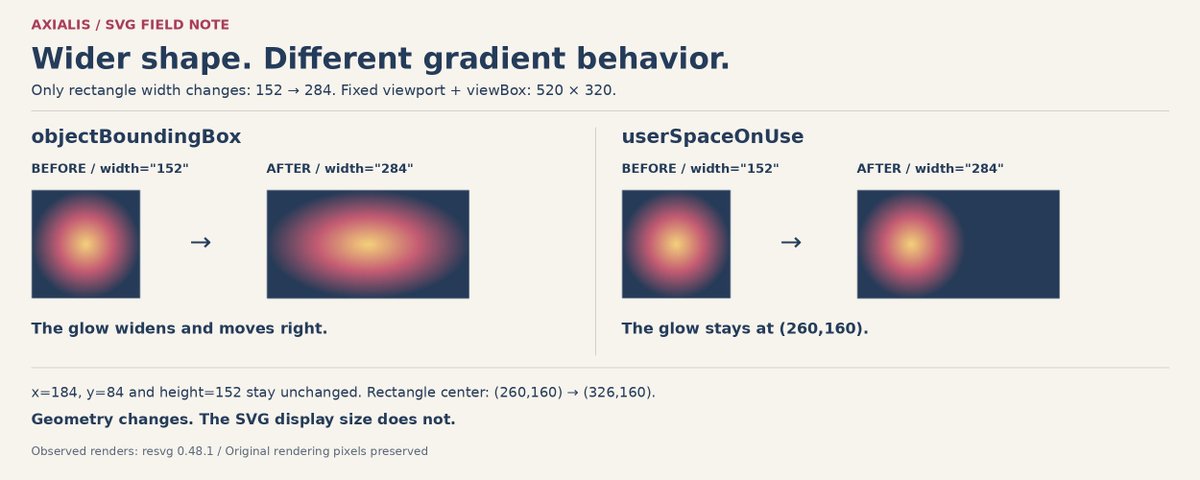
Widen an SVG shape, and its round highlight can stretch and shift.
We changed only a rectangle’s width to compare objectBoundingBox and userSpaceOnUse. Here’s what changed, what stayed fixed, and why.
xitter.cf/AxialisSoftware/status…
An MCP timeout doesn't tell you whether an edit happened.
In our Claude Desktop + IconVectors Windows walkthrough, we inspected the SVG before continuing, then verified the PNG dimensions.
40s of real results, edited together.
github.com/marcemile/iconvec…