

Aspiring Ethical Hacker | Network Security | PenTesting & Recon | Learning, Practicing, Sharing
Joined February 2026
- Tweets2.9K
- Following127
- Followers428
- Likes10.3K




CYBERGEZ retweeted
Day 140 of my cybersecurity journey 🔐
Today, I continued learning #Wireshark, focusing on Display Filters and how they help make packet analysis easier.
I explored how to use default filters, filter HTTP traffic using TCP port numbers, and why "bootp" is used when filtering IPv4 DHCP traffic.
I also learned how to filter traffic using specific IP addresses, exclude certain hosts, work with IP ranges, and filter entire subnets using CIDR notation.
One thing I found interesting was how a small change in a filter can reveal packets that might otherwise be hidden, especially when troubleshooting network connections.
The more I learn, the more I appreciate how important it is to know what you're looking for when analyzing network traffic.
Still learning, still documenting. 🚀


Day 139 of my #EthicalHacking journey. 🐧
Yesterday, I continued exploring #Wireshark and learned more about Display Filters.
First, I explored Display Filter Error Detection — the red, yellow and green color coding that helps identify whether a filter is valid, has a warning, or is ready to go.
I also learned about its limitations and an important caveat.
Next, I discovered how to find the exact field name I need for a display filter. Surprisingly, it was much easier than I thought! 😅
Finally, I dove into Comparison Operators, which let me filter packets based on conditions.
For example:
- "frame.len > 100" — Show packets larger than 100 bytes.
- "tcp.port == 443" — Show TCP traffic using port 443.
Still learning, still exploring. One packet at a time. 😄


Day 140 of my cybersecurity journey 🔐
Today, I continued learning #Wireshark, focusing on Display Filters and how they help make packet analysis easier.
I explored how to use default filters, filter HTTP traffic using TCP port numbers, and why "bootp" is used when filtering IPv4 DHCP traffic.
I also learned how to filter traffic using specific IP addresses, exclude certain hosts, work with IP ranges, and filter entire subnets using CIDR notation.
One thing I found interesting was how a small change in a filter can reveal packets that might otherwise be hidden, especially when troubleshooting network connections.
The more I learn, the more I appreciate how important it is to know what you're looking for when analyzing network traffic.
Still learning, still documenting. 🚀
Day 139 of my #EthicalHacking journey. 🐧
Yesterday, I continued exploring #Wireshark and learned more about Display Filters.
First, I explored Display Filter Error Detection — the red, yellow and green color coding that helps identify whether a filter is valid, has a warning, or is ready to go.
I also learned about its limitations and an important caveat.
Next, I discovered how to find the exact field name I need for a display filter. Surprisingly, it was much easier than I thought! 😅
Finally, I dove into Comparison Operators, which let me filter packets based on conditions.
For example:
- "frame.len > 100" — Show packets larger than 100 bytes.
- "tcp.port == 443" — Show TCP traffic using port 443.
Still learning, still exploring. One packet at a time. 😄
CYBERGEZ retweeted
HOW TO ANALZE NETWORK TRAFFIC USING WIRESHARK'S MAIN VIEW 🧵
Wireshark can capture thousands of packets, but you don't always need to inspect every packet individually to understand what's happening.
Sometimes, the clues are already sitting in the main view.
NOTE: Screenshots are from a sample ".pcapng" file downloaded from Wireshark's official website, used for demonstration.
Let's break it down. 👇

CYBERGEZ retweeted

Day077 of #100Dayschallenge
VLSM : An advanced, flexible, scalable subnetting technique that allows each subnetwork within a network to have a different size and right amount of IP addresses required of each department to function properly.
@AltSchoolAfrica


Day076 of #100Dayschallenge
CIDR Notation is the combination of an IPv4 address with a slash / followed by a number which is indicating the number of bits used for the network portion of the address.
The remaining bits define the host portion.
192.168.20.5/16
@AltSchoolAfrica


HOW TO ANALZE NETWORK TRAFFIC USING WIRESHARK'S MAIN VIEW 🧵
Wireshark can capture thousands of packets, but you don't always need to inspect every packet individually to understand what's happening.
Sometimes, the clues are already sitting in the main view.
NOTE: Screenshots are from a sample ".pcapng" file downloaded from Wireshark's official website, used for demonstration.
Let's break it down. 👇
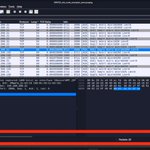
8. THE STATUS BAR
Don't overlook the bottom of Wireshark.
It can show the total number of packets, how many are currently displayed, marked packets, file information and your current profile.
The Expert Infos button can also alert you to network concerns detected in the capture.

1
6
31
9/ The Big Takeaway
You don't always need to dig deep into every packet.
Start with the Packet List pane. Look at the protocols, endpoints, timing and Info column.
Then investigate specific packets using the Packet Details and Packet Bytes panes.
That's how you go from staring at thousands of packets to actually understanding what's happening.
5
24

CYBERGEZ retweeted
Day 139 of my #EthicalHacking journey. 🐧
Yesterday, I continued exploring #Wireshark and learned more about Display Filters.
First, I explored Display Filter Error Detection — the red, yellow and green color coding that helps identify whether a filter is valid, has a warning, or is ready to go.
I also learned about its limitations and an important caveat.
Next, I discovered how to find the exact field name I need for a display filter. Surprisingly, it was much easier than I thought! 😅
Finally, I dove into Comparison Operators, which let me filter packets based on conditions.
For example:
- "frame.len > 100" — Show packets larger than 100 bytes.
- "tcp.port == 443" — Show TCP traffic using port 443.
Still learning, still exploring. One packet at a time. 😄
Day 138 of my #EthicalHacking journey. 🐧
Yesterday, I dove deeper into #Wireshark, learning two different filtering syntaxes.
1. BPF (Berkeley Packet Filter) – Used in Capture Filters to determine what traffic Wireshark captures.
Examples:
- "tcp port 80" – Capture TCP traffic on port 80.
- "icmp" – Capture ICMP traffic.
- "udp port 53" – Capture UDP traffic on port 53.
I also discovered that ICMP isn't just about ping! There are different message types, including type 17, 8, 3 and 0. 😅
2. Wireshark Display Filter Syntax – Used to filter traffic that has already been captured.
Examples:
- "dns" – Show DNS traffic.
- "tcp" – Show TCP traffic.
- "tcp.flags.syn == 1" – Show packets with the SYN flag set.
- "frame.len > 1000" – Show packets larger than 1,000 bytes.
I also explored Protocol, Application, Field Existence and Characteristics filters, which introduced me to something called BOOTP.
Honestly, Field Existence and Characteristics filters gave me the hardest time.
Still learning, still figuring things out. One packet at a time. 😄
CYBERGEZ retweeted

Recently solved a Blind External Entity Injection (XXE) lab
Unlike the previous lab, the application doesn't return any response, so you basically don't know whether it has processed your request or not.
While testing for this vulnerability, you can use a domain you control to check whether the application makes an outbound connection. That way you can confirm if the XML parser is resolving external entities. In this lab I used Burp Collaborator as my controlled domain.
When the request was successful, I could see incoming connection requests on Burp Collaborator, confirming that the XML parser had fetched the external entity pointing to my Collaborator domain.
The process was similar to the previous labs. I created a DTD, defined an external entity, and referenced it in the body of the XML request.
Because of the underlying vulnerability, the application accepted the XML, processed the DTD, and fetched the external entity.
At this point it might look harmless, but there's more to it 👀
Being blind doesn't mean an attacker cannot extract information. Attackers can craft payloads that cause the application to send sensitive information through outbound requests, sometimes directly within the connection URL.
This is just the first part. As I go deeper into more labs, I'll explore how attackers exploit Blind XXE to extract information.
#Cybersecurity #WebSecurity #XXE #EthicalHacking #PortSwigger


Another cybersecurity study session completed! 🔐
Today, I spent time revisiting Identity and Access Management (IAM) and Access Control Concepts.
I covered
- Identity Lifecycle Management
- Physical and Logical Access Controls
- Principle of Least Privilege
- Separation of Duties
- DAC, MAC, RBAC and ABAC
- IAM tools like SSO, MFA, PAM and IGA
One thing I'm beginning to appreciate is that cybersecurity isn't just about preventing attackers from getting in. It's also about making sure the right people have the right level of access.
Finished today's assessment with 8/8🎯
Back to learning and building, one concept at a time.
#Cybersecurity #IAM #AccessControl #LearningInPublic #CYBERVOYRAX
WHEN THE REPLY COMES BACK
The server sends the reply to the public IP and port the NAT used.
The NAT router checks its mapping table, sees that this reply belongs to 10.1.0.1, rewrites the destination address back to the client’s private IP, and forwards it.

1
6
40
SIMPLE TAKEAWAY:
Routers rewrite MAC addresses and reduce TTL.
NAT rewrites the source IP/port and keeps a table so replies can find their way back.
Each router only needs the MAC of its immediate next hop (learned via ARP).
That’s why the same request looks different depending on where you capture it in Wireshark.
6
35