

Making bold look easy. Graphic design, motion, 3D, branding & vibes.
guleranangel.com
Joined October 2015
- Tweets23.7K
- Following2.9K
- Followers7.8K
- Likes52.6K




Angel Guleran (Cash Design) retweeted
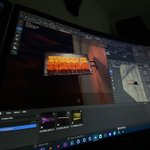
👀 Working on something insane, the first IRL stream overlay ever.
This is literally solid wood that was custom cut into words and lit on fire. 🔥
Angel Guleran (Cash Design) retweeted
The world of streaming and content creation can often feel like a battlefield and you as a lone warrior fighting an entire army. However, we're entering the battle as your ally and we're ready to help you Conquer the Gaming Realm
New branding, new goals.
cashdesign.net
Angel Guleran (Cash Design) retweeted
We started the "Quick Design Tutorials" series to help out beginners or any designer that might find these useful.
Here's a thread with all the tutorials so far🧵
So far we've got:
- Dripping Text Animation
- 3D Circle Text Animation
- Easy Pixel Art
- Flicker Text
- 3D Sphere Text
- Liquid Morph
- Grain Effect
- Rough Text
- Text Bounce
- Morph Text Into Objects
Angel Guleran (Cash Design) retweeted

Shout out @DesignCash for the first iteration of our logo of Team Bored.
Angel Guleran (Cash Design) retweeted
A logo design concept that got rejected on one of our projects.
This is up for sale if anyone is interested.
Angel Guleran (Cash Design) retweeted
Another behind the scenes of some alerts.
Had to create a 3D animated element made out of 2D elements 👀
Angel Guleran (Cash Design) retweeted
2023 Commissions are OPEN and we're ready to help all content creators—conquer the gaming realm!
- Stream Packages
- 2D/3D Alerts and animations
- Custom Digital art - Static or animated
- Logo Design & Brand Identity
- Social media graphics
And more → cashdesign.net
Angel Guleran (Cash Design) retweeted
New ally on the battlefield — @LewisJozef
Lewis, also known as Godric in the gaming scene was looking to revamp his streaming graphics with a grungy Japanese theme - Including animated screens, 3D alerts, and multiple assets.
Angel Guleran (Cash Design) retweeted
Quick After Effects Tutorial - 3D Ribbon Text.
- Create a 1650x250 Composition -> Add text and background.
- Create a 3800x250 Composition -> Add the "Text" composition -> Align to the left -> add CC Repe and set "Expand Right" to 10.000
- Create a 1920x1080 Composition -> Add the "Text Animation" composition -> Rotate it to -30° -> Check "For Comp Layer" box.
- Set "Z" Position to ~ "-300"
Angel Guleran (Cash Design) retweeted
We're testing out a new product!
- We started creating digital art (static & animated) for stream overlays, banners, etc.
- Since this is a new product we're having a 30%-50% discount for the first projects.
So if you know someone that might love this, please tag them!

Angel Guleran (Cash Design) retweeted
Everything is thought, sketched, and completed from scratch, here are a few drafts before choosing the final concept.

Angel Guleran (Cash Design) retweeted
Quick After Effects Tutorial - Turn text into a 3D Sphere.
- Add your text -> Pre Compose -> Size the composition to match the text.
- Add Motion Tile -> Width at 400 / Height at 1,000.
- Add CC Sphere -> Set Render to "Outside"
- Animate the rotation.
Angel Guleran (Cash Design) retweeted
Quick Photoshop Tutorial - Easy Pixel Art.
- Import your image.
- Filter -> Pixelate -> Mosaic -> Set it to 15.
- Add Threshold -> Set it to roughly 150.
- Add Gradient Map and select your colors.
Angel Guleran (Cash Design) retweeted
Quick Photoshop Tutorial - Grain Text.
- Add the text - > Convert it to Smart Object.
- Go to Filter -> Blur Gallery -> Tilt-Shift.
- Set the blur angle and click OK.
- Set the text layer to "Dissolve".
Angel Guleran (Cash Design) retweeted
New profile picture, new bio - Rebrand going live in 30 minutes.
