
We produce bases, terrain, and vehicle upgrade kits for a variety of game systems.
Burlington, WI
Joined July 2023
- Tweets652
- Following12
- Followers157
- Likes356





Elrik's Hobbies retweeted

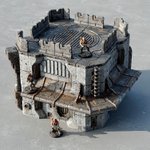
Need a super flexible set of sci-fi scenery that works for whatever your world, game, imagination needs? Then checkout the modular home print #horizonstation on #kickstarter from @darkfantasticmills kickstarter.com/projects/dar…


Elrik's Hobbies retweeted

21 Goals unlocked in the Horizon Station KS - and till 7 days left to unlock much more! It's not all scenery - the latest is the Heavy Truck, and yes, it is a flat bed and that Cargo container can be removed 👊😈 Link in bio/below

Elrik's Hobbies retweeted

Went with a plain-ish base, then for paints, a simple, holy-ish feeling white and gold scheme using some combos I like a lot
grey seer shaded with thinned washes twice, reikland then drakenhoff, for the white
then runelord brass shaded with reikland for the gold


Elrik's Hobbies retweeted
We’re steadily racking up the Stretch Goals on the #horizonstation KS. Check it out to see what’s new, and what’s coming…

Elrik's Hobbies retweeted

Right now just trying to go through some paint colors and try different things to get used to painting.
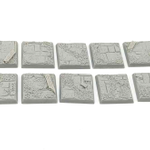
Got 10 of these Ruined Temple bases so gonna try five different color combos.

Elrik's Hobbies retweeted
First thing I painted in over 30 years! Some Ruined Temple bases from Elriks Hobbies.
Hate my paintjob less than I thought I would lol
And honestly much more fun than I thought it would be. Gonna do some more bases for a bit to learn about the paints and what the colors look like etc, then move on to some figures.
Also I’m at that stage in life where I need glasses.
I’m completely winging it for now but will watch some tutorials later. I like to fumble around myself at the start to see what comes “natural.

Elrik's Hobbies retweeted
It’s #freepaintoverday
Like, share and reply with pics! Any game system!
Try to include any lore/model type etc
Going to choose a few for paintovers!
#warhammercommunity #manticgames #dnd


Elrik's Hobbies retweeted
Miniature Photography Tips Masterclass!
Here's a collection of handy tips and tricks from various sources, aimed at enhancing your miniature photography skills. (Links Below!) Plus, I’ll share some insights on photography specifically for paintovers.
When creating a paintover, my objective is to give the final piece a cinematic and captivating quality, which differs from showcasing a painted miniature.
An aspect I often tweak is the camera angle. If you refer to the excellent article from White Dwarf, you'll see they typically position the camera at the model's eye level. While this is ideal for their purposes and most miniature painters, I prefer a lower angle, around knee level or even down to foot level, making the base appear almost flat. This perspective is common in concept art and many book covers, as viewing subjects from a lower angle tends to confer a sense of dominance (Think: the advantage of higher ground in visuals).
Lighting in paintovers or presentations also requires a unique approach. I like to introduce natural shadows to enhance the miniature's highlights. Many paintings and book covers use strong contrast, with large shadow areas that underscore the lighter parts. This contrast is key to composition—if everything is evenly lit, nothing stands out.
In paintovers, you want to amplify the drama and atmosphere. Using a light source on the actual model can be very effective. For example, lighting a model from the upper right, where it holds a weapon, and allowing natural light to cast shadows on the left side creates a dramatic effect. It simulates the light emission from a fired gun, adding to the scene’s intensity. The same photo, but with such targeted lighting, can result in a far more compelling paintover than one with uniform lighting.
(Photo below from Michael Kirkbride has some lighting and shadow painted onto it then a predominate light source from top left to add to it subtly)
A miniature can be accentuated through its paint job, and then further enhanced with real-world lighting to intensify the effect, giving it a grounded, realistic feel. In most real-life scenarios, lighting doesn't come from every direction, so using simple, real-world-inspired light sources often appears more natural to the eye. This isn't to say there's a "wrong" or superior method; it's simply a technique I find effective for paintovers. It's also a great way to make your photos pop and stand out.
Some great in depth links below from some very talented people that will help you have a better understanding of photography!
White Dwarf magazine article on model photography that's pretty in depth and touches on details like ISO and aperture.
warhammer-community.com/2018…
@Garfytwit talking about how cameras dont photograph white accurately with example pics. teapaw.org/garfytwit/status/14783…
@Sughammer has a YouTube video that recounts her time photographing minis for Games Workshop and offers you techniques and tips. teapaw.org/sughammer/status/16900…
@Luetin09 with a tweet that is quickly shows you how to "stack" photos in photoshop by using multiple photos to make sure all of the image is in focus teapaw.org/luetin09/status/154403…
@affinitybyserif has a very interesting article talking to 7 different miniature photographers with their most valuable tips and tools affinityspotlight.com/articl…
If you liked this post consider ko-fi.com/artistsempire
#warhammercommunity #manticgames #dnd #40k


