

We make award-winning creative tools that help photographers and designers create stunning work.
Raleigh, NC
Joined January 2011
- Tweets3.6K
- Following1.2K
- Followers2.4K
- Likes2K

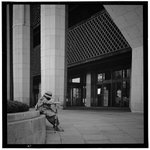



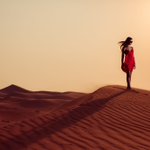

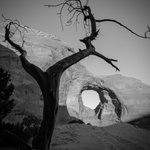

What inspires you? Today is a great day to put energy towards a creative task. It’s National Creativity Day! — Let your mind race with exciting thoughts about what you’re passionate about. @Jjeanfrancoismuguet took these great images. He’s been an Exposure fan for years.


If you ever need technical help, we are here for you. Inside Exposure, you can submit a support request from the Help menu. That’s the fastest way to get in touch with someone on our team. These images are from Exposure user @mapmonkey_photos


The composition guides in Exposure display helpful overlays while you perform cropping and rotating. Under Display Options, use the rule of thirds, golden spiral, diagonal, or more. Speaking of examples of great composition, these beauties are from photographer @aymericcrispel


Happy Earth Day! Today we celebrate our support for environmental protection. You can do lots of things to show support, such as donate, volunteer, or simply learn how to live more sustainably. These photos of this fabulous planet are from Exposure user @ClickMyPix.


This week’s tip is about how to not overdo sharpening. When you adjust the Sharpening panel sliders in Exposure, hold down the Alt or Option button. That will change how the image is displayed as you dial-in the effects. Images by @alb3_korriban on IG.


We love looking at all the beautiful images that were created with our software. James Korges captured this beautiful flower shot. He's been an Exposure user for a long time. His Instagram is james_w_k.

We just published the recording of our recent webinar on YouTube. During the lesson, we went through an entire post-processing workflow including, organizing photos, basic editing, cropping, retouching, & more. Check it out. youtube.com/c/exposuresoftwa…
Image by @theexiffiles

In celebration of Women's History Month, check out the tremendous talent of Ukrainian photographer and Exposure user, Tetyana. She has used Exposure for a long time, and we’re always impressed by what she makes with it. See more of her work. viewbug.com/member/Andamata

Exposure’s library of carefully curated presets has over 500 unique looks. We made this video to take you through the different categories, so you know where to find the look you're after.
exposure.software/blog/2022/…
Photo by @robertxc

Layers are a powerful way to control how edits apply to images, which greatly expands your creative abilities. Learn how to use layers and masking to blend the edits you make in this video. exposure.software/blog/2022/…

If you missed our Workflow Introduction webinar, we saved the recording for you. We demonstrated copying images from camera cards, then worked through organizing photos, applying looks & more. Take a look. youtu.be/oz8uBH62SXI
Images by @alejandro_gutierrez

There are lots of ways to quickly select objects in Exposure. Regardless of how you created the layer mask, it can easily be converted into a polygon selection. Learn how in our latest video.
exposure.software/blog/2021/…
Photo by @theexiffiles

Here is the recording of our Masking Selections webinar. This lesson showed how to use the new selection tools in Exposure X7. The tools are flexible and can be used to create detailed selections quickly.
youtu.be/-P67n_oGAT0
Image by David James Jacquot

The Lasso selection tool is an express route to making a detailed layer mask in Exposure. Simply trace an object freehand and Exposure will handle the rest. We show you how in this video.
exposure.software/blog/2021/…
Photo by @andrealivieri

We released an update to Exposure X7 that introduces several new features. Learn more about the new Lasso tool, support for video files, and expanded support of new camera model RAW files in our announcement article.
exposure.software/blog/2021/…
Photo by Scott Stulberg

Today we’re delighted to announce the release of Exposure X7! New features include an innovative new masking tool, editing workspaces, unified crop and transform panels, defective pixel removal, and more! Photo by Kariann Photography.
exposure.software/blog/2021/…

Join us for a webinar about how to control the effects of haze in Exposure. We will cover reducing the effects of smoke and fog, how to boost the look creatively, and more. Join us at 11AM EDT, Thursday, Sept 16th. bit.ly/2YTeSII
Image by David James Jacquot

Exposure X7 introduces a new Polygon Selection tool that will help you create selections faster than ever. Simply draw an outline of an object and Exposure will make a detailed selection for you. Watch our feature video to learn more.
exposure.software/blog/2021/…
Photo by Darla Winn

LUTs contain color grading directions that transform the colors in your photos. This video teaches how to use LUTs in Exposure, including how to customize the LUTs you apply, and how to blend multiple LUTs in non-destructive layers. exposure.software/blog/2021/…
Photo: Scott Stulberg
