
This account is no longer monitored. Please go to https://teapaw.org/t.co/S77StVCxnr
Joined November 2011
- Tweets1.3K
- Following57
- Followers303
- Likes0


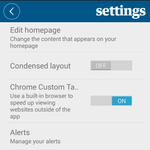
Thanks. If you have tried all of that, then we'll need to get some additional info. Can you please take a screenshot of the error message, then report the issue through the app (menu > cog > help > report an issue) and include your diagnostic info and the screenshot in the email?
25
Hello Ian, sorry to hear that. Are you running iOS or Android? And have you checked for an app update from your app store?
1
23
Hello, sorry for the slow response to this, we lost access to this account for a while.
Is this issue still happening for you? If so, the best thing to do is report it through the app (menu > cog icon > help > report an issue) and include diagnostic info when prompted.
2
39
Sorry for your experience with the store finder, we'll look into improving it. It may be possible to get vouchers by calling our contact centre on 0330 333 6767, although there won't be a discount on voucher subs. Also, that store is covered by home delivery, you may be too.
1
1
34
Hello Ben, sorry for the slow response. We are adding more retailers to our card scheme this year, there is a list of participating retailers at this link: digitalvouchers-production-s…
2
51
Hi Jim, apologies for this. We are looking into what happened to ensure it doesn't happen again; it appears to be a problem with how the page was sent to be printed. Thanks for notifying us of this. If you can't do the sudoku there, you can find it here: theguardian.com/lifeandstyle…
1
1
68
Hello, apologies for the slow response here.
This question is best dealt with by our customer service team, their details can be found here:
manage.theguardian.com/help-…
184
Hello, apologies for this issue. Can you please report this through the settings page of the app itself by tapping menu > cog icon > about > report an issue and include your diagnostic information when prompted? We can then pass this to devs for investigation.
1
60
Hello, sorry to have missed this yesterday.
For data security reasons, this is best dealt with over email. Please ask your mother to email [email protected] from one of the email addresses she might be signed up under and we can take it from there.
33
If you find that the Journal section is missing from the 7th October Guardian Edition, please delete all downloads by scrolling to the end of the 'Recent issues' menu and selecting 'Manage downloads'. Then re-download Saturday's issue. Apologies for the trouble.
1,066
Sorry you're having trouble with the app. There are no known problems with the app crashing. I recommend that you clear the app cache (Settings app>Apps>Guardian>Storage>clear cache) as that may help. If you require further assistance, please email [email protected].
1
1
45
Sorry for the slow reply. I checked our records and saw that your screenshot was received by email. Thank you for resending it.
22
Hello Ronald. Thank you for getting in contact. I've not been able to reproduce that. Can you report it via our help centre: manage.theguardian.com/help-…? We can then gather some additional information.
1
24
Sorry about the missing cryptic. We are unable to display it in the normal interactive format. Please use the PDF version: uploads.guim.co.uk/2023/08/2….
1
23
Can you check that content blocking is not enabled?This can be checked by navigating to Settings > Safari > Extensions and seeing if content blockers are switched on.
111
Sorry you're having trouble. Does the default browser on your device (usually Safari) have cookies enabled? To check this: from the device homescreen go to Settings>Safari> Block All Cookies. Check that 'Block All Cookies' has not been switched on.
66
Further to my previous message, it should be possible to just update Safari if updates are available. Steps on how to do that can be found at makeuseof.com/how-to-update-….
22