

We build insight moment for scientific research. Community Operations Based on AIPOCH Open-Science @aipoch_ai
Joined July 2026
- Tweets472
- Following255
- Followers213
- Likes1.4K


Gwayne Stark retweeted

AIPOCH Open-Science v1.3.0 is out!
This release focuses on research automation, creative tools, and workflow reliability. It introduces Scheduled Research Tasks, AI Image Generation and Editing, editable PowerPoint presentations, Research Film replay, and smarter Agent interactions, alongside improvements to Session performance and Windows updates.
【🚀 New Features】
⏰ Scheduled Research Tasks
Open-Science now supports recurring and one-time research tasks.
- Automatically launch Sessions or Notebook runs on a schedule.
- Track each execution with its own Workspace record.
- Review run history and manage schedules.
Scheduled tasks run while the app is running, using the project's existing permissions and configured provider quota.
🎨 AI Image Generation & Editing
Generate and edit images directly through your configured model provider.
- Create images from text prompts.
- Refine images with follow-up instructions.
- Preserve each generation and edit as a new Artifact Version.
- Compare and reuse previous versions.
📊 Editable PowerPoint Presentations
PowerPoint files can now be edited directly inside Open-Science.
- Edit slide text without leaving the application.
- Adjust fonts, sizes, colors, and alignment.
- Preserve the original slide structure.
🎬 Research Film Replay & Branching
Research Film workflows now support operation replay with independent branch outputs.
- Replay Film operations on new branches without modifying the original.
- Open generated Films directly from the Session menu.
- View token usage information before generation.
🤖 Smarter Agent Questions & CodeBuddy Support
- Agent questions now explain the trade-offs between available options.
- CodeBuddy subscription sign-in supports China and International regions.
- Available CodeBuddy models are discovered through the managed CLI.
- Running Notebook processes can be monitored and stopped from the app.
- Document and Figure Skills automatically prepare required libraries on first use.
【🔧 Improvements】
- Faster loading and incremental persistence for long Conversations.
- Improved application Startup performance.
- Automatic recovery for stalled Film generation, Research Package transfers, and background deliveries.
- Transient Film generation failures can retry automatically.
- Improved scientific PDF structure recovery and reading experience.
- More responsive Composer controls and Conversation navigation.
- Faster and more reliable Windows installation and update processes.
- Reduced background Compute recovery overhead.
【🐛 Bug Fixes】
- Sessions & Agents — Fixed Session numbering, journal replay, Agent resource cleanup, Skill reload interruptions, and handoff metadata preservation.
- Research Films — Improved checkpoint recovery, timeout reporting, and imported Film playback.
- Notebook & Compute — Improved Notebook transcript pagination, remote task cancellation, and Ray job cleanup.
- Artifacts & Packages — Fixed CLI Artifact download timeouts and imported Film access.
- PDF & Interface — Improved Preview file identity, Run Mark positioning, Project navigation, and Markdown scrolling.
- Windows & Runtime — Improved installer signature validation, process cleanup, and update reliability.
🧭 Important Notes
- Scheduled tasks use existing Project permissions and may consume provider quota without additional confirmation.
- Image generation and editing send prompts and source images to the configured provider. Review sensitive material before submitting it.
Gwayne Stark retweeted
AIPOCH Open-Science passed 36 of 37 tasks (97.30%) in a local evaluation on AstaBench’s CORE-Bench-Hard⁻ test split, using DeepSeek Flash (deepseek-flash) at Max reasoning effort.
Can an agent reproduce a result from a published study?
On CORE-Bench-Hard⁻, it starts with the study’s code, data, and README. It installs dependencies, runs the analysis in a container, and records the requested results in report.json.
The benchmark’s programmatic scorer checks the reported numbers, text, and lists against reference results. A task counts as correct only when every subquestion passes. The final tally includes retests and records one failure.
The highest scores in our report’s comparison:
• AIPOCH Open-Science / DeepSeek Flash (Max) — 97.30% (local)
• Ai2 ReAct / gpt-5.4-2026-03-05 — 94.59%
• Ai2 ReAct / gpt-5.5-2026-04-23 — 91.89%
• Ai2 ReAct / gemini-3.1-pro-preview and claude-opus-4-6 — 89.19% each
The local score is 2.70 percentage points above the highest official reference in the report’s snapshot, using unrounded proportions. The full chart shows all 25 official references and preserves their tied ranks. Our local result has yet to be submitted to the official leaderboard.

Gwayne Stark retweeted
AIPOCH Open-Science recorded 93.33% accuracy on LitQA2-FullText: 70 correct answers across all 75 questions in the official test split.
Using deepseek-flash at Max reasoning effort, the local final result is numerically highest in this report’s 29-entry comparison—alongside 28 official records from the October 28, 2026 snapshot.
What does this benchmark test?
An agent receives a scientific question and answer options, searches and reads the literature, identifies relevant experimental conditions and specific results, then selects an answer. The task tests whether literature research leads to the correct answer.
This is LitQA2-FullText answer accuracy, distinct from the LitQA2-FullText-Search retrieval metric reported previously.
The highest scores in the report comparison:
- AIPOCH Open-Science / deepseek-flash, Max — 93.33% (local)
- ReAct / claude-opus-4-6 — 90.67%
- ReAct / claude-sonnet-4-6 — 89.33%
- ReAct / gpt-5.4-2026-03-05 — 89.33%
- ReAct / gpt-5.5-2026-04-23 — 89.33%
That puts the local result 2.67 percentage points above the highest official reference in the snapshot, calculated from unrounded question proportions.
How the result was scored:
Asta-Bench v0.5.4’s official score_litqa2 program compares the submitted answer option with the reference answer. No LLM judge is used. Each of the 75 questions contributes one final scored result: 70 correct, 5 receiving no credit, 0 awaiting a score.
The accompanying full chart retains all 29 records and their ties.
This is a local evaluation compared with a historical official snapshot—not a claim of official leaderboard placement. Answer accuracy does not separately assess citation quality or evidence completeness.

Gwayne Stark retweeted
🔭 Webb N159 Stellar Nursery: How Big Is One Pixel?
youtube.com/watch?v=FL_pb-VA…
NASA's James Webb Space Telescope recently revealed a stunning new view of N159, a stellar nursery 161,000 light-years away in the Large Magellanic Cloud.
But behind this breathtaking image lies a fascinating research question:
How much of the universe does a single pixel actually represent? And does zooming in mean we're seeing more detail?
We explored these questions using AIPOCH Open-Science, turning a beautiful astronomical image into a verifiable research workflow.
Gwayne Stark retweeted
Good science isn't just about finding answers. It's about knowing what's proven, what's computed, and what remains uncertain.
youtube.com/watch?v=O4uH6kwc…


Gwayne Stark retweeted
Keep a reading queue alongside the papers, PDFs and notes for your project.
AIPOCH Open-Science v1.0.5 adds manual reading status to the Literature Library: Unread, Reading and Read. You can update one reference, change a selection in bulk or filter the library by what still needs your attention.
Here’s a practical workflow:
1. Bring in your papers.
Open Home → Literature Library → Add. Import PDFs or reference files such as BibTeX, RIS or PubMed NBIB. Review metadata before confirming; references found by the Agent can be reviewed in Inbox before entering your library.
2. Organize a focused collection.
Select the relevant references and use Add to collection. Keep the papers for a review, journal club or research question together.
3. Record your reading progress.
Use the status dropdown in the reference table or the reference details. Mark a paper Reading when you begin, then Read when you decide you’re finished.
4. Update and filter in bulk.
Select references and use the Reading status control in the selection toolbar. Cross-page selection is supported—check the selected scope before applying changes. Filter by status to find unread papers or return to work in progress.
5. Bring the evidence into a session.
Use @Collection or @Library to set the literature scope. For full-text reading, select up to three PDFs and choose Read with agent.
For a weekly reading list, this makes it easier to distinguish papers waiting for attention from those already read, without maintaining a separate progress spreadsheet.
Reading status is your manual record. Opening a PDF does not update it automatically, and Read does not mean the Agent has read the paper or that its findings have passed a quality review.

Gwayne Stark retweeted
We ranked five AIPOCH Open-Science features across the 1.0 release line—from .science packages to PDF evidence, provenance, and developer tools.

Gwayne Stark retweeted
AIPOCH Open-Science v1.0.3 is out! github.com/aipoch/open-scien…
This release focuses on scientific data connectivity, literature management, and secure execution. It introduces seven new Scientific Connector tools, major Literature Library improvements, .science package support across CLI and local Web, and enhanced Notebook security.
【🚀 New Features】
🧬 Seven New Scientific Connector Tools
Open-Science expands its scientific data ecosystem with seven new capabilities:
TCIA — Cancer imaging datasets.
KEGG — Biological pathways and drug information.
OmniPath — Molecular signaling and regulatory interactions.
LIPID MAPS — Lipid research data.
PDBe & UniChem — Structural validation and chemical identifier mapping.
DepMap / CCLE — Cancer model and dependency data.
PDB — Protein structure similarity searches.
New data sources are disabled by default and can be enabled individually for the Main Agent or Specialists, with settings automatically preserved.
📚 Enhanced Literature Library
The Literature Library now offers more powerful research discovery and organization:
- Semantic Scholar Citation Discovery — Explore a paper's references and citing studies.
- Retrieve supplementary materials from multiple sources with individual download progress.
- Drag and drop PDFs and reference files directly into the Library.
- Preview supplementary documents, including Word files.
- Export Smart Screening results as CSV for further analysis.
📦 .science Packages Across CLI & Web
Research packages can now be imported and exported through Headless CLI and local Web Sessions, extending .science workflows beyond the desktop application.
This makes automated research processing and cross-environment sharing more accessible.
📄 Content-First PDF Translation
Translated PDFs now support a Content-First layout that reorganizes text and captions into more readable single-column pages.
Original Figures, Tables, Formulas, and References are preserved, with mappings between source and output pages for easier comparison.
🔐 Notebook Folder Access Restrictions
New installations now enable folder access restrictions by default, limiting Notebook and Shell execution to explicitly authorized directories.
Agents can also inspect existing folder grants to avoid unnecessary repeated permission requests.
🤖 Kimi K3.1 Pro Support
The Provider Catalog now includes Kimi K3.1 Pro models, available for selection in supported Agent Frameworks.
【🔧 Improvements】
- Faster transfer and validation of large .science research packages.
- Improved annotation, Figure/Table recognition, and structure analysis for large PDFs.
- Added loading progress when switching Specialists.
- Better recovery after Provider request failures.
- Settings now locks inputs during saving and protects unsaved Memory, Tag, and Credential changes.
- Improved Notebook Network Sandbox with persistent grants, wildcard rules, URL inputs, and system proxy support.
【🐛 Bug Fixes】
Sessions & Recovery — Improved recovery from model failures and corrupted Conversation files.
Packages & Platform — Fixed Windows protocol registration, package integrity checks, browser import retries, and Runtime process cleanup.
Notebook & Security — Fixed development Notebook Host startup and improved network sandbox permissions.
PDF & Literature — Fixed cropped text, cross-line caption references, Figure/Table attribution, and single-page previews.
Agents & Interface — Improved Composer sending states, Claude Subscription parameters, Specialist switching, and Provider recovery.
Gwayne Stark retweeted
AIPOCH Open-Science v1.0.3 expands the scientific data your research agents can query—from cancer-imaging metadata and pathway mappings to lipid records, protein structures and cancer models.
github.com/aipoch/open-scien…
The update adds capabilities across seven areas:
- TCIA: discover public cancer-imaging collections and their metadata.
- KEGG: query pathways, KO entries, compounds and reactions, with gene mappings.
- OmniPath: look up upstream and downstream human-protein regulation.
- LIPID MAPS: retrieve lipid records by exact LMID or PubChem CID.
- PDBe / UniChem: inspect PDB experimental-validation summaries, or map chemical identifiers across supported databases. These are separate operations.
- DepMap / CCLE: query cancer models, gene dependencies, drug-response data, expression and copy number.
- PDB similarity: find structurally similar chains from a PDB entry and chain identifier.
To use them:
1. Open Settings → Connectors. Find TCIA, KEGG, Structures & Interactions, Chemistry or Cancer Models, then inspect Tools.
2. Enable the connector you need. TCIA and KEGG are new and off by default; the other additions use existing connector cards and your saved configuration.
3. Use Availability / Manage access to assign access to Main Agent or a Specialist, and review each tool’s Always allow / Ask / Block policy.
4. Return to your session, describe the lookup and provide the relevant identifiers. Review any requested approval, then check the returned records and sources.
For a target-research project, this can mean inspecting regulatory interactions, checking a candidate protein structure and looking up evidence in cancer models. For imaging research, TCIA helps locate relevant collections through metadata; it does not download the image datasets.
Custom MCP remains available through Add connector for your own local or remote data services. Remote connector queries send parameters to external services, so review permissions, sensitive inputs and source terms before use.


Gwayne Stark retweeted
What can nearly a century of rainfall tell us about how heavy rain is changing?
“A City’s 100-Year Rainfall Record” in AIPOCH Open-Science explores that question through 96 complete years of Central Park rainfall records, covering 1925–2020.
Inside this .science session, you can inspect:
• The original research question and conversation.
• Data-coverage checks and a documented correction to the source data.
• Two definitions of heavy rain: a baseline 95th-percentile threshold and a fixed 25 mm threshold.
• Trend calculations, a results table and a four-panel figure examining heavy-rain frequency, rainfall share and concentration.
The archived analysis found that heavy-rain days contributed a growing share of annual rainfall—an estimated increase of 1.05 percentage points per decade. Yet the rainfall share contributed by the wettest one or five days showed no clear trend.
That distinction matters: more rain on heavy days does not necessarily mean more rain concentrated into just a few exceptional storms. These findings concern one station, not global climate attribution.
For anyone learning how to investigate a question with data, the session offers a concrete example of the checks, comparisons and interpretation behind the figures.
The video shows how to open it from the web and import it into AIPOCH Open-Science to inspect the research yourself.
Gwayne Stark retweeted

最近试了下 AIPOCH Open-Science,一个面向 AI 科研的开源工作台。
简单说,就是让 Agent 参与真实科研流程:读数据、跑 Python/R、分析结果,同时把代码、文件和研究过程都保留下来。
我接上 Claude Fable 5.1,拿它复现了一个 AI 圈挺有名的研究:Epoch AI 对 Chinchilla scaling law 的复现。
用的是 Epoch 从论文配图里提取的 245 个公开数据点,按原论文的方法重新拟合,再和两篇论文的结果对比。
Agent 会自己查原论文、写代码拟合、算置信区间、生成图表和报告。拟合出的参数和 Epoch 论文基本一致,中途它还自己发现 scipy 默认的收敛容差会让置信区间偏窄,换了严格容差重跑。
但我更感兴趣的是它的 「.science」。
研究做完后,可以把会话、文件、Notebook 运行记录和验证信息一起打包。
官网放了不少 「.science」 的例子,大家可以参考 ↓
aipoch.com/open-science/use-…
我实际导出再导入了一遍,比较直观的感受是:别人拿到的不只是最后几张图,还能顺着记录往回看,这个结果到底是怎么跑出来的。想接着做也能直接建副本,我就在副本里换成 MSE 又跑了一轮。
Epoch 当初要从论文配图里一个个抠数据点,缺的就是这样一份过程记录。
这其实挺接近我理解的「Vibe Research」。
让有研究想法的人更容易把想法真正跑起来,同时研究过程也更容易被检查、分享和复现。
如果这套方式继续成熟,科研的门槛确实还会再往下降一些。
Science, open to all.
AIPOCH Open-Science ↓
github.com/aipoch/open-scien…

Gwayne Stark retweeted
🔗 Release Links
- GitHub Repository: github.com/aipoch/open-scien…
- Official Website: aipoch.com/open-science
- Preprint: arxiv.org/abs/2610.17110

Gwayne Stark retweeted
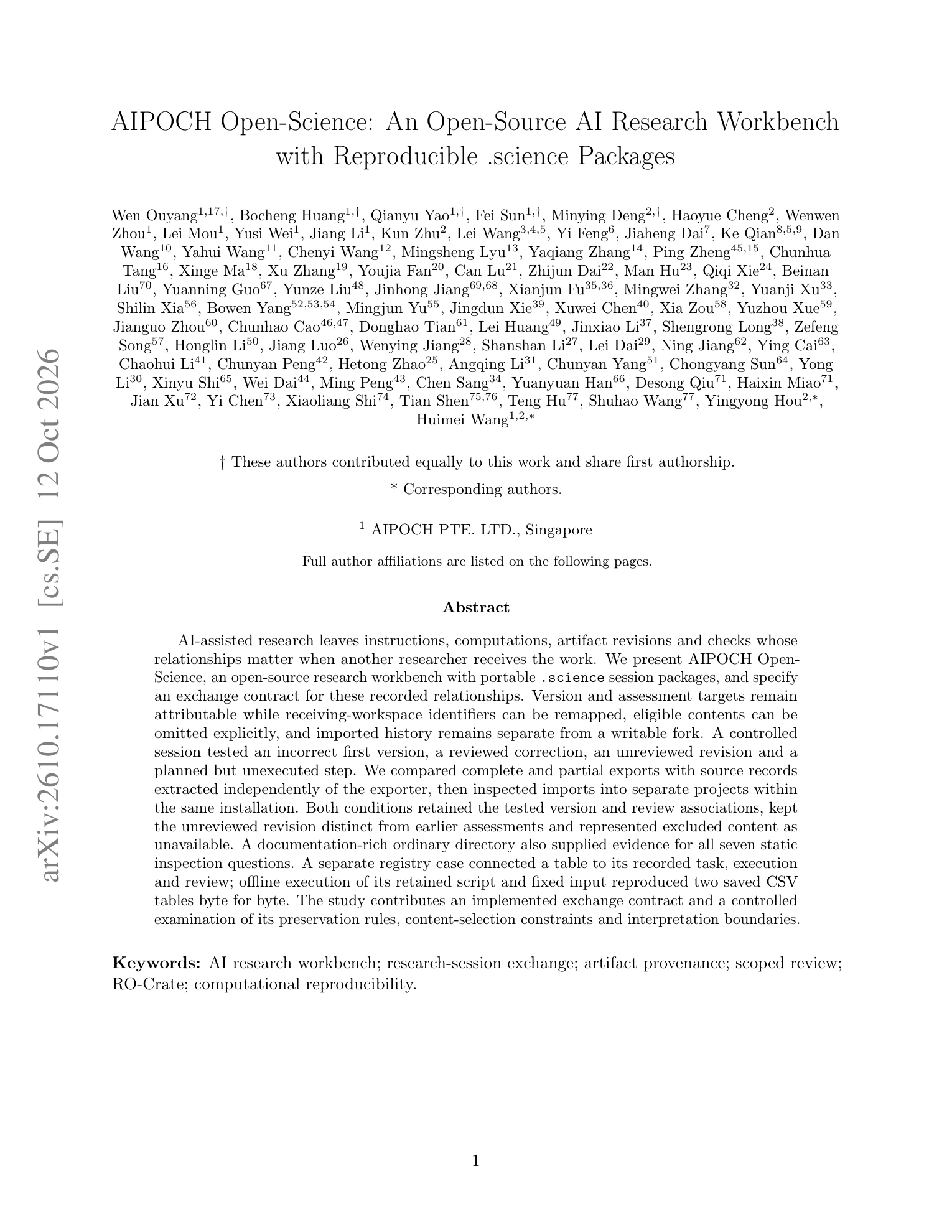
New preprint: AIPOCH Open-Science: An Open-Source AI Research Workbench with Reproducible .science Packages.
Paper: arxiv.org/abs/2610.17110
GitHub: github.com/aipoch/open-scien…
When AI-assisted research changes hands, can the next researcher tell what ran, which output was reviewed, and what remains unverified?
AIPOCH Open-Science brings researcher-directed work into a local-first, open-source workspace. Its portable .science packages carry conversation history, computations, artifact versions and recorded checks together.
The paper examines how these relationships survive export and import—even when an output is revised or eligible files are omitted. Reviews stay tied to the versions they assessed; an unchecked revision does not inherit an earlier review. Imported history remains read-only, with a separate writable continuation.
In a controlled same-installation study, complete and partial exports preserved the tested version and review relationships. A separate offline rerun, using a retained script and fixed input, reproduced two saved CSV tables byte for byte.
These results test evidence preservation and a bounded rerun, not the scientific validity of every result. The preprint documents the mechanisms and their limits, with public code and validation materials.
Gwayne Stark retweeted
AIPOCH Open-Science Leads the Reported ASI-Bench B1–B4 Comparisons
- What do ASI-Bench B1–B4 measure?
- What did AIPOCH Open-Science score across B1–B4?
- Full reported ASI-Bench B1–B4 comparison
Read the full article here: aipoch.com/blog/aipoch-open-…

Gwayne Stark retweeted
How much is another 4.73 benchmark points worth?
Build your own evaluation with the open-source AIPOCH Open-Science workbench:
github.com/aipoch/open-scien…
In the archived FrontierCode 1.1 Main comparison featured in “Is Thinking Longer Worth It? aipoch.com/open-science/use-… ”, moving from medium to max raises the score from 41.63 to 46.36. Modeled cost rises from $0.130 to $1.328—about 10.2×.
Medium reaches roughly 90% of max’s score at about 10% of its estimated cost in this comparison. That does not make it the best setting for every workload: a small improvement can still matter when failure is expensive.
This AIPOCH Open-Science case examines the trade-off across reasoning settings and benchmarks, keeping recorded scores separate from estimated token costs.
Its archived materials include score–cost charts, an analysis script, source URLs, snapshot dates and calculation assumptions. These are historical inputs, not verified current prices or a matched live billing experiment.
Import the .science package, inspect the calculation, then create a writable copy of the research session. From there, you can extend the analysis with current rates and tasks that matter to your research.

Gwayne Stark retweeted
Five observations changed a projected training recommendation from 17.9 to 6.8 tokens per parameter.
The “Can We Reproduce Chinchilla Scaling aipoch.com/open-science/use-… ” case in AIPOCH Open-Science shows how that happened.
Explore the open-source workbench on GitHub:
github.com/aipoch/open-scien…
It reanalyzes 245 observations reconstructed from Chinchilla Figure 4. The main fit uses 240 points; a sensitivity analysis restores five unusually undertrained runs. The workflow includes a 4,500-start fitting search and 2,000 bootstrap resamples.
At 5.76 × 10²³ FLOP, the main fit projects 17.9 tokens per parameter, with a 95% bootstrap interval of 7.8–35.5. Including all 245 points changes the estimate to 6.8.
These are extrapolations beyond the observed compute range—not universal training instructions. No new language models were trained.
The .science package keeps the captured data, fitting scripts, bootstrap results, figures and corrected report together. You can inspect the record in AIPOCH Open-Science, then create a writable copy to test your own assumptions.
For researchers studying scaling laws, that means a concrete starting point for checking how data exclusions and numerical choices affect a conclusion.

Gwayne Stark retweeted
AIPOCH Open-Science across ASI-Bench B1–B4: from executing a research plan to choosing methods and working through distracting context.
Explore AIPOCH Open-Science:
github.com/aipoch/open-scien…
The reported local GPT-6 Astra / xhigh results are 79.35 on B1, 56.11 on B2, 59.67 on B3 and 59.46 on B4—the highest listed values in each of the supplied comparison charts. These are local evaluation results, not official leaderboard placements.
ASI-Bench evaluates project-level research across 11 fields. Its four conditions change the guidance and background available to the agent:
B1 — Execute a research plan.
The method, formulas and full procedure are provided. The agent must turn them into runnable code and research outputs. AIPOCH Open-Science scored 79.35, compared with 74.78 for local Codex. The AIPOCH GPT-6 result covers 59 scored tasks: one of 60 was excluded because of an official scorer issue. A separate B1 configuration using DeepSeek v4-flash / max scored 69.64.
B2 — Organize the workflow.
The specified method remains, but detailed steps are removed. The agent must fill in implementation details and organize the work. AIPOCH Open-Science scored 56.11, versus 56.09 for local Codex. That is a numerical difference of just 0.02 points, with no reported run-to-run variance to establish a meaningful advantage.
B3 — Choose the research method.
Only the objective, data, constraints and required outputs are supplied. The agent must select a method, build the workflow, execute it and validate the results. AIPOCH Open-Science scored 59.67, versus 58.12 for local Codex: +1.55 points.
B4 — Research with distracting context.
B4 adds factually correct but unnecessary information to B3. The agent must decide what matters while completing the research task. AIPOCH Open-Science scored 59.46, versus 55.45 for local Codex: +4.01 points.
Across the reported B3 and B4 means, AIPOCH Open-Science’s score changed by −0.21 points, compared with −2.67 for Codex. That smaller change does not establish statistical significance or guarantee resistance to distraction on every task.
The headline results reflect three local repeats per condition. B3 and B4 each covered 60 tasks per run. AIPOCH Open-Science used 12 fixed-config specialists with delegation enabled for these evaluations. Both local B3/B4 systems used the substitute judge deepseek-flash / high, with thinking enabled.
These are complete agent-system results, reflecting the model, tools, specialists and execution settings together.
All scores measure task quality on a 100-point scale, not the percentage of fully solved tasks. Local evaluations use seed31415; official submissions use seed42, with different generated inputs and private reference answers. Published references also differ in model, reasoning effort, run count and judging conditions.
This collection brings together the September B1/B2 results and the October B3/B4 update, preserving the full comparisons and their evaluation notes.

