

Server Side Engineer Building: WanderSort: Media Sorting Engine ZeroStash: @karakeep_app alternative in @cloudflare PR Pulse: PR Management Extension
India
Joined August 2017
- Tweets2.1K
- Following85
- Followers369
- Likes2.3K






Pinned Tweet
After doing a lot of testing, I can confidently release the beta version of wandersort.
Available on all OS via the package manager and tools which you already use. brew, scoop, curl/iex.
I have tried to make it as user friendly as possible for a non-technical person as well, considering it runs in a terminal as of now.
You can download it from: wandersort.utkarshchourasia.…
Would love to get your thoughts on it.


I read a lot of articles and I needed a place to organise it, I had a small server for running @karakeep_app, a bookmark manager where I used to store and sort the articles I have read so far.
Paying ₹600 to store links, didn't make sense.
So I build zerostash.utkarshchourasia.i…

3
2
71
Utkarsh retweeted

i was reminded of this blog from 2016 on visualizing concurrency in go today. i might start having opus visualize my programs this way
divan.dev/posts/go_concurren…
here's quick demo of what it does!

After doing a lot of testing, I can confidently release the beta version of wandersort.
Available on all OS via the package manager and tools which you already use. brew, scoop, curl/iex.
I have tried to make it as user friendly as possible for a non-technical person as well, considering it runs in a terminal as of now.
You can download it from: wandersort.utkarshchourasia.…
Would love to get your thoughts on it.
1
1
67
PS: You may see this and may also find this interesting, but I think this tool is for a very niche group of audience, people who store their photos and videos on a hard-drive, S3, or NAS.
With my limited setup, I have only tested it for physically connected drives, NAS setup is yet to be tested/build. S3 support is not added yet. So the target audience automatically becomes content creators and Self-hosting enthusiast!
After doing a lot of testing, I can confidently release the beta version of wandersort.
Available on all OS via the package manager and tools which you already use. brew, scoop, curl/iex.
I have tried to make it as user friendly as possible for a non-technical person as well, considering it runs in a terminal as of now.
You can download it from: wandersort.utkarshchourasia.…
Would love to get your thoughts on it.
45
A week ago, I consolidated and deleted a lot of repos. Looks so clean now.
Went from ~50 to 15 repos.
starting using subdomain naming system for all the projects, secrets, and configs.
Less repo, less slop, better context for eternity!
32
A visual explanation of what I'm building:
wandersort.utkarshchourasia.…

While building WanderSort, a media sorting engine, one of the core problems I wanted to tackle was:
How do I retain the user's edits in the folder structure they decided?
Let me explain this with an example.
Let's assume you went on a Goa trip for 3 days, visited a bunch of places, got back home and used WanderSort to organise the photos and videos.
It created a bunch of folders based on different days and locations.
2026/
└── June/
├── 01/
│ ├── Location 1/
│ └── Location 2/
├── 02/
│ └── Location 3/
└── 03/
└── Location 4/
Multiple days within the same location can also be merged into a single location folder.
You merged all the folders and renamed it "Goa Trip".
2026/
└── June/
└── Goa Trip/
After a week, that iPhone friend finally sent you the exported photos and videos.
You want to organise these as well in the same folder. But since then, you have clicked more photos in between.
Now you have a pile of photos that needs to be segregated.
But that's the job of WanderSort.
Give it a pile of media files, it will organise it for you.
You dumped the photos to WanderSort.
New Media/
├── IMG_4821.HEIC
├── IMG_4822.HEIC
├── VID_4823.MOV
├── IMG_4824.HEIC
├── IMG_4825.HEIC
└── ...
And you still have:
2026/
└── June/
└── Goa Trip/
But how does the app or DB know that some of these new media files belong to the "Goa Trip" folder?
I mean, they of course have the EXIF aka metadata of location and date.
But that would again create a set of folders based on these new files.
It doesn't know that the folder named "Goa Trip" is the one, where some of the new photos needs to go.
We could go into each folder and check what is their location and date, compare them with the new photos being added.
That is very expensive. Imagine you have been collecting for 10 years!
My personal scan of 800GB concluded to about 1.3k folders for 13 years worth of data.
This was one of the core problems, which was stopping the beta release.
How did I solve this?
The answer lied in the filesystem itself.
"Tree" data structure. The app by default created the initial folder structure, which is also a tree. The tree was created with some predefined rules.
Hence, the solution was to attach the output of those rules to each relevant node/folder of the tree.
So whenever 2 or more folders get merged, the meaning associated with them also gets merged.
For example:
2026/
└── June/
├── 01/ [date = June 1]
│ ├── Location 1/ [location = L1]
│ └── Location 2/ [location = L2]
├── 02/ [date = June 2]
│ └── Location 3/ [location = L3]
└── 03/ [date = June 3]
└── Location 4/ [location = L4]
When the user merges everything:
2026/
└── June/
└── Goa Trip/
└── [date June 1-3, location=L1, L2, L3, L4]
Now when new media arrives, WanderSort can evaluate the metadata of those files against the meaning already associated with the "Goa Trip" node.
The folder name itself isn't the source of truth. What it represented was the meaning.
35
While building WanderSort, a media sorting engine, one of the core problems I wanted to tackle was:
How do I retain the user's edits in the folder structure they decided?
Let me explain this with an example.
Let's assume you went on a Goa trip for 3 days, visited a bunch of places, got back home and used WanderSort to organise the photos and videos.
It created a bunch of folders based on different days and locations.
2026/
└── June/
├── 01/
│ ├── Location 1/
│ └── Location 2/
├── 02/
│ └── Location 3/
└── 03/
└── Location 4/
Multiple days within the same location can also be merged into a single location folder.
You merged all the folders and renamed it "Goa Trip".
2026/
└── June/
└── Goa Trip/
After a week, that iPhone friend finally sent you the exported photos and videos.
You want to organise these as well in the same folder. But since then, you have clicked more photos in between.
Now you have a pile of photos that needs to be segregated.
But that's the job of WanderSort.
Give it a pile of media files, it will organise it for you.
You dumped the photos to WanderSort.
New Media/
├── IMG_4821.HEIC
├── IMG_4822.HEIC
├── VID_4823.MOV
├── IMG_4824.HEIC
├── IMG_4825.HEIC
└── ...
And you still have:
2026/
└── June/
└── Goa Trip/
But how does the app or DB know that some of these new media files belong to the "Goa Trip" folder?
I mean, they of course have the EXIF aka metadata of location and date.
But that would again create a set of folders based on these new files.
It doesn't know that the folder named "Goa Trip" is the one, where some of the new photos needs to go.
We could go into each folder and check what is their location and date, compare them with the new photos being added.
That is very expensive. Imagine you have been collecting for 10 years!
My personal scan of 800GB concluded to about 1.3k folders for 13 years worth of data.
This was one of the core problems, which was stopping the beta release.
How did I solve this?
The answer lied in the filesystem itself.
"Tree" data structure. The app by default created the initial folder structure, which is also a tree. The tree was created with some predefined rules.
Hence, the solution was to attach the output of those rules to each relevant node/folder of the tree.
So whenever 2 or more folders get merged, the meaning associated with them also gets merged.
For example:
2026/
└── June/
├── 01/ [date = June 1]
│ ├── Location 1/ [location = L1]
│ └── Location 2/ [location = L2]
├── 02/ [date = June 2]
│ └── Location 3/ [location = L3]
└── 03/ [date = June 3]
└── Location 4/ [location = L4]
When the user merges everything:
2026/
└── June/
└── Goa Trip/
└── [date June 1-3, location=L1, L2, L3, L4]
Now when new media arrives, WanderSort can evaluate the metadata of those files against the meaning already associated with the "Goa Trip" node.
The folder name itself isn't the source of truth. What it represented was the meaning.
Thanks to Claude, updated my website to tell the story about how and why I am in tech with some actual visuals!
utkarshchourasia.in

1
31


One of the biggest bottlenecks in wandersort (a local-first media organizer) was EXIF data extraction. It was painfully slow, mainly for two reasons:
1. It was written in Perl, an interpreted language.
2. It extracted all available metadata, even though the app only needed a fraction of it.
It took ~6 minutes just for the metadata extraction phase on 15k files. If someone threw 100k photos and videos at it, it would theoretically take almost an hour just to process metadata.
I knew there had to be a way to optimize. I even considered asking AI to rewrite the entire tool in Rust just to avoid booting up the interpreter.
Turns out, the fix was right in front of me:
- First fix: Instead of booting the Perl interpreter ~9k times, I kept it running with the stay_open flag. It now runs a small pool of long-lived ExifTool processes, piping file paths through (STD)in and getting metadata out of (STD)out.
- Second fix: Instead of extracting every tag under the sun, I passed the -tags flag to query only the handful I actually needed. Scanning only what’s required cut memory usage by ~60%, on top of a massive speed gain.
The result?!!!
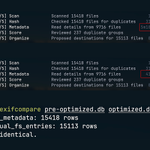
Metadata extraction is now ~7.6x (760%) faster. What used to take ~6 minutes (360s) is now done in under 45 seconds. 🚀
A solid reminder to always read the docs—AI ain't gonna solve everything.
hashtag
