a macOS app that downgrades A6 and A7 iDevices to OTA signed firmwares. Developed and maintained by @rA9_main.
Joined July 2021
- Tweets48
- Following1
- Followers699
- Likes13
It appears that Apple has stopped signing baseband firmwares for some devices. For now, this does not affect LeetDown, since it does not downgrade the baseband firmware during the restore process on A6 devices.
PSA for users on macOS High Sierra: You need to update your SSL certificate for LeetDown to communicate with ipsw.me API, otherwise it will not work. Please refer to this guide: github.com/rA9stuff/LeetDown…
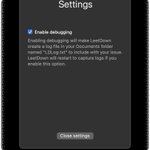
Was asked this question multiple times, so I decided to answer it here. If you have a custom ipsw (e.g. a pre-jailbroken ipsw), and if you're sure it's patched properly, you can disable iPSW MD5 check in LeetDown's settings to restore it. CFW restores only work with A6 devices.
Build instructions are now available at GitHub. Contributions are welcome github.com/rA9stuff/LeetDown…
LeetDown version 2.2 is now available.
It now:
• Fully supports M1 macs on any version of macOS.
• Has A6 support.
• Works much more reliably.
Get it from the newly designed website ⬇️
leetdown.app
Other Updates:
• A5 support was cancelled. LeetDown aims to downgrade devices directly from DFU mode without using any other external hardware. Current state of the checkm8 exploit on A5 is not suitable for this purpose. Please use iOS-OTA-Downgrader for A5 devices.
If you like this app, please consider supporting it via patreon or buymeacoffee.
buymeacoffee.com/rA9stuff
patreon.com/rA9stuff
According to GitHub stats, LeetDown now has over 20K downloads! Thanks to everyone who supported this project, I hope it helped speeding up your A7 devices while adding 32 bit app support via iOS 10!
You absolutely do not need any terminal commands to launch LeetDown, since it’s notarized by Apple. Please refer to README page of LeetDown in github for instructions and help, not YouTube videos.