

Professional tilt streamer Occasionally shoots enemies while donating elo
NH
Joined November 2024
- Tweets125
- Following546
- Followers48
- Likes116


faceit.com/en/players/xm1nat…
@FACEIT_Darwin
better stats then donk but somehow level 9
70 games
que with top 1k players


M0B retweeted

NA has a big team cs issue. For the most part;
-No one builds around defaults;
-People don't learn when to contact/pop/exec;
-People don't understand util trading;
-People are scared to bring up problems; and
-Teams watch demos then fix nothing pretending it's improvement.


M0B retweeted

CS2 COMPLETE Graphics Settings Guide
A complete technical breakdown of every setting: what it does → how it works → FPS & visibility impact → recommended value
⸻
fps_max
There is no universal FPS limit
The best value depends on your hardware, monitor refresh rate and overall system tuning
fps_max 0 / -2
Unlike a traditional FPS cap, these values let the game run at maximum performance
On weak and mid-range PCs, they can increase GPU utilization and improve 1% lows
Some players also prefer the mouse and shooting feel of uncapped FPS
fps_max 500–999
These values apply a real FPS cap
On strong PCs, the sweet spot is usually around 100 FPS above your monitor refresh rate
For competitive CS2, refresh rates above 360–400 Hz offer little practical benefit
If your monitor exceeds 400 Hz, use fps_max 999 instead of 0
On high-end systems, uncapped FPS may reduce frame-time consistency, worsen mouse feel and introduce random spikes
Once your system produces more than enough FPS, consistency matters more than the highest possible number
On weaker systems, maximizing usable performance is usually the better priority
Best practice
Weak / mid-range PC → fps_max 0 or -2
High-end PC → Refresh rate +100 FPS
400+ Hz monitor → fps_max 999
⸻
Boost Player Contrast
-Increases player contrast against the environment through a light post-processing effect
FPS impact: negligible
Usually improves visibility at long range, near smokes and in darker areas
→ Enabled
Used by most professional players
⸻
V-Sync
ALWAYS OFF!!
⸻
NVIDIA Reflex Low Latency
Options: Off / On / On + Boost
Available on NVIDIA GPUs only
AMD users should test Anti-Lag or the equivalent driver option
-Reduces the render queue between the CPU and GPU
On + Boost: keeps GPU clocks higher during CPU-bound or low-load scenarios, slightly increasing power draw and temperatures
Recommendation
→ On or On + Boost if GPU usage stays around 90%+
On strong PCs, Reflex combined with 8x MSAA and an FPS cap around refresh rate +100 FPS often feels extremely smooth, with softer mouse input and better spray control
If you notice stuttering, test every Reflex mode with different FPS limits
-2 / 0 / 300 / 500 / 999
The first two values do not apply a traditional FPS cap
⸻
MSAA
Options: Off / 2x / 4x / 8x
-Smooths jagged edges by rendering multiple samples per pixel
One of the most GPU-intensive settings
Higher MSAA generally produces a softer, more stable image
Many players report that 8x MSAA provides
• smoother image motion
• softer spray feel
• slower-looking enemy peeks
• a more stable visual experience
These effects are easier to notice on powerful, properly tuned systems
Some still prefer MSAA Off because the game feels faster or their hardware is limited
It's no coincidence that most top-level players use 4x or 8x
→ 4x–8x if GPU headroom allows
→ Off on weak PCs or if you prefer the fastest visual feel
⸻
Global Shadow Quality
Options: Low / Medium / High
-Controls shadow resolution and draw distance
-Player shadows around corners and objects can reveal valuable information
Recent updates improved Low, but Medium and High still provide clearer, easier-to-read shadows
FPS impact: moderate to high
→ High if FPS allows
→ Medium/Low if you need performance while keeping player shadows visible
⸻
Dynamic Shadows
Options: Sun Only / All
Sun Only: renders primary sunlight shadows
All: also renders dynamic shadows from players and other light sources
→ All if performance allows
→ Sun Only on very weak systems
⸻
Model / Texture Detail
Options: Low / Medium / High
-Controls model complexity, texture resolution, weapon skins and environment textures
-FPS impact is usually moderate and depends mostly on VRAM and memory bandwidth
Competitive advantage is minimal
→ Low for a traditional competitive setup
→ Medium for cleaner textures and skins
High: may cause stuttering on GPUs with limited VRAM
⸻
Texture Filtering Mode
Options: Bilinear / Trilinear / Anisotropic 2x–16x
-Controls texture clarity at oblique viewingangles
Anisotropic Filtering has virtually no performance cost on modern GPUs
→ Bilinear: for the lowest GPU load
→ Anisotropic 4x–8x: for noticeably sharper textures and skins
Has almost no effect on enemy visibility
⸻
Shader Detail
Options: Low / High
-Controls material complexity, lighting, reflections and surface shine
-Noticeable FPS impact on weak and mid-range GPUs
-Provides virtually no competitive advantage
→ Low
⸻
Particle Detail
Options: Low / Medium / High
-Controls the quality and density of smoke, fire, sparks, explosions and Molotov effects
-Higher settings can make utility effects visually noisier, making smokes and fire harder to read and reducing player visibility around them
They can also cause larger FPS drops during utility-heavy fights
→ Low for the best visibility and performance
⸻
Ambient Occlusion
Options: Disabled / Medium / High
-Adds contact shadows around objects, corners and small surface details using screen-space shading
-FPS impact: moderate
-Can make dark areas slightly darker
Earlier CS2 versions sometimes provided useful additional shadow information, but today it's mostly cosmetic
→ Disabled: for competitive play
→ Medium/High: only if you already maintain consistently high FPS and prefer a richer image
⸻
HDR
Options: Performance / Quality
-Controls tone mapping and the balance between bright and dark areas
Quality: provides better visuals at a small performance cost
Performance: sacrifices image quality for slightly higher FPS
→ Quality if performance allows
→ Performance if you need more FPS
⸻
FSR
Options: Disabled / Ultra Quality / Quality / Balanced / Performance
-Renders the game at a lower internal resolution, then upscales the image
Pros: Higher FPS
Cons: More blur, image artifacts and reduced long-range clarity
→ Disabled unless you genuinely need the extra performance
If FPS is insufficient, try lowering MSAA, Shadow Quality or resolution before enabling FSR
⸻
First 2 screenshots: High-end PC settings
Second 2 screenshots: Low-end PC settings
⸻
Need your PC optimized by someone who actually understands how CS2 works, u can always DM me


M0B retweeted

We would like to welcome our Roster for @CounterStrike
@Sleuth2k
@M0BCs2
@Hoellywood
@GlenskiOfficial
7obiathy


M0B retweeted

ATTENTION ESPORTS FANS
I accidentally bought IEM Cologne Major 2026 tickets on the same day I'm getting married & they cost me $1,500 (plane & con tix, hotel).
If anyone wants to go take my place for FREE it's going to be at the St. Marys church her name is Lyanna.
M0B retweeted

de_ancient // Ancient
ALL 5 INSTANT B Door Smokes
Credits for graphic template: @BowserViri
Lineups: remaster with @kYanoCS
Timings in description
if u are nerd like me, enjoy it and leave something down below hopefully more ideas soon

ALT Timings: 1. ~6.56s 2. ~5.73s 3. ~5.90s 4. ~5.70s 5. ~5.87s


M0B retweeted


🏟 Special occasions that united thousands of fans
Here are our nominees for 2025 Event of the Year, presented by @1xBet_Esports
@IEM Katowice
@pglesports Cluj-Napoca
PGL Astana
@BLASTtv Austin Major
IEM Cologne
@fissure_eng PG #2
BLAST Rivals S2
@StarLadder_CS Budapest Major
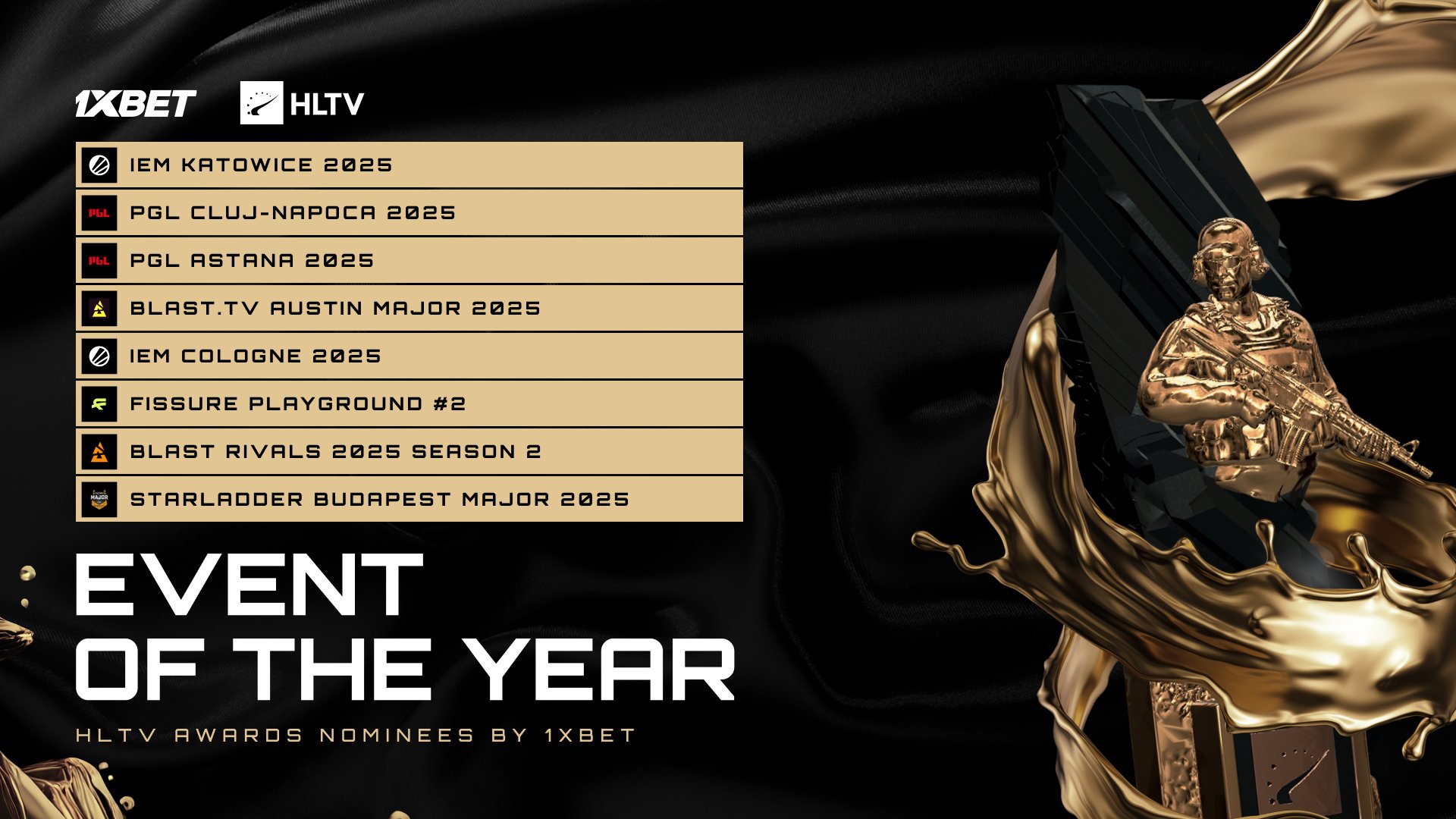


M0B retweeted

Hey everyone! It’s that time of year when the holiday spirit kicks in, so we figured it’s the perfect moment to jump back into some FACEIT Live Banning!
We'll be working our way through some reports & appeals, so stay tuned for updates, bans, funny pictures and insights🤗#FACEITlivebans

M0B retweeted

I have been experimenting with my new PC.
A lot of the internet advice on boosting your performance is just recycled YouTube slop.
A lot of tests are still remaining and I will update all of you once they are done. I was also able to get somewhat consistent frametimes on D2 BM


