

Smart portable privacy device. Secure by design. No ads, no tracking, no telemetry.
HK
Joined August 2013
- Tweets95
- Following12
- Followers5
- Likes0






Pinned Tweet
Your phone was never designed to protect your entire digital life.
Yet today it holds your identity, passwords, crypto, work, and private conversations.
PlugMate takes a different approach.
Instead of making your phone more secure, it moves your private computing environment onto independent hardware.
Plug it into almost any compatible phone or computer.
Your device becomes the interface.
PlugMate becomes the computer.
Security isn't another feature.
It's a different architecture.
#Privacy #CyberSecurity #PlugMate #PlugOS
1
38

The Future of Personal Computing Isn't Another Device—It's Your Own Digital Space
For decades, we've treated computers and smartphones as the center of our digital lives. Every time we switch devices, we move our files, reinstall apps, sign in again, and hope our data stays secure.
But what if your digital life didn't belong to a specific device?
What if it belonged to you?
A growing idea in modern computing is that your operating system, applications, and data should travel together as a single trusted environment—independent of the phone or computer you're using. Instead of storing everything on each host device, your personal workspace remains isolated, encrypted, and portable, ready to run wherever you connect it.
This shift is about more than convenience. It changes the way we think about privacy and ownership. Your phone becomes a screen. Your laptop becomes an interface. The trusted computing environment stays with you, keeping your apps, accounts, and files separate from the host device.
As people move between phones, tablets, laptops, and public computers, portability is becoming just as important as performance. A secure digital workspace that works across platforms reduces friction while giving users greater control over where their information lives.
The future of personal computing may not be defined by buying more powerful devices.
Instead, it may be defined by carrying one trusted digital environment that works everywhere—private, portable, and always under your control.

11
Why Privacy Starts with Your Operating System
When people think about digital privacy, they often focus on apps.
They install encrypted messengers, use VPNs, enable two-factor authentication, and choose stronger passwords.
These are all important—but they share one limitation:
Every app ultimately depends on the operating system beneath it.
The operating system is the foundation of your digital life. It manages memory, storage, network access, permissions, hardware, and every application running on your device. If that foundation isn't designed with security in mind, no single app can fully protect your privacy.
Think of it like building a house.
You can install the strongest lock on your front door, but if the foundation is unstable, the entire structure remains vulnerable.
That's why security isn't just about individual apps—it's about the platform they run on.
A privacy-focused operating system is designed to minimize unnecessary data collection, isolate applications from one another, encrypt sensitive information, and give users greater control over how their data is accessed and shared. Security isn't treated as an optional feature added later; it's built into the system from the start.
This approach also helps reduce risk when using unfamiliar or shared devices. Instead of trusting every computer or smartphone you connect to, the trusted environment travels with you, keeping your apps, files, and encrypted data separate from the host device.
As our digital lives continue to expand, the operating system has become more than just software—it has become the guardian of our identity.
Apps can protect individual conversations.
Passwords can secure individual accounts.
But only the operating system can protect the environment where your entire digital life exists.
In the future, privacy won't be defined by how many security apps you install.
It will be defined by whether the platform underneath them was built to protect you in the first place.

15
Privacy Is Evolving: From Portable Software to Portable Trusted Computing
For years, privacy-conscious users have relied on portable operating systems to reduce their digital footprint.
Instead of booting into the operating system installed on a computer, they could launch a clean environment from external media, browse securely, and leave little or no trace behind after shutting down.
It was a major step forward for digital privacy.
But the threat landscape has changed.
Today, protecting privacy isn't only about avoiding malware on a hard drive. It's also about understanding how much trust we place in the hardware beneath the operating system.
The First Generation of Portable Privacy
Traditional portable operating systems were designed around a simple idea:
Don't trust the software already installed on the computer.
By booting from removable media, users could bypass the host operating system, reduce exposure to persistent malware, and perform sensitive tasks in a temporary environment.
For many use cases—especially anonymous browsing and secure communications—this approach remains valuable.
However, the operating system still depends on the host computer's processor, memory, firmware, and other hardware components to do its work.
The Trust Problem
Modern security discussions increasingly focus on a fundamental question:
What if the hardware itself can't be fully trusted?
Firmware vulnerabilities, hardware-level attacks, compromised peripherals, and physical access threats have become part of today's security landscape.
No matter how secure an operating system is, it ultimately relies on the underlying hardware to execute instructions, process passwords, and handle sensitive data.
That doesn't make software-based privacy ineffective.
It simply highlights that software and hardware solve different parts of the security problem.
A New Direction: Hardware-Isolated Computing
Rather than running a secure operating system on an existing computer, some newer architectures move the secure environment onto its own dedicated hardware.
In this model, the portable device contains its own processor, memory, encrypted storage, and operating system.
The host computer provides only practical resources such as the display, keyboard, mouse, and network connection.
Sensitive computation remains inside the isolated hardware rather than sharing the host's computing resources.
This represents a different security model—not simply an updated version of the old one.
Privacy Beyond the Desktop
Another major change over the past decade is how people use computers.
Privacy tools were originally built for desktop and laptop PCs.
Today, much of our digital life happens on smartphones and tablets.
Messaging.
Banking.
Authentication.
Digital wallets.
Business communication.
Secure computing increasingly needs to work across multiple devices rather than being limited to a single PC.
That shift has encouraged the development of portable security environments that can move between phones, tablets, laptops, and desktops without permanently modifying any of them.
Different Tools for Different Goals
It's tempting to ask which approach is "more secure."
In reality, that depends on the problem you're trying to solve.
A temporary live operating system is well suited for users who need a clean environment for anonymous browsing or short-lived sessions.
A hardware-isolated computing platform is designed for users who also want persistent encrypted storage, cross-device portability, and stronger separation between their sensitive workspace and the host device.
The two approaches reflect different priorities rather than serving as direct replacements for one another.
The Bigger Trend
Perhaps the most important shift isn't about one operating system replacing another.
It's about how we define trust.
For years, we assumed our computer was the trusted device.
Increasingly, people are beginning to trust their portable computing environment instead.
The host device becomes an interface.
The trusted environment becomes something you carry with you.
Whether the future belongs to software isolation, hardware isolation, or a combination of both, one thing is becoming clear:
Privacy is no longer just about protecting a device.
It's about protecting the environment where your data lives.

50
Your Smartphone's Biggest Privacy Risk Might Not Be the Camera—It's the Sensors You Never Think About
When people worry about smartphone privacy, they usually think about the obvious things.
The camera.
The microphone.
Location tracking.
So they disable permissions, revoke access, and assume they're protected.
But modern smartphones contain far more than just a camera and GPS.
Accelerometers.
Gyroscopes.
Ambient light sensors.
Barometers.
Magnetometers.
Together, these tiny components can reveal far more about you than most people realize.
Sensors Are Constantly Measuring the World
Every smartphone relies on sensors to improve the user experience.
They rotate your screen.
Count your steps.
Detect movement.
Adjust brightness.
Estimate altitude.
Improve navigation.
Individually, none of these seem particularly sensitive.
The problem begins when they are combined.
The Rise of Sensor Fingerprinting
No two sensors are perfectly identical.
Tiny manufacturing differences mean that every accelerometer, gyroscope, microphone, and camera has unique characteristics.
These differences are often too small for humans to notice—but not for software.
Researchers have shown that applications can use these subtle variations to create a sensor fingerprint: a unique identifier that can distinguish one physical device from another, even without traditional identifiers like cookies or advertising IDs.
Unlike an account or password, you can't simply reset a hardware fingerprint.
It's part of the device itself.
Permissions Don't Solve Everything
Most operating systems rely on permission prompts.
Allow camera?
Allow microphone?
Allow location?
These controls are valuable, but they don't eliminate every privacy risk.
Some sensors require little or no user interaction.
Others can be combined with network information, Wi-Fi signals, Bluetooth beacons, or behavioral patterns to infer location, activity, or device identity without directly accessing GPS.
In other words, denying one permission doesn't necessarily stop information from being inferred through other channels.
Rethinking the Problem
Most privacy tools try to answer one question:
"How can we better control access to sensors?"
Another approach asks a different question:
"What if the sensitive sensors weren't part of the secure environment in the first place?"
Instead of trusting every application with direct access to physical hardware, some security-focused architectures separate sensing from computation.
Applications receive only the information they actually need, while the underlying hardware remains isolated or abstracted behind controlled interfaces.
Virtual Sensors Instead of Physical Ones
One emerging idea is sensor virtualization.
Rather than exposing raw sensor readings directly to applications, the system provides standardized or user-controlled data.
For example:
A navigation app might receive location data without exposing the device's unique hardware characteristics.
A communication app might access audio through a controlled interface rather than unrestricted microphone input.
Applications can receive consistent sensor values that reduce the ability to identify a specific device through hardware imperfections.
The goal isn't to remove useful functionality.
It's to reduce opportunities for unnecessary tracking while preserving the user experience.
Privacy Starts with Architecture
For years, privacy has been treated as a software problem.
More settings.
More permission dialogs.
More pop-up warnings.
But some privacy challenges originate much deeper—in the hardware itself.
As techniques like sensor fingerprinting become better understood, protecting users may require more than simply asking them to tap "Allow" or "Deny."
It may require redesigning how devices expose hardware capabilities from the ground up.
The Future of Smart Devices
Smart devices shouldn't have to choose between functionality and privacy.
The next generation of secure computing may rely less on collecting every possible signal and more on exposing only what's necessary.
Because the smartest device isn't the one that knows everything about you.
It's the one that knows only what it needs—and nothing more.

41
Why Running Android on Linux Is Harder Than It Looks
Linux is loved by developers, engineers, and privacy enthusiasts for one simple reason:
It gives users control.
Fast performance, exceptional stability, and nearly unlimited customization have made Linux the operating system of choice for millions of professionals.
But there's one problem.
Many of the apps people rely on every day only exist on Android.
Banking apps.
Messaging platforms.
Industry-specific tools.
Mobile productivity software.
Sooner or later, most Linux users find themselves asking the same question:
"How can I run Android apps without compromising my Linux environment?"
The Traditional Solutions
There are several ways to bring Android to Linux.
Virtual machines can emulate an Android device.
Containers allow Android to run alongside Linux.
Some users even install a second operating system and dual-boot between Linux and Android.
Each solution works—but each comes with trade-offs.
Virtual machines consume system resources and depend heavily on the host operating system.
Container-based solutions often share the host kernel, which can create compatibility issues and blur security boundaries.
Dual-boot setups keep systems separate but require restarting the computer every time you switch between them.
The common challenge is that Android remains tightly coupled to the host machine in one way or another.
A Different Architecture
An alternative approach is beginning to emerge.
Instead of running Android inside Linux, the Android operating system runs on its own dedicated hardware.
The Linux computer simply provides the display, keyboard, mouse, networking, and other peripherals.
All computation, storage, encryption, and application execution take place inside an independent device.
In other words, Linux becomes the interface—not the computer running Android.
Why Hardware Isolation Matters
Keeping the Android environment physically separate offers advantages beyond convenience.
Because processing and storage occur on dedicated hardware, sensitive data remains isolated from the host operating system.
Even if the Linux computer becomes compromised, the isolated Android environment continues to protect its own applications, encrypted storage, and security mechanisms.
This separation reduces the attack surface while allowing users to continue working with familiar Android apps.
Simplicity Matters Too
Security solutions often fail for one reason:
They're too complicated.
If users have to install custom kernels, configure virtual machines, resolve dependency conflicts, or constantly troubleshoot compatibility issues, many simply won't bother.
That's why newer approaches emphasize plug-and-play deployment.
Instead of spending hours configuring software, users connect a dedicated device, launch the companion application, and access an isolated Android workspace within minutes.
The goal isn't just stronger security.
It's making that security accessible to ordinary users.
Linux Doesn't Need to Become Android
For years, the conversation has focused on getting Android to run on Linux.
Perhaps that's the wrong goal.
Linux already excels at development, servers, engineering, and productivity.
Android excels at mobile applications and its enormous app ecosystem.
Rather than forcing one system to imitate the other, a hardware-isolated architecture allows each platform to do what it does best while remaining independent.
The Future Is Portable Computing
As more people work across multiple operating systems, the operating system itself may become less important than the environment carrying your data.
Imagine moving between Linux, Windows, macOS, Android, and iPhone without migrating files, reinstalling applications, or exposing sensitive information to every host device you use.
Instead of carrying multiple computers, you carry one trusted computing environment that works wherever you plug it in.
Perhaps the future isn't about making Linux run Android.
It's about making your secure workspace portable—regardless of which computer happens to be in front of you.

77
Why a Secure Operating System Needs Its Own App Store
Most people think an app store is just a place to download apps.
In reality, it's one of the most important parts of your device's security.
Every application you install becomes part of your digital life. It can access your files, communicate over the network, request permissions, collect analytics, and sometimes even track your behavior.
That means your privacy isn't determined only by your operating system.
It's also determined by where your apps come from.
The Hidden Cost of "Free" Apps
Many apps are free to download.
But they're not always free to use.
Some generate revenue by displaying ads.
Others collect usage statistics, location data, device identifiers, or behavioral information that can be shared with advertising and analytics platforms.
Most users never notice this happening.
Permissions are accepted with a tap.
Privacy policies are rarely read.
And background data collection quietly becomes part of the experience.
The app works exactly as expected.
Your data simply works for someone else.
The App Store Is Your First Security Filter
People often think antivirus software is their first line of defense.
In practice, the app store comes first.
Before an application is ever installed, someone has already decided whether it should be distributed.
A security-focused app ecosystem starts with strict review standards.
That means looking beyond whether an app functions correctly and asking questions like:
Does it request unnecessary permissions?
Does it include intrusive advertising?
Does it contain known tracking libraries?
Is it transparent about how user data is handled?
Is there a trustworthy source for updates?
A cleaner app ecosystem begins long before the download button is pressed.
Privacy Shouldn't Be an Optional Feature
Many operating systems now provide permission controls, allowing users to disable access to cameras, microphones, or location services.
Those controls are important.
But they don't solve every privacy issue.
Applications can still include advertising SDKs, analytics frameworks, or unnecessary background services.
A privacy-first app ecosystem takes another step by reducing these risks before software reaches users, emphasizing carefully reviewed applications, minimal permissions, and a clean installation experience.
Less Noise. More Trust.
Modern app stores often compete for attention.
Featured promotions.
Recommended downloads.
Sponsored content.
Algorithm-driven rankings.
While these features help users discover software, they can also make it harder to distinguish quality from popularity.
A security-oriented app library follows a different philosophy:
Focus on trusted software.
Reduce unnecessary distractions.
Make updates simple.
And let users choose applications—not advertisements.
Security Doesn't End with Encryption
Encryption protects your data after it's stored.
Hardware isolation protects it while it's being processed.
But the software you install still defines much of your daily security.
A secure operating system can only remain secure if the applications running inside it follow the same principles.
That's why application distribution matters just as much as system architecture.
Building an Ecosystem You Can Trust
Creating a secure operating system isn't only about stronger encryption or better hardware.
It's also about building an ecosystem where users can install software with confidence.
An app store designed around security aims to provide:
Carefully reviewed applications
Clean installation experiences
Minimal and appropriate permission requests
Privacy-conscious software
Reliable updates from trusted sources
These principles don't guarantee that every app is perfect.
But they help reduce unnecessary risks before software ever reaches your device.
The Future of App Stores
For years, app stores have focused on offering more apps.
Perhaps the next generation should focus on offering better apps.
Because in an age where every application has the potential to access your digital life, trust is no longer just a feature.
It's part of the platform itself.

38
Do You Really Need a Second Phone?
For many people, the answer is becoming yes.
Not because their current phone is broken.
Not because they want another screen.
But because one device is expected to do everything.
It holds work emails, private conversations, banking apps, social media, business accounts, travel documents, authentication codes, photos, and payment information—all in one place.
The more we rely on a single phone, the more difficult it becomes to separate different parts of our digital lives.
The Problem Isn't the Phone
Modern smartphones are incredibly powerful.
The challenge isn't performance.
It's that they're designed to be your only digital identity.
When work and personal accounts share the same device, privacy becomes harder to manage.
Installing business apps often means accepting company security policies.
Using public or borrowed devices can expose sensitive information.
And switching between multiple accounts quickly becomes frustrating.
What many people actually need isn't another smartphone.
They need another digital environment.
A Second Phone Without Carrying Another Phone
Traditionally, the solution was simple:
Buy a second phone.
But that comes with obvious downsides.
Another battery to charge.
Another SIM card.
Another device to carry.
Another operating system to maintain.
A different approach is emerging.
Instead of carrying another phone, users carry a tiny independent computing device that contains its own processor, memory, encrypted storage, and operating system.
When connected to a compatible phone, tablet, or computer, it launches a completely separate Android environment while using the host device only for its screen, input, camera, and network access.
The result feels like using a second phone—without actually carrying one.
One Workspace. Any Screen.
Imagine moving between different devices throughout the day.
An Android phone in the morning.
An iPhone during travel.
A Windows laptop at work.
A Mac at home.
Instead of setting everything up again, your secure workspace simply moves with you.
Your apps stay installed.
Your files stay encrypted.
Your settings remain exactly where you left them.
The host device changes.
Your environment doesn't.
Built for Privacy, Not Duplication
The purpose of a second environment isn't to duplicate your primary phone.
It's to solve problems your primary phone can't.
That includes:
Separating work from personal life
Keeping sensitive files isolated
Running private accounts independently
Using trusted apps without leaving data behind on the host device
Maintaining control over where your information is stored
In this model, privacy isn't an app you install.
It's part of the architecture.
Small Enough to Carry Everywhere
A second device only makes sense if you'll actually bring it with you.
That's why portability matters.
Instead of another phone-sized product, modern hardware can be as small as a USB accessory, weighing only a few grams while still functioning as a complete computer with its own secure operating system.
Rethinking What a "Phone" Really Is
For years, we've assumed that our digital identity belongs to the phone in our pocket.
But perhaps that's the wrong way to think about it.
What if your operating system wasn't tied to a single device?
What if your private workspace could travel with you instead?
In that future, your phone becomes just another screen.
Your computer becomes just another interface.
And your digital life remains entirely your own—portable, isolated, and always under your control.
Maybe the future isn't carrying two phones.
Maybe it's carrying one private computing environment that works everywhere.

82
Can an iPhone Really Run Android?
For years, the answer was simple:
Not really.
There have been countless projects claiming to run Android on an iPhone, but almost all of them came with major compromises.
Some required jailbreaking.
Others involved flashing unofficial firmware.
A few relied on emulators that were slow, unstable, and impractical for everyday use.
Most remained experimental prototypes that never reached ordinary users.
So why has running Android on an iPhone been so difficult?
It's Not Just About Software
Many people assume it's simply an operating system problem.
In reality, it's much more complicated.
iPhones are designed around a tightly integrated hardware and software ecosystem. Apple controls everything—from the boot process to system security—making it extremely difficult for another operating system to run directly on the device.
That's why traditional approaches often required modifying the phone itself, introducing risks such as system instability, failed installations, or even permanently damaging the device.
A Different Way to Think About It
Instead of replacing iOS, a new generation of hardware takes a completely different approach.
Rather than installing Android onto the iPhone, the Android system runs inside an independent computing device with its own processor, memory, encrypted storage, and operating system.
The iPhone simply provides the display, touch input, networking, camera, and other peripherals.
The computation happens elsewhere.
This means the host iPhone remains unchanged while Android operates in its own isolated environment.
No Jailbreak. No Flashing.
One of the biggest advantages of this architecture is that it doesn't require modifying the iPhone itself.
There's no jailbreaking.
No bootloader unlocking.
No firmware replacement.
No permanent changes to the device.
When the external hardware is disconnected, the iPhone continues to function exactly as before.
Why Hardware Isolation Matters
Running two operating systems isn't just about compatibility.
It's also about security.
With hardware isolation, each operating system maintains its own encrypted storage and processing environment.
Apps, files, authentication keys, and sensitive information remain separated from the host device, reducing the risk of accidental data sharing or cross-system interference.
This approach is especially useful for people who want to separate work and personal accounts, maintain a dedicated private workspace, or handle sensitive information on devices they don't fully trust.
More Than "Android on iPhone"
The bigger idea isn't simply running Android on Apple hardware.
It's making your personal computing environment portable.
Instead of tying your digital workspace to a single phone, the secure operating system travels with you.
Connect it to an iPhone.
A Windows PC.
A Mac.
Or another compatible device.
Your apps, settings, and encrypted data remain consistent because they're stored inside the independent hardware—not on the host machine.
The Future May Be Portable Operating Systems
For decades, we've accepted that our operating system belongs to the device we buy.
But that assumption is beginning to change.
As privacy concerns grow and users increasingly switch between phones, tablets, and computers, a portable operating system offers a new model of computing:
Your environment.
Your applications.
Your data.
Your security.
Available on almost any compatible screen—without leaving traces behind or depending on the host device.
Perhaps the real breakthrough isn't that an iPhone can run Android.
It's that your operating system no longer has to belong to your phone.

125
Why Secure Devices Are Starting to Include a Self-Destruct Feature
When people hear the phrase "data self-destruction," it often sounds like something from a spy movie.
Enter the wrong password too many times, and everything disappears.
Type a special password under duress, and the device appears to unlock—while silently erasing sensitive data in the background.
It may sound dramatic, but these features are becoming increasingly relevant as our digital lives grow more valuable.
The goal isn't to destroy data for the sake of it.
It's to ensure that you—not whoever gains physical access to your device—remain in control of your information.
Losing Your Device Isn't the Biggest Risk
Most people worry about losing the hardware.
In reality, the device is usually the least valuable thing you're carrying.
What's truly worth protecting is everything stored inside:
Personal conversations
Business documents
Passwords and authentication keys
Financial accounts
Crypto wallets
Photos and memories
Sensitive work data
You can replace a phone.
You can't always recover your privacy.
Strong Passwords Aren't Always Enough
Modern devices already offer excellent security features, including encryption, biometrics, and remote wipe capabilities.
These protections are effective in many situations.
But they don't solve every problem.
What happens if someone repeatedly attempts to guess your passcode?
What if you're forced to unlock your device against your will?
These scenarios may be uncommon, but for journalists, executives, travelers, developers, activists, and anyone handling sensitive information, they are very real considerations.
What Is Data Self-Destruction?
Data self-destruction is a security mechanism designed to permanently erase encrypted data when specific conditions are met.
Unlike simply deleting files or performing a factory reset, the process targets the encrypted data itself, making recovery significantly more difficult or impossible through conventional methods.
It's not intended for everyday use.
It's designed as a last line of defense when physical control of a device has already been lost.
Two Common Protection Mechanisms
1. Brute-Force Protection
Imagine your device is stolen.
Someone repeatedly enters incorrect passwords, hoping to eventually gain access.
Instead of allowing unlimited attempts, some secure systems let users define a maximum number of failed login attempts.
Once that limit is reached, the device securely erases its protected data.
The hardware may still exist.
But the information no longer does.
2. Duress Password
Not every threat involves theft.
Sometimes the greater risk is being forced to unlock your device.
A duress password provides an alternative passcode that appears to unlock the device normally while simultaneously initiating a secure data wipe in the background.
The purpose isn't deception for its own sake.
It's to provide users with one final option when personal safety and digital security collide.
Why Isn't This Enabled by Default?
Because data self-destruction is irreversible.
Once triggered, protected data cannot be recovered.
For that reason, secure systems typically leave these features disabled until users deliberately choose to enable and configure them.
Security should always remain under the user's control.
The Future of Privacy Is About Ownership
For years, security focused on preventing unauthorized access.
Today, the conversation is shifting toward something more important:
Who remains in control after a device leaves your hands?
As digital identities become increasingly valuable, more secure computing platforms are combining hardware isolation, encryption, independent processing, and intelligent self-protection mechanisms to keep sensitive information under the owner's control.
Because in the end, the most valuable part of your device isn't the hardware.
It's your data.
And in a world where devices can be lost, stolen, or compromised, maintaining control over that data may be the most important security feature of all.

45
Your Phone Knows Too Much.
Every tap.
Every message.
Every password.
Every search.
Your digital life lives inside one device.
And that's exactly the problem.
Meet PlugMate.
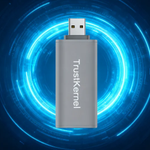
A thumb-sized computer that carries your private digital world everywhere you go.
Not an app.
Not a cloud service.
Not a virtual machine.
A real Android computer.

8
One device. Every platform.
Your phone changes.
Your laptop changes.
Your operating system doesn't have to.
PlugMate works across Android, iPhone, Windows, macOS, and Linux—bringing the same secure, isolated workspace wherever you go.
One device.
One environment.
Zero compromises.
Your digital life should move with you—not stay locked to a single device.
#PlugMate #Privacy #CyberSecurity

10
Hardware-Level Isolation.
Your data lives only inside PlugMate.Encrypted.
With its own processor, memory and storage, PlugMate remains isolated from the host device. The only connection is a single Type-C interface, drastically reducing attack surfaces.
All data is encrypted by hardware at rest and is never exposed.

3
Chip-Level Dual Authentication.
No Trust. No Boot.
Before PlugMate starts, two secure-chip verifications must succeed:
1. Device authentication: PlugMate only boots when connected to an authorized device.
2. User authentication: only an authorized user can unlock and boot PlugMate.If either check fails, PlugMate simply does not boot and never decrypts your data.
This innovative pre-authentication boot process blocks:
Backdoors
Firmware tampering
Supply-chain attacks

8
Extreme Data Protection.
Silent. Instant. Irreversible.
PlugOS includes a duress password and brute-force self-destruction mechanisms. Under coercion or physical attack, your data protects itself instantly and permanently.
Designed not just for privacy, but for personal safety.


4
Local processing.
The built-in apps, from the keyboard and browser to the app store, are re-engineered for complete data localization or privacy enhanced.

6
Transparent Network Control.
The built-in system firewall allows you to monitor network access logs and block high-risk app connections. All network activity is made fully "visible" and "controllable" to you.

7
Sensor Virtualization.
Integrated peripheral virtualization and anti-tracking technologies simulate or block sensors like GPS and SIM cards.
This helps to prevent hardware fingerprint tracking and effectively thwarts eavesdropping attempts.

5
Zero Data Collection.
PlugOS is designed to collect no user data.
No Telemetry.
No Remote Access.
No Profiling.

7
Risk Isolation.
Keep uncertain apps and activities away from your main device.
Some apps are necessary but don't belong on your everyday phone — apps you don't fully trust or simply don't want mixed with your personal device. Installing them directly mixes unknown risk with your photos, contacts, and accounts.
PlugMate creates a hardware-level sandbox. By moving these apps to PlugMate, your main phone remains clean. Unplug the PlugMate, and the risk vanishes.


2