Private crypto swaps. No account, no sign-up. Privacy is normal. https://teapaw.org/t.co/sKOtFrAWpZ $PRIVAZ CA: DoqsX2uvZnZNTzbxuS5nbXLoxrrPUWE8BZXRQfEPpump
- Tweets38
- Following8
- Followers97
- Likes1







ALT Headline: "Your swap, your exchanges." Text: see which exchange runs each step, then keep one out of your swap if you like. Checkmarks: each step names its exchange, with a short note; keep one out of every step, backups included; your quote shows what that costs, if anything. Beside it, an example Fast quote with placeholder names: SOL → XMR · Exchange A, "A well-established instant exchange.", step 1 of 2; XMR → BTC · Exchange C, "A fully automated instant exchange.", step 2 of 2; "Keep an exchange out of this swap (optional)" set to "Avoid Exchange B", and the line "Exchange B is kept out of every step of this swap, backups included."

ALT Headline: "Stagger the payments. All paid sooner." Text: your first payment comes at the usual time, then each of the others after its own shorter random wait. Two timelines for a payout split three ways, with no times shown. Split payout: a full random wait before each payment, so payments 1, 2 and 3 are spread far apart. Stagger the payments: payment 1 at the same point, then 2 and 3 after shorter random waits, marked "all three paid" well before the end. Footer: More options, Stagger the payments; your quote shows the longest wait.

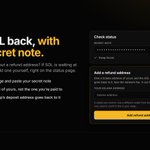
ALT Headline: "Your SOL back, with your secret note." Text: paid a SOL swap without a refund address? If SOL is waiting at its deposit address, add one yourself, right on the status page. Three steps: open the status page and paste your secret note; add a Solana wallet of yours, not the one you're paid to; the SOL at the swap's deposit address goes back to it. Beside it, an example status page: "Check status" with a masked secret note and "Swap found.", then an "Add a refund address" card with the field "Your Solana address", the hint "A wallet you control. Use a different wallet from the one you're paid to. Your note is only used to confirm this is your swap." and an "Add refund address" button.

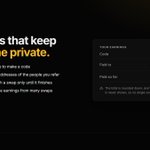
ALT Headline: "Referrals that keep everyone private." Checkmarks: no account or name to make a code; you never see the addresses of the people you refer; your code stays with a swap only until it finishes; daily payouts bundle earnings from many swaps. Beside it, an example earnings card: code k7m2qx9p, paid to a shielded ZEC address ending x4t9qe, 0.1250 ZEC paid so far, with a note that the total is rounded down and what's waiting to be paid is never shown.

ALT Headline: "Build on Priva-Z, the private way." A quote creates nothing; when a user starts a swap, the secret note is their only receipt. Checkmarks: show the note first, before the deposit address; never store, log or send it anywhere; keep the deposit ID only while you show progress; ask for a brand-new payout address every time. Beside it, an example app screen, "Save your secret note", with the note masked, a ticked "I've saved my secret note somewhere safe" box and a "Show the deposit address" button.

ALT Headline: "Built to know as little about you as possible." Eight tiles: No account (no sign-up, no email, no identity checks); No trackers (no analytics, no advertising, no cookies); No outside code; Fingerprint only (your secret note is never stored, only its hash); This tab only (a few items in the tab's session storage, gone when you close it); Short records (a swap's record is deleted soon after it finishes); Wallet optional (connecting a wallet is optional, and its address is never stored); Just enough (a swap keeps only what it needs to run).

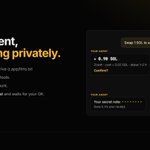
ALT Headline: "Your agent, swapping privately." Eyebrow: for AI agents. Four points: plain-text docs at priva-z.app/llms.txt; an OpenAPI file for tools; no API key, no account; it shows you the cost and waits for your OK. On the right, an example agent chat with made-up values. You: "Swap 1 SOL to a fresh wallet, privately." Your agent: about 0.98 SOL, Zcash, cost about 0.02 SOL, about 1–2 h, confirm? You: "Confirm." Your agent: your secret note, masked with dots; save it, it's your receipt.

ALT Headline: "3.52% of the supply, burned." A wide bar labelled "964,796,913 remaining" with a striped slice at its end marked "3.52% burned". Three cards: Burned, 35,203,086, gone for good; Supply now, 964,796,913, down from 1,000,000,000; Check it, on-chain, the token page on Solscan. Footer: the token address DoqsX2uvZnZNTzbxuS5nbXLoxrrPUWE8BZXRQfEPpump and "Move crypto privately."

ALT Headline: "The request lives only in its link." An example link, priva-z.app/request#v=1&coin=usdc&amount=250&to=Exam…1111&exp=…&k=…, with everything after the # bracketed: "After the #: the part of a link browsers don't send to servers." Four cards: No copy kept; Open 24 hours, then the payer asks you for a fresh link; Shown in full, the payer sees your full address to check with you; Checked, a link that's cut short or edited won't open as a request.

ALT Headline: "Five habits for stronger privacy." Five numbered cards: 1, a brand-new address: receive at an address that has never interacted with the wallet you send from; 2, a round amount: round amounts like 1 or 2.5 blend in with other swaps; 3, a longer wait: Max, Extended or Wait for a crowd, for stronger timing protection; 4, a split payout: spread your payout across several fresh wallets; 5, some time: give what you receive some time before moving it on. Below: extra privacy, connect through Tor or a VPN.

ALT Headline: "One note. No account." Three steps with arrows. Shown once: save your note, 64 characters made just for your swap (an obviously fake example, 0123456789abcdef repeated). What Priva-Z keeps: only a fingerprint, a hash of your note, never the note itself, so it can't be recovered. Any time: follow your swap by pasting your note on the status page.

ALT Headline: "Bring private swaps to your people." Three cards. Widget: for your site, blog or wallet page, one snippet, dark or light, /widget#ref=yourcode. Referral link: for your Discord, Telegram or forum, /swap#ref=yourcode. Public API: for apps and bots, JSON in, JSON out, "referralCode":"yourcode". Below: one code in all three; your people pay 0.4% instead of 0.5%, and you earn 0.1% of their Zcash and Both swaps in Private mode.

ALT Headline: "Why the wait is random." Two timelines. Without a random wait: in at 12:03, out at 12:07, easy to line up. With a random privacy wait: in at 12:03, other swaps passing along the timeline, and the payout landing somewhere in a wide randomized window. Footer: other swaps in between make yours harder to pick out.

ALT Headline: "Get paid in the coin you want." Three steps: choose the coin, the amount and your fresh address; send the link to the person paying you; they pay privately with the coin they hold, Fast or Private. Tags: Freelancers, Shops, Creators. Beside it, an example request card: "Request for ≈ 250 USDC", USDC on Solana, an obviously fake address, a note to check the address with the person who sent the link, open for 24 hours, and "Pay it with BTC · Bitcoin".

ALT Headline: "Priva-Z, in your language." Four cards with the home page headline as it reads on priva-z.app: English, "Move crypto privately."; Español (new), "Mueve cripto en privado."; Português (new), "Movimente cripto com privacidade."; 简体中文 (new), "转移加密资产保护隐私。". Footer: pick yours in the footer, with English, Español, Português and 简体中文.

ALT Headline: "Shielded ZEC or XMR, straight to your wallet." Flow: you send SOL, BTC, ETH, LTC, USDT or USDC from any wallet; a privacy wait in Zcash's shielded pool (Zcash or Both) or Monero (Monero route); your wallet receives ZEC (shielded, u1… or zs1…) or XMR (standard or subaddress), paid straight from the privacy pool. Below: no last exchange step.

ALT Headline: "Priva-Z is on Tor. Same site, over Tor." The onion address shown large in groups of eight characters: http://privaz47 3ay2g5zu j4hdh6wh vdfbxoug w3hyl33p gsukbat4 wual5qyd.onion, with a note that it is one address, spaced only to read it easily. Three points: stays inside Tor, your browser talks only to the .onion address; offered on priva-z.app, Tor Browser shows ".onion available"; Standard or Safer, the Tor Browser security levels that run the site.