
Instructional Technology Coach, Life-long learner!
Virginia, USA
Joined October 2017
- Tweets91
- Following27
- Followers47
- Likes12


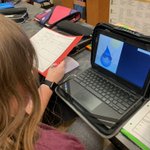
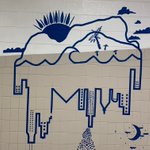
Mrs. Paul challenged band students to a seasonal project. Each student recorded themselves playing a selection of their choice to make an audio recording or used green screen to make a video. They even designed CD /DVD covers! Kudos Band! @fcpsk12 @AylorBand @DavidRudy52 @REAMSAP


Mrs. Agregaard & Mrs. Walters, foster creativity & decision-making in Gr 7 Sci. Ss selected technology or non-technology tools to demonstrate mitosis. Student work included WeVideos, illustrated books, Stop-Motion videos, 3D print models, CAD, Animated Presentations, and more!


Mrs. Harrison's 7th grade AgriScience students create Safety Posters using their choice of graphic design apps: Canva, Piktochart, Google Draw @fcpsk12 #fcpsitc @canva @piktochart @Google


6th grade Science students create Merge Cubes. This Augmented Reality tool allows students to view and study annotated holograms of the planets in our solar system. Each student has the whole solar system in their hand!


Mr. Grossman's 6th grade science Ss research planets, add data to a spreadsheet, then create charts that compare the planets in our solar system in the distance from the sun, number of moons, and in distance in diameter.


Mrs. Burdick's Spanish Ss used Google Tour Builder to complete a unit on Food & Restaurants. Students researched a city in a Spanish-speaking country, located 3 restaurants, selected 2 items from each, added photos, then wrote in Spanish about each food item selected.


thoughts of dog--
My humans are asleep. I woke from a bad dream. I can not go back to sleep. I want to play. I will drop my toy on their heads until they play with me. Drop toy. Wake up! Play! Drop toy! Wake up! Play! Drop toy! Wake up! Play! Why are my humans mad at me?
Physical Science teachers, Mrs. Conneway and Mrs. Macoff, use BroomBall to teach: velocity, acceleration, force, motion, energy, momentum as well as simple tools. #fcpsitc @fcpsk12 @mrsmacoff


Loved working with Hillary Nesselrodt and her ESL students to produce this green screen panel discussion on Space Junk! @DoInkTweets @fcpsk12 #fcpsitc @hillaryeslteach


Learning to create 360 tours with @DebbieMartinITC using iPhones, #GoogleStreetView, and #GoogleTourCreator @rodcarnill @yostr03 @fcpsk12 poly.google.com/view/0tAneNW… via @poly
❤️ working w / Hillary Nesselrodt & her ESL class. Ss research led to an informative panel discussion on SpaceJunk. The green screen background was created by Ss using Google Draw. What a great group of Ss! @fcpsk12 #fcpsitc @DoInkTweets


I missed your webinar during the ETCoaches BookStudy. Is there anyway I can get a link to this: #ETCoaches Chat Topic: The Coaching Cycle: Teacher Goal Setting. #etcoaches @autumn_zam
A3. In addition to joining a network of supportive Technology educators, I hope this book study provides strategies for planning project based learning, & shares Ed tech advances I have not experienced. #EYCoaches @KVoge71
A5. The Librarian and I are introducing STEM to our content teachers. We have collaborated at least once with all content areas and have incorporated subject-related STEM lessons using the library for small group work stations. #ETCoaches @nmzumpano
A6. Our students experience coding in ES and MS through activities in science, math, tech classes & after-school clubs. Robotics occurs in the Tech class. Our district plans to add coding & robotics to the ES & MS curriculum. #ETCoaches @RonitShapiro