

The best Web Scraping framework that handles everything from a single request to a full-scale crawl by @D4Vinci1 Follow for daily tips & tricks.
Joined April 2025
- Tweets333
- Following1
- Followers1.4K
- Likes1K





Pinned Tweet
Scrapling MCP extends the limits of current AI models 🥀

Some CAPTCHAs need more than a screenshot. They need motion and precise mouse control while observing the page.
Scrapling MCP v0.5.1 gives AI models both. 🔥
1. See motion
Scrapling records a 2-second video and sends it to the model as timestamped frames. The model can inspect how the page changes, then use chained browser actions to act.
2. Adjust a slider without letting go
The model can move a slider and ask Scrapling to keep the mouse button held down. It can then inspect the page, adjust the position, and release when ready.
That means it can check and adjust during a drag, before releasing the mouse button.
In the video, I demonstrate this on hCaptcha, DataDome, and GeeTest using Codex with Astra at light effort. 🚀
Scrapling v0.5.1 is available now for free. Link below 👇
Let me know what you think.
4
486
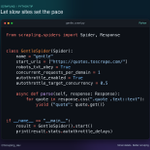
🕷️ Scrapling tip: Paginating a JSON API with POST? Keep the spider's duplicate filter on. It checks the JSON body as well as the URL. Send page 1, page 2, then page 2 again to the same endpoint. Only two requests reach the server. 🎯

5
108
🕷️ Scrapling tip: You can use a regex inside XPath. Bind the EXSLT regex namespace and use re:test() to match a SKU on each row. One query gets Lamp and Desk and skips the Flash sale row. 🎯

2
154
🕷️ Scrapling tip: Two GraphQL calls hit /graphql. Which reply has the price? Turn on record_requests=True. Each saved reply carries its POST body in meta["request_body"]. Match the operationName and read the price without sending the query again 🎯

3
222
🕷️ Scrapling tip: RemoteSession(new_context=False) uses an open browser's login state. Connect to a browser with remote debugging enabled, then scrape without exporting cookies. When the session ends, your existing tabs stay open 🎯

3
213
🕷️ Scrapling tip: stream() has a 100-item buffer. If your writer falls behind, item producers wait when it fills. Save each result as it arrives instead of keeping the full result list in RAM. This example writes one JSON record per line ⚡

3
445
🕷️ Scrapling tip: AutoThrottle accepts a target below 1. Set autothrottle_target_concurrency=0.5 to move each site's delay toward twice its response time, within your delay limits. Slow sites get more breathing room without a fixed sleep. ⚡

4
473
Now you know 🔥
So what makes Scrapling MCP better than Playwright MCP and other known free MCPs that automate browsers or scrape the web?
Scrapling MCP in v0.5 can achieve the same browser automation as others, but:
- It provides Chainable browser actions. Unlike any other MCP, the agent makes one call to the MCP to take an action in the browser, then thinks, then makes another call for the following action, and so on. In Scrapling, the agent can send a sequence of actions to run in the browser without repeating calls, saving tokens and letting the agent plan ahead.
For example, a website that shows a game to test whether you are human, based on your quick reactions, can be solved this way. The actions cover all waiting conditions, so a sequence can include clicking a button, waiting 5 seconds, ensuring the network is stable, typing in an input field, pressing Enter, waiting for a specific selector to appear, waiting for all JavaScript to execute, and then finishing.
Imagine Scrapling doing all of that for the Agent instead of the agent sending the calls one by one!
- The MCP can see and interact with closed shadow-DOM elements like CAPTCHAs. I don't think this needs explaining, but it means you can rest assured the agent can interact with anything the website throws at you. Previously, you had to give your agent access to computer-use add-ons so it could see the screen and interact with elements like this through coordinates; now it can do it directly through the browser.
- There is a lot of focus on saving tokens! Here, we block ads; let you select elements instead of the whole page for all operations; let you save browser state and repeat it later; and protect against prompt injection better than most tools. For example, we delete all hidden elements and zero-width elements, so we save more tokens while protecting you more!
- Stuff we already had from before:
* We provide a Cloudflare solver that doesn't require AI.
* You can do requests through Scrapling without browsers that fake TLS fingerprints, so you only use browsers when you have to (and with a lot of control).
* Control over what reaches the AI. Extract selected elements as Markdown, HTML, or text. Search page snapshots or read captured API responses. This can reduce unnecessary output.
Other than that, you will find the things that you already see in other tools, like moving and clicking the mouse, using the keyboard and typing slowly, interacting with dropboxes and similar elements, doing drag and drop with the mouse, executing JavaScript on the page, interacting with dialog popups, seeing the requests that are happening in the background and the parts that the Agent is interested in each request, and full control over the type of content returned to the agent to be HTML/Markdown/Text content and so on.
Now tell me, have you tried this update yet, and what do you think? 🔥
1
6
857
🕷️ Scrapling tip: retry_blocked_request() can switch a blocked HTTP request to a stealth browser. Add that browser with lazy=True and it stays closed until needed. Fast pages use HTTP; blocked pages get one browser retry in this example ⚡

4
525
A big clap for our new Platinum Partner @nonecapapi
👏
Check them out: nonecap.com/solutions/scrapl…
🤝 Paid partnership

1
4
487
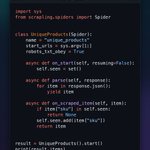
🕷️ Scrapling tip: on_scraped_item() can remove duplicate products from different URLs. Track each SKU in a set and return None for repeats. They stay out of results and stream(), while items_dropped counts them. This set lasts for one run 🎯

5
610
🕷️ Scrapling tip: sitemap_alternate_links=True makes SitemapSpider follow language URLs inside sitemap entries too. By default, it reads only <loc> URLs. Find pages listed only as language alternatives, with no custom XML parser 🎯

8
519
🕷️ Scrapling tip: CSVFeedSpider reads .csv.gz feeds and passes each row to parse_row() as a dict. No header row? Set headers and delimiter=";" to keep the first product as data. Gzip and CSV parsing are handled for you ⚡

3
341
🕷️ Scrapling tip: keep_comments=True preserves data tucked inside HTML comments. A table inside a comment is still invisible to CSS. Parse comment.text with a second Selector to get its rows, without running a browser. Try the demo below 🎯

4
306
🕷️ Scrapling tip: Response.markdown() removes scripts, templates, inline-hidden text and aria-hidden elements before conversion. Keep this hidden noise out of your LLM input without writing a cleanup pipeline. Try the example below ⚡

4
280
🕷️ Scrapling tip: adaptive CSS saves each part of ".price, .stock" separately. A broad selector saves only its first match. Use commas to save both fields, then recover price and stock after their classes change ⚡

What’s the hardest scraping bug you’ve debugged where the code ran fine but the data was wrong?
Wrong prices, missing rows, stale results… what finally caught it?
And what check do you now add to every scraper?
1
3
270
🕷️ Scrapling tip: sitemap_follow filters child sitemaps before they are fetched. Point SitemapSpider at an index and keep only product maps. Blog and category maps are never downloaded, so you skip whole crawl branches with one LinkExtractor ⚡

3
260
🕷️ Scrapling tip: development_mode=True saves spider responses to disk. Change parse() and rerun against the same saved page, without fetching it again. The demo shows 0 cache hits, then 1. Cached pages never expire, so turn this off in production ⚡

4
250
