Helping you produce meaningful work in Obsidian. Get faster progress from your notes today without losing flow, privacy, or trust in their system.

Obsidian Community Plugins
Joined March 2023
Did you know? Obsidian students can claim 50% off Smart Connections Pro after manual verification. Explore lectures, readings & research with Smart Graph. Start Smart Plugins' 14-day trial, then reply to the welcome email: smartconnections.app/pro-plu…
2
88
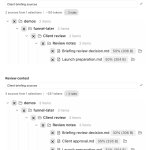
Next client briefing: reopen the saved folder selection in Smart Context Pro. Same selection, updated contents: adding Client approval takes this set from 2 notes to 3. Check the list before using it. Two captured states; fictional project.
14
Smart Connections finds related notes. Related doesn't mean current. When a decision changes, add beside the old decision: "Superseded on 2026-10-25 by [[New decision]]." Keep the old reasoning. In the new note, explain what changed.
1
2
13
If "Client call" already has a "Budget decision" heading, link to it from your Obsidian project plan: [[Client call#Budget decision]] Open the decision section while keeping the full meeting note intact. No plugin needed.
20
A useful graph starts with the note you're working on. Open its Smart Connections results in Smart Graph Pro. Pick a source from the list to bring it into view. Here: Writing Pipeline -> Creating Output. The same 11-note scope stays in place. Trimmed demo.
1
3
112
Before closing an AI writing chat, add "Resume here" to your Obsidian draft: "Open with the failed experiment. Follow-up result still unverified. Next: check the test log." Check that this matches your decisions. Link the chat, and start here next time.
2
49
Try Connect Pro on a project: ask a supported AI app to read two non-sensitive notes from your running Obsidian desktop vault and draft next actions. Compare with your usual workflow: setup, useful output, corrections. Requires Pro access. Setup: smartconnections.app/connect…
1
2
42
The proposal says: build a client portal. The earlier decision says: reviewers won't create accounts. Smart Connections brings back the decision. You change the plan to email review links. Fictional Obsidian demo. Manual revision; editing condensed.
1
2
55
Testing AI search on your notes? Start with one answer you already know. Ask a question answered in a recent note, then open the returned source. If the note is missing, check the search scope and indexing status before changing the prompt or model.
14
Free Smart Connections can help with a draft without writing it for you. Open your draft and the Connections view. Expand a related note and read its passage. That can be the whole workflow: find a relevant passage, read it, and decide whether to use it.
1
30
The plan says: meetings first, writing in the evening. A saved note says: protect writing time first. Smart Connections brings that note back. Connect Pro holds the proposed change for approval. Fictional demo; correction not applied.
1
1
77
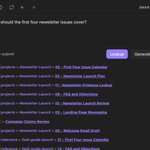
Return to an earlier research question without retyping it. In Smart Lookup Pro, Previous brings the query back. Expand a result to read the note's passage right where you're searching.
1
2
75
Smart Plugins - Obsidian AI Connections & Context retweeted
Let your notes challenge the draft. This Smart Plugins demo takes an article from related sources to a proposed revision. Review the evidence and exact change, then apply it to the original note. Fictional article, real workflow.
2
3
107
Before choosing your next writing topic, explore what's already in your vault. Smart Graph groups related notes into clusters. Follow the connections to find a few ideas worth reading together.
🤖 Made with AI
1
2
83
Open a draft in Obsidian and expand a Smart Connections result beside it. Read the earlier passage alongside the paragraph you're working on, without switching notes or coming up with a search query.
🤖 Made with AI
1
1
55
Let your notes challenge the draft. This Smart Plugins demo takes an article from related sources to a proposed revision. Review the evidence and exact change, then apply it to the original note. Fictional article, real workflow.
2
3
107
See the ideas around your next draft. Smart Connections Pro lets you explore related notes in 3D, then switch to a named 2D view to choose what to read next.
2
39
Repeated work should leave behind a reusable structure. Smart Templates combines the current note or selection, reviewed context, reusable Markdown templates, and the instruction unique to this run. Core copies the finished prompt for review.
55
One note can hold the whole delegation loop. Clarify the outcome, context, constraints, and review standard. Delegate one bounded assignment. Compound the reviewed result into a stronger note or deliverable. Smart Loop: Clarify -> Delegate -> Compound
1
37
You don't need your entire vault on screen to think through a few notes. Choose a set in Smart Graph Pro, focus the graph on it, and replay the connections.
1
2
84
Your notes don't need backlinks to be related. Smart Graph Pro maps similarity, too. Replay the graph around your current note and watch those relationships come into view.
1
2
98