

Transform your workflow with Termius – Modern SSH client designed for team collaboration, productivity, and a seamless experience across devices.
California, USA
Joined February 2012
- Tweets1.6K
- Following1
- Followers13.1K
- Likes962


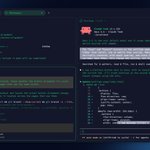


Termius for Android Beta can now notify you about your AI agents and long-running tasks!
Know when they need you, finish, or fail.
Built on OSC 7501. Works with Claude Code and Grok Build, with more agents coming soon.
Join the beta on Google Play → play.google.com/apps/testing…

Monitor all your AI agents at a glance with Workspaces.
Run one agent to build a new feature, another to fix a bug, and a third to write tests. When they stop to wait for your input, it's easy to miss them in a hidden tab, and they can sit idle for ages.
Workspaces in split view fix that:
→ See who's working, stuck, or waiting on you
→ Save the whole setup as a template and reopen it in one click

Paste images and files in Mosh on iOS 📎
Now you can paste images and files into Mosh sessions from your clipboard, or attach them with the new paperclip button.
Mosh keeps your session with an AI agent alive when you switch between Wi-Fi and cellular on the go.
Pasting works in SSH sessions too.
Connect to your servers with Face ID and Touch ID.
SSH ID in Termius gives each device its own hardware-backed key, publishes your public keys under one handle, and lets you authorize them all with a single command.
Available on every platform.
docs.termius.com/ssh-id-pass…
AI agent is running a task. Tests are up. Branch is checked out. With Workspaces, everything is on one screen.
While it works, drag in another tab and… play Snake. 🐍
Save your workspace with all its connections and running commands. Come back tomorrow, and pick up exactly where you left off.
tmux is great for remote development, but the default setup can feel awkward on a phone or tablet.
Here are a few tweaks we use to make it much more comfortable on mobile.
1/5: Enable touch support
Add this to .𝚝𝚖𝚞𝚡.𝚌𝚘𝚗𝚏:
𝚜𝚎𝚝 -𝚐 𝚖𝚘𝚞𝚜𝚎 𝚘𝚗
Now you can scroll with your finger, tap panes, and drag to resize them.

4/5: Use copy mode for long terminal output
Navigate, search, and select long terminal output:
𝙲𝚝𝚛𝚕+𝙱 (𝚘𝚛 𝚢𝚘𝚞𝚛 𝚙𝚛𝚎𝚏𝚒𝚡) 𝚝𝚑𝚎𝚗 [
For Vim-style navigation, add:
𝚜𝚎𝚝𝚠 -𝚐 𝚖𝚘𝚍𝚎-𝚔𝚎𝚢𝚜 𝚟𝚒
Then you can navigate with Vim keys, press / to search, 𝚂𝚙𝚊𝚌𝚎 to start selecting, and 𝙴𝚗𝚝𝚎𝚛 to copy.
