

All you settings at your fingertips Stay immersed with Turn Up, the volume mixer for gamers! Program knobs and buttons to control the settings you use most.
Joined June 2020
- Tweets355
- Following4
- Followers320
- Likes239


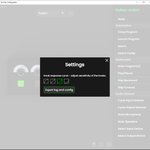




(2/2) We also improved macro detection with many programs and now allow the escape key to be used in macros. If you’re still having issues, try recording the macro in the Turn Up software, then pressing the macro key when recording in the desired game or software.
2
6
808
(1/2) Update 1.2.0 is live with a couple of user requested features! This update includes a new selected audio device light effect and a setting to power off the device on when the screen locks.
6
803
(2/2) Up next, we’re planning on creating a light effect to show which audio device is your current default device. We’re still investigating issues with macros not always being detected by the target program, and of course, handling any major bugs as they're reported.
2
13
1,017
(1/2) Thanks everyone for your feature suggestions and bug reports! We’re doing our best to work through as many as we can. Highlights from this release includes expanding the program mute light effect to handle multiple programs as well as improved reliability of the media keys.
1
7
600

Hi all, we’ve just released an update a lot of you have been asking for - LED brightness control! You can now set the brightness of your lights from the settings menu, via a brightness knob control, and with a cycle brightness button control. Hope you enjoy this update!

7
We also have made improvements to input & output device knob settings, adding a default device & the ability to set the range of Voicemeeter gain.
There's also now an updated device mute option with a default device, plus some bug fixes. Read more about in the patch notes!
7
We also have some exciting software updates to announce! First up is layered light animations, which allows you to configure specific animations for light settings that have more than one state (i.e. one animation for mute, another for unmuted). See video for demo!
1
5
NOW IN STOCK! All preorders have been shipped, and the Turn Up Volume Mixer is in stock & available for purchase on our website @ TurnUp.Tech
Hey everyone! We just released version 0.4.1 of the software! Features include log exporting and cycling through selected input and output devices. Fixes address config resets and audio card compatibility. See the patch notes in the software for full details.

2
5
Up next, we’ll be working on any bugs that arise. For new features, we’ll improve the cycle audio devices actions to cycle through a list of devices you select. We also want to add the ability to layer light effects for more advanced combinations.
4
Hey everyone! The UI updates are finally out! You should receive the update through the auto updater or you can download it directly from our website, TurnUp.Tech/download.html

1
8
For preorders, we are expecting to deliver orders in early 2022 due some of our suppliers falling behind original timelines. We’re trying our best to get smaller batches sent over to fulfill preorders ASAP, but are dependent on our manufacturers’ timelines
1
3

Turn Up retweeted

The good folks over at @TurnUp_Tech were cool enough to send me one of their sleek & affordable new volume mixers! Gonna be testing this out, look for more posts & review video soon.
1st impression: a bit limited, but great for USB-Mic users on a budget, FANTASTIC build quality.
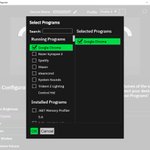
Highlights of what we added: Enhanced program selection menu (select running audio programs, like Windows Store apps!), multiple knob sensitivity profiles, program mute lighting effect, improved LED color accuracy, and added patch notes viewer!

4
6
Hey everyone! We just pushed out software update 0.3.2 tonight and wanted to summarize what’s new. We’ve been trying to tackle some of the most requested features over the last two updates, so we hope you enjoy! Full post here: reddit.com/r/turnuptech/comm…

6


