

The ultimate Android wallpaper changer. Your own wallpapers and photos, changed automatically on a schedule. No ads.
Joined January 2026
- Tweets1.3K
- Following17
- Followers17
- Likes559




Pinned Tweet
Different change times on weekdays and weekends?
WallSwap Premium adds day-specific schedules and multiple Quiet Hours for your own wallpapers and photos
No subscription

1
55
WallSwap App retweeted

During my recent workshop in South Moravia - when the lighting conditions weren't exactly ideal for landscape photography - we went into a beech forest and did a bit of painting with our cameras 🎨


Does your wallpaper app need to know who you are?
WallSwap rotates your own wallpaper images and photos right on your Android phone, with no account and no internet needed to change them
No ads, no analytics, no tracking libraries

1
11
Lazy Sunday, same old lock screen?
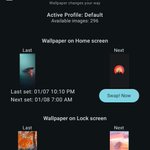
Tap Swap! Now in WallSwap and your wallpaper changes on the spot, picked from your own wallpaper images and photos
Then your schedule takes it from there

13
What's on your lock screen right now?
A photo you took, art you saved, or the same one since the day you got the phone?
WallSwap rotates your own wallpaper images and photos on your schedule, right on your Android phone

21
Same wallpaper on your home and lock screen all week?
Set Sync Mode to Individual in WallSwap and each screen gets its own schedule. Home on an interval, lock at the clock times you pick
Your own wallpaper images and photos, two rhythms

1
14
Try it on your Android phone, WallSwap is on Google Play
play.google.com/store/apps/d…
5
A new wallpaper every day?
Set WallSwap to Interval mode, pick 1 day, and it works through an album of your own wallpaper images and photos on its own
Like a tiny daily calendar for your home screen

23
Deleted or moved a few wallpaper files on your phone?
When WallSwap goes to show an image that's gone, it takes it out of the rotation and lists it in Resolution Center, with Retry, Archive and Delete
WallSwap never moves or deletes your files

18
Same lock screen every night this week?
Pick an album of your own wallpaper images and photos, choose how often it changes, and WallSwap swaps it for you, right on your phone
No ads, no account, no subscription

1
25
Presenting or screen sharing today?
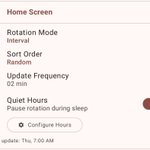
In WallSwap's Interval mode, set a Quiet Hours window and your wallpaper holds still, up to 12 hours. A change that falls inside just waits until the window ends
Your screen, your timing

21
Added new wallpapers to that folder on your phone?
Import the folder again in WallSwap. Images already in your library get skipped, so only the new ones join your rotation
Fresh picks, no doubles

17
How long has your current wallpaper been up?
Be honest. Weeks? Since the day you got the phone?
WallSwap rotates your own wallpaper images and photos on your schedule, so the lock screen you wake up to keeps changing

1
15
Cleaning up your albums this weekend?
Deleting an album in WallSwap only removes the grouping. The images stay in All, and the files on your phone are not touched
Tidy up without losing a thing

9
Got new photos from this week?
Tap Import Images in WallSwap and pick up to 100 of your own wallpaper images and photos with the Android photo picker
It doesn't ask for photo or storage permission #Android

1
21
New wallpaper every hour this weekend?
Set WallSwap to Interval mode, pick 1 hour, and it rotates through your own wallpaper images and photos on its own
No ads, no account #homescreen

21
Friday check: is your wallpaper still changing?
Usually it's Android battery optimization. If WallSwap shows a battery card in App Preferences, tap Open Settings and set battery usage to Unrestricted
Your rotation keeps going all weekend #AndroidTips

1
15