

Offline voice dictation for real work. Mac + Windows. Local Whisper. Built for emails, notes, prompts and private professional writing.
Built in Europe
Joined October 2025
- Tweets101
- Following7
- Followers4
- Likes4





Pinned Tweet
Weesper Neon Flow is local-first voice dictation for Mac and Windows.
Use it to dictate:
- emails
- notes
- docs
- AI prompts
- client work
The point is simple:
Speak faster than you type, without sending every private sentence to the cloud.
weesperneonflow.ai

3
2
135
Your next thought rarely arrives in the app you planned for. Hold the hotkey in the field you have open, speak, release, and keep working when the text lands at your cursor.
Older Weesper builds on Windows left a copy of each update in your temp folder. About 90 MB per update attempt, through version 1.8.12.
Since 1.8.14, the app clears those leftovers when it starts. It only removes its own update folders. Nothing else in %TEMP% is touched.
1
If your text misses the target app, open History and re-insert the saved entry instead of dictating it again. If direct re-insertion isn't available, use the explicit Copy action.
1
8
If another app already uses your recording shortcut, Weesper shows the conflict and opens Microphone settings. Choose another key, and the status returns to Registered.
3
If the text never lands in the app you had open, check History before you dictate it again. Open the saved entry and tap Re-insert. If direct re-insertion is not available, use Copy to clipboard.
50
If your headset is on and the transcript still comes back empty, Weesper may be listening to the wrong input.
In Audio Setup, pick the microphone you want, tap Test, and speak until the meter says Good.
46
Your first local dictation should not begin with guessing which profile is active.
Open Recognition Quality, download a profile if you need one, then choose the setup you want to use before you record.
1
29
If you move between Mac and PC, your dictation workflow should not change personality every time you switch machines.
We're keeping Weesper Neon Flow on both: local Whisper, automatic insertion, and the same writing flow on macOS and Windows.
1
29
If you repeat the same signature, address or reply, save it once. Say the shortcut during dictation and Weesper expands it at your cursor. You can include the date, time, clipboard content or a caret marker in the template.

ALT Three-frame Weesper Neon Flow story showing the spoken shortcut hashtag project dash update, the real Shortcuts editor, and the expanded project update with a date and caret marker.
1
18
You can speak in French, keep the transcript in French, or switch the speech task to an experimental English translation. Then choose the writing style for the job. We keep those controls separate, so you know what will happen before you record.

ALT Three-frame Weesper Neon Flow workflow showing spoken-language selection, the experimental Translate to English speech task, and built-in writing styles.
1
15
We changed how Weesper Neon Flow 1.7.12 uses your machine during transcription.
Decoding now adapts to the active hardware backend, and heavy work runs at lower priority. You get faster, steadier dictation without making the rest of your desktop feel stuck.
1
13
Windows users shouldn't have to hunt for a GPU switch before their first dictation.
In Weesper Neon Flow 1.7.12, supported NVIDIA setups enable GPU acceleration automatically. The setting stays visible, so you can still turn it off if local processing feels unstable.
10
Dictation should not wreck the thing you were about to paste.
In Weesper Neon Flow 1.7.12, Windows restores your previous clipboard after insertion when auto-copy is off. On macOS, interrupted typing copies the full transcript so you can paste it yourself.
6
Weesper Neon Flow 1.7.12 is out.
On Windows, NVIDIA GPU acceleration now turns on automatically when your hardware and driver qualify. We also catch blocked microphone access before recording and take you straight to the right setting.
Less setup. Fewer silent failures.
1
8
We put the full Weesper Neon Flow 1.7.12 changelog here: weesper.co/en/changelog/
5
Client names, product terms and acronyms are where dictation sends me back to the keyboard. In Weesper’s Dictionary, I can pair a spoken form with the exact written form and reuse that correction across dictations.

ALT Annotated Weesper Neon Flow Dictionary screen showing recognition vocabulary, automatic correction, and a spoken-to-written example from next jess to Next.js.
1
8
Antivirus software can block optimized speech-engine files.
Weesper Neon Flow falls back to its built-in engine instead of letting dictation fail silently. If that fallback cannot start, you get a clear error instead of missing text.
1
8
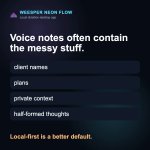
I don't think cloud vs local dictation is a moral question. It is practical.
Cloud can be polished. Local gives you control.
When you're dictating client notes, prompts, bug reports, or strategy, control often matters more than one extra shiny feature.
18
Mac has plenty of local dictation experiments now.
Windows still feels underserved.
If your work moves between Mac and PC, dictation should not force you into a different privacy model or workflow on each machine.
16