

❤ ACG・IMAX・Dolby Cinema・macOS・i3-like・Omarchy・Hyprland・HHKB・Neovim・Lambda・Py・Rust・K8s・Vibe coding・Yours Forever @HarukaXu
月球
Joined January 2009
- Tweets24.7K
- Following1.4K
- Followers1.6K
- Likes22.7K






XH!@提不起劲儿🫠 retweeted

最近 Mole CLI 有非常多的更新,Mac、Windows 和 Linux 都有很多优化和增强,打算了一起同步给大伙。
首先非常建议使用 CLI 小伙伴看到后,辛苦直接 mo update 更新到最新,因为有可能你本地还是半年前的版本,现在版本相比之前要完善更多,特别是对于一些AI 工具清理的加强和安全的保护上。
首先 Mac 这一块的卸载能力差不多完成了之前 GUI 版本差不多 900 款软件的卸载详细同步,可以享受一样的残留清理效果,然后对于开发工具的清理、以及代码编译过期内容的清理也有很多完善,甚至其实iPhone和Android模拟器工具里面也有非常多的缓存,也可以一起清理了。
然后 Windows 版本补了很多大伙常用的软件,360 极速浏览器、夸克、QQ、飞书、剪映、Trae 这些缓存都能清了,卸载的时候游戏存档、Epic 游戏和 WSL 磁盘会留着,还新加了 mo installer 命令,可以把下载文件夹里放了很久的安装包挑出来让你删除。
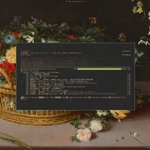
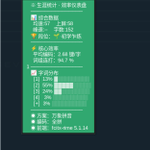
最后 Linux CLI 在上线后继续完善,Arch、Omarchy、Debian、Ubuntu 都可以用了,clean、uninstall、analyze、status、purge 这些命令和 Mac 上一样,像 Omarchy 这种会打 btrfs 快照的系统,删掉的旧包要等快照轮换后空间才回来,Mole 也会如实告诉你详细的清理现状。
最后假如你对各个系统的清理、维护、电脑优化、卸载有任何的建议,都可以找我,我来帮你把需要的地方完善好,把 Mole 做成好用易用效果好的电脑优化工具,哈哈,发完这个,我就去看李志去,期待今晚的演出!
github.com/tw93/Mole

XH!@提不起劲儿🫠 retweeted

赌上我的开发生涯,我发誓这一定是最好用的 Linux 输入法🥰
🚀WowType:给 fcitx5 用的拼音输入法,移植WeType大多数特性。
✍️ 长句一口气打完,按错键也能认出来
⚡ 简拼、中英混打、越用越懂你
🎙️ 按住右 Alt 说话,全程离线
恳请大家体验、star:github.com/Gloridust/WowType


XH!@提不起劲儿🫠 retweeted

xtool is an open-source, cross-platform alternative to Xcode that can build and deploy iOS apps from Linux, Windows and macOS.
It builds Swift packages into iOS apps, then signs and installs them, and it can interact with Apple Developer Services from code. It runs on Linux, Windows through WSL, and macOS, and it is released under the MIT license.
Repo: github.com/xtool-org/xtool


XH!@提不起劲儿🫠 retweeted

My grail for Linux is finally here: A Lightroom alternative that takes all my classic camera profiles and presets. Just edited two family photos, and they came out perfect. FREEDOM AT LAST!! github.com/pch/rawmakase


XH!@提不起劲儿🫠 retweeted

Introducing Flux
Flux is your phone link for Omarchy.
Many of the features
→ Clipboard sync
→ Fingerprint approval for sudo
→ File transfer
→ Phone notifications on the desktop
→ Notification replies
→ Notifications to the phone (flux notify)
→ Build and job alerts (flux notify --run)
→ Call alerts
→ Pause media on calls
→ Do Not Disturb sync
→ Find my phone
→ Find my PC
→ Browse phone storage
→ Browse PC files
→ Omarchy commands
→ Text scan (OCR)
→ QR and barcode scan
→ Photo to PC
→ Document scan to PDF
→ Auto-send screenshots
→ Auto-send photos
→ Phone as webcam
→ Phone as microphone
→ Screen mirror
→ CLI
KDE Connect on roids.
In early stages.

