





Spot an issue with construction drawings on-site? Mark it up and share revisions with your team right away.
Xodo Mobile makes it easy on iOS and Android.
Full guide: xodo.com/blog/how-to-mark-up…
#Xodo #Construction #AEC #PDFMarkup

A meeting is starting in 10 minutes, and the PDF still needs one more edit.
Open it in Xodo Web, fix the text, and download the updated file before the meeting starts.
No heavy setup. Just the PDF tools you need, right in your browser.
Try Xodo Web: xodo.com/edit-pdf-text
Before you share that PDF, check what’s still visible.
Permanently remove sensitive information with Xodo’s Redact PDF tool and keep private details out of the final document.
Try it: xodo.com/redact-pdf
#Xodo #PDFSecurity #Redaction #PDFtools

Two PDFs. What changed?
Xodo’s PDF Compare tool highlights additions, deletions, and revisions so you can spot edits faster.
Try it: xodo.com/pdf-compare
#Xodo #PDFCompare #PDFtools #Productivity

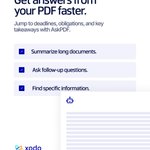
Long PDF, limited time?
Instead of spending 30 minutes skimming, ask your PDF a question.
AskPDF can help you find important dates, summarize key sections, and clarify obligations in seconds.
Try AskPDF: xodo.com/ask-pdf
#Xodo #AskPDF #PDFtools #Productivity

Need to edit a PDF but don’t have the original file?
Convert it to an editable Word document with Xodo Web. Upload your PDF, convert it, and keep working in Microsoft Word - no retyping from scratch.
Try it yourself: xodo.com/pdf-to-word-convert…
#Xodo #PDFtoWord #PDFConverter
PDF workflows can take up more of your workday than expected.
With Xodo, finance teams can spend less time reviewing, signing, and managing documents and more time working with the numbers.
Learn more: xodo.com/industries/finance

Not every PDF task needs a software download.
Convert files, compress PDFs, reorder pages, and more with 40+ Xodo Web tools - right in your browser.
Choose a tool and get started: xodo.com/tools
#Xodo #PDFtools #Productivity

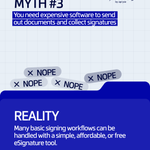
You don’t need an enterprise budget for eSignatures.
Send contracts, agreements, and other business documents with Xodo Sign without extra cost or complexity.
Simple signing, without paying for more than you need.
#XodoSign #eSignature #OnlineSignature

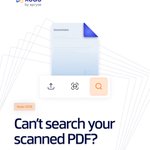
A scanned PDF may look like text but still act like an image.
Use Xodo OCR to make scanned PDFs searchable and turn them into selectable text.
Try it: xodo.com/ocr
#Xodo #OCR #PDFtools #DocumentWorkflow

Sometimes you don’t need the whole PDF - just the page.
Convert PDF pages to PNG with Xodo Web and use them in presentations, documents, and more.
Upload, convert, download: xodo.com/pdf-to-png
#Xodo #PDFtoPNG #PDFConverter #PDFtools

Need data from a PDF table?
Xodo PDF Studio helps you convert tables to CSV, including scanned PDFs with OCR.
Our guide covers direct export, Excel workflows, OCR, and data checks.
Read more:
xodo.com/blog/how-to-convert…

Your PDF may look professional - but is it accessible?
A 2024 study of 20,000 scholarly PDFs found that 74.9% failed all six accessibility criteria tested.
Study - dl.acm.org/doi/10.1145/36635…
Tips for screen readers - xodo.com/blog/how-to-make-a-…

The first PDF takes a minute. The next 50 add up fast.
Xodo PDF Studio’s Action Wizard lets you build a workflow once and apply it across multiple PDFs, cutting out repetitive clicks.
See how it works: xodo.com/blog/how-to-automat…
#Xodo #PDFStudio #Productivity

Xodo PDF Studio or Adobe Acrobat Pro?
We compared pricing, platform support, licensing, offline use, and everyday PDF editing to see where Xodo stands out.
Read the full guide: xodo.com/blog/xodo-pdf-studi…
#Xodo #PDFStudio

Different teams need different PDF workflows.
Xodo gives construction, business, and education teams flexible PDF tools across web, desktop, and mobile, so work keeps moving wherever it happens.
See how: xodo.com/industries
#Xodo #PDFtools

Think Xodo PDF Studio is just for basic PDF edits? There’s much more under the hood.
From advanced editing to OCR and batch tools, here are the features worth knowing: xodo.com/pdf-studio
#Xodo #PDFStudio

Complex PDFs need more control. Xodo PDF Studio brings advanced editing, OCR, batch automation, offline access, and conversion tools to Windows, macOS, and Linux.
Simplify demanding desktop workflows: xodo.com/pdf-studio
#Xodo #PDFStudio


Different PDF tasks need different tools.
Use Xodo Web for quick browser edits, PDF Studio for advanced desktop work, and Xodo Mobile when you’re on the go.
Choose the setup that fits how you work: xodo.com/
#Xodo #PDFtools #Productivity
