

Never get liquidated in your sleep. An AI guardian that watches your DeFi positions, warns you early, and helps you act. Self-custodial, in Telegram.
San Francisco
Joined March 2021
- Tweets3.3K
- Following126
- Followers75.8K
- Likes8.7K




Pinned Tweet
Most token approvals don't expire.
That dApp you approved months ago might still have permission to move your tokens today.
Ask Ava in Telegram to check your wallet for risky approvals. Review the findings and revoke anything suspicious with your own wallet signature.
Ava Protocol retweeted
Most token approvals don't expire.
That dApp you approved months ago might still have permission to move your tokens today.
Ask Ava in Telegram to check your wallet for risky approvals. Review the findings and revoke anything suspicious with your own wallet signature.
Checking needs no wallet connection, signature or deposit.
Just paste your public wallet address into Ava on Telegram to check for risky approvals.
Try it: t.me/AvaProtocolBot?start=c_…

Ava 2.0 is here. Your DeFi agent, working while you're away.
Set up Aave repayment rules, scheduled Uniswap swaps and payments. Ask in plain English, choose a Skill, and configure it. Active on-demand jobs now have a Run now button.
Want tighter control? Turn off the standard permission on the Wallets page and choose narrower permissions with a cap on the token you pick.
You can also review runs, pause individual jobs and revoke permissions on the web.
One Ava, two ways in. Start in Telegram. Use the web to set up Skills, review runs and manage permissions.
Try Ava: t.me/AvaProtocolBot?start=c_…

Know which contracts can spend your tokens.
Ava’s Wallet Scan now resolves unlabeled spender to the contracts behind them, giving you useful context to decide which approvals to keep or revoke.


Review your wallet’s open token approvals and EIP-7702 delegations with Ava’s Wallet Scan:
t.me/AvaProtocolBot?start=c_…

On Tuesday we launched agent permissions.
Here's how they keep you in control when Ava acts for you. 🧵
We've been working hard to put you in control of how Ava acts.
Agent permissions are here. 🛡️
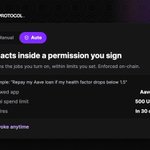
Choose allowed apps, total token spending caps, and an expiry. Ava runs the jobs you enable within those limits. Enforced on-chain, revocable anytime.

ALT Ava Protocol card with Auto mode selected: Ava acts inside a permission you sign. Example: repay my Aave loan if my health factor drops below 1.5. Allowed app: Aave V3. Total spend limit: 500 USDC. Expires in 30 days. Revoke anytime.
Inside those limits, Ava runs the jobs you turn on, like repaying your Aave loan when your health factor drops. No prompt each time.
It works on the wallet you already have, after a one-time upgrade. Your address and keys stay the same.
Your permissions, your control.
Pause a job, revoke a permission to stop everything using it, or undo the upgrade to turn Auto off for that wallet on that network.
How it works: avaprotocol.org/docs/safety/…
Try it: t.me/AvaProtocolBot?start=c_…

We've been working hard to put you in control of how Ava acts.
Agent permissions are here. 🛡️
Choose allowed apps, total token spending caps, and an expiry. Ava runs the jobs you enable within those limits. Enforced on-chain, revocable anytime.
ALT Ava Protocol card with Auto mode selected: Ava acts inside a permission you sign. Example: repay my Aave loan if my health factor drops below 1.5. Allowed app: Aave V3. Total spend limit: 500 USDC. Expires in 30 days. Revoke anytime.
Set one up in Ava: t.me/AvaProtocolBot?start=c_…
How permissions work: avaprotocol.org/docs/safety/…

Paul's test for whether a vault is really non-custodial: if the curator is hacked, disappears, or acts in bad faith, can users opt out without relying on them?
Morpho creates that protection with timelocks, exit windows, and role-based safeguards.
But that assumes users notice something changed in the first place.
That's the next layer we're building Ava into: user-specific guardianship that watches your positions, approvals and permissions, understands the risk you're willing to accept, and tells you when something changes.


Ava’s memory just got an upgrade!
Wallet scan results now persist for the rest of your conversation. Ask which approval to revoke first, which can wait, and why. Ava answers using the results from that same check.
Thanks to the community for pushing on this.
This is the first of several improvements we’ll share over the next few days.
Try it:
t.me/AvaProtocolBot?start=c_…