




Pinned Tweet
We put together a video to showcase the sculpture and some of the patterns we’ve been working on. Once we got the hardware stable we got to focus on the fun part: making it do cool things!

If you're curious about the technical details behind the kinetic sculpture, we published a writeup over on Hackaday! hackaday.io/project/193922-k…
We've made a lot of progress on the sculpture in the last few months! Since the last update, we've built an enclosure, added automatic homing and lights (with a few more circuit boards for good measure), and installed it. We've been working out the kinks and testing animations!

We 3D-printed some guides to catch the balls as they hit the bottom of the enclosure, which helps keep pressure off of the switches and the panels.


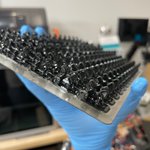
It’s starting to look like something! Power and comms are looking good (for now 🤞) so we put together a test rig and installed 4 out of the 10 rows and got them moving!

Another recent project of mine is a dynamic drawing/sketchy modeling iPad app. The core concept is straight from Crosscut by @inkandswitch, but I wanted to try to expand on it and take a different approach to modeling the relationships.
I also wanted to explore quick and natural ways to use the pencil to draw the model, without having to drop into menus or put the pencil down to do what you want. To create a node, just draw a little circle. To remove a node, scratch it out. Press harder to make a connection.
I wrote up convolution shader for SwiftUI's layerEffect in iOS 17! I'm working on making it more generic since convolutions are so powerful, but I got a Gaussian blur and a basic edge detector working (thanks to @jmtrivedi for the base project!)