

Indie developer · building 5 products solo (Rybmap, TesterBuddy, DevCleaner, TCGCollector, Planelo) · sharing the real numbers 🇨🇿
Prague
Joined August 2026
- Tweets446
- Following22
- Followers26
- Likes312




Pinned Tweet
Restarting this account. I'm a solo indie dev building 5 products at once - a fishing app, a beta testing platform, a macOS cleaner, a TCG collector app, and a minimalist project tool. Going to share the real build, the real numbers, the real mistakes. 🧵
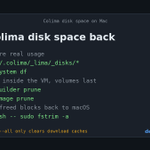
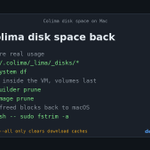
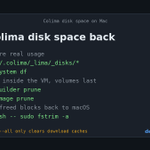
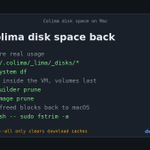
docker system prune on Colima freed space inside the VM, not on your Mac.
On Colima 0.5.0+, run colima restart or colima ssh -- sudo fstrim -a, then check again with du -sh ~/.colima.
Guide: devcleaner.app/guides/colima…

Hidden SwiftUI preview simulators can take gigabytes.
Check:
du -sh ~/Library/Developer/Xcode/UserData/Previews
Quit Xcode, then:
xcrun simctl --set previews delete all
Safe. Xcode makes fresh ones next time.
Or let DevCleaner do it in one click: devcleaner.app
macOS 1.17 (1.17.1): Preview cleanup + Safe SwiftUI Previews row. Measures ~/Library/Developer/Xcode/UserData/Previews, runs xcrun simctl --set previews delete all (waits if Xcode is open). Also Colima disks, custom DerivedData, Codex crash dumps.
devcleaner.app/changelog

If you run coding agents on Xcode projects: they often pass their own -derivedDataPath, so DerivedData lands inside each worktree and Xcode never cleans it. DevCleaner 1.17 now finds these by what's inside, not by path.
Agents often build with their own -derivedDataPath, so DerivedData ends up inside each worktree where Xcode never cleans it. DevCleaner now spots these by what's inside, not by path. Shipped this week.
Swift package caches can take gigabytes. Xcode keeps a copy per project:
du -sh ~/Library/Developer/Xcode/DerivedData/*/SourcePackages
Quit Xcode and delete them. Packages download again, same pinned versions.
Or let DevCleaner do it in one click: devcleaner.app
Update: you no longer have to do this by hand. DevCleaner for macOS now finds pending Codex Crashpad dumps and clears them in one click. Conversations, settings and sign-in stay untouched.
devcleaner.app

Codex Desktop on macOS can fill your disk with crash dumps. Its crash handler crashes in a loop, about 1 dump a second. Reports go up to 323 GB.
Check:
du -sh ~/Library/"Application Support"/Codex/Crashpad/pending
Quit the app, then trash that folder.
github.com/openai/codex/issu…

Codex desktop can write a crash dump about once a second, and nothing prunes them.
DevCleaner for macOS now clears them.
Also new: Preview cleanup, Colima disks, custom-path DerivedData, archives to the Trash.
macOS only, Linux unchanged.
devcleaner.app
Curious how Anthropic plays this one. xAI and OpenAI are both pushing agents that run in the background too, so the model alone won't decide it. My bet is on trust: how often it checks in before acting, and how easy it is to see what it did while you were away.

Each iOS simulator runtime takes 4 to 8 GB.
xcrun simctl runtime list
Keep your min deployment target and the newest. Delete the rest:
xcrun simctl runtime delete <id>
Xcode gets one back if a project needs it.
Or let DevCleaner do it in one click: devcleaner.app
Colima tip: docker prune frees space inside the VM, but the disk file on your Mac can stay the same size.
Run colima ssh -- sudo fstrim -a or colima restart to hand it back.
colima prune --all only clears download caches, not containers, images or volumes.

Colima tip: docker prune frees space inside the VM, but the disk file on your Mac can stay the same size.
Run colima ssh -- sudo fstrim -a or colima restart to hand it back.
colima prune --all only clears download caches, not containers, images or volumes.

Colima filling your Mac disk? Docker data lives in a sparse VM disk, so prune alone often frees nothing on the Mac side.
Prune inside the VM, then hand the blocks back:
colima ssh -- sudo fstrim -a
Measure with du -sh, not Finder.
devcleaner.app/guides/colima…

Colima filling your Mac disk? Docker data lives in a sparse VM disk, so prune alone often frees nothing on the Mac side.
Prune inside the VM, then hand the blocks back:
colima ssh -- sudo fstrim -a
Measure with du -sh, not Finder.
devcleaner.app/guides/colima…

macOS says "not enough space" to update, but the download fits? The install needs extra room while it runs.
On a dev Mac, check these first:
du -sh ~/Library/Developer/Xcode/DerivedData
docker system df
No need to delete Time Machine snapshots for it.
devcleaner.app/guides/not-en…

Small milestone: DevCleaner has devices in 57 countries over the last 90 days.
New public map on the homepage, built from data I already had. A country needs 2+ devices to show, counts are bucketed (Under 10, 10+, 20+), and the JSON has no install IDs.
devcleaner.app

DevCleaner is now used in 57 countries (devices seen in the last 90 days).
US 170+, India 50+, Germany 40+, China and the UK 30+.
The map is on the homepage now. It reuses the locale the app already reports, so nothing new is collected.
devcleaner.app

Every iOS version you debugged on leaves about 5 GB on your Mac. Xcode never removes old ones.
du -sh ~/Library/Developer/Xcode/"iOS DeviceSupport"/* | sort -rh
Keep your phone's current version, delete the rest.
Or let DevCleaner do it in one click: devcleaner.app
If Codex Desktop is eating Mac disk space: check Crashpad pending dumps. The crash handler can loop (~1 dump/sec); reports go to 323 GB.
du -sh ~/Library/"Application Support"/Codex/Crashpad/pending
Quit Codex, then trash the folder.
github.com/openai/codex/issu…
