

UX & Product Designer 🚀 • Husband and dad 👨👩👦 #jesusfreak #ux #design #mentor 🇧🇷🇮🇪
- Tweets8.7K
- Following454
- Followers2.8K
- Likes10.2K






ALT Hand-drawn illustration showing digital information flowing into an AI assistant and becoming a short list of priorities. On the left, emails, messages, calendars, notes, and task lists represent information overload. In the centre, a blue, glowing AI layer filters and organises the information. On the right, three cards read “Needs your decision,” “This week’s priorities,” and “Can wait.” A coffee cup, laptop, open window, plant, books, and family photo represent reclaimed time, calm, and space for life beyond the screen.

ALT Hand-drawn three-column diagram showing how product teams turn scattered market signals into focused action. Signals such as competitor launches, customer complaints, new products, and industry trends pass through a filter that evaluates whether they are real, relevant, a threat or opportunity, and worth investigating. A concrete customer-complaint example passes the filter and leads to actions including interviewing users, investigating the complaint, testing solutions, narrowing the product hypothesis, or ignoring signals that do not pass the filter.


ALT Diagram titled "From file shuffling to a system that thinks. Graph Engineering changed my weekly workflow." Before section shows a manual weekly process: Gemini deep research, download markdown, Perplexity deep research, download markdown, ChatGPT deep research, download markdown, upload all files to Claude, run synthesis prompt, wait, read result — labeled "~30 minutes, every week, same choreography." After section shows an automated graph: a weekly trigger kicks off three parallel research scouts, which feed into a skeptic review node that cross-checks and removes fluff, then a synthesis node that turns surviving signal into insight, then a delivered brief — labeled "One system. Runs itself. Reusable every week." Bottom text reads "A better prompt is disposable. A graph is reusable."


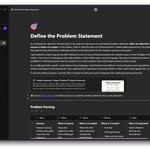
ALT If you haven't had a chance to review my templates, please do so. They are free to use, and you can access all of them in my Figma community profile. 🧠 Design Thinking: → Problem Statement (5W+1H method) https://lnkd.in/eNKSrxq2 → UX Storyboard Template https://lnkd.in/eVsHrSj4) → Frame Your Design Challenge https://lnkd.in/eJ7Bj3bY → Ideation Method: Mash-up https://lnkd.in/eQjKis97 → 10 for 10 Brainstorming Workshop https://lnkd.in/e5zkzKAE → UX Research / User Interview https://lnkd.in/e_BQiCAg 🕹️ Team Building + Icebreakers: → Visual Meeting Recap https://lnkd.in/eizBbNFW → Strike a Pose Icebreaker / Meme edition https://lnkd.in/eWsJ2Gv5 → Mix and match Icebreaker / Open Peeps https://lnkd.in/ew8CP_VF 👩💼 Business and Innovation: → BMC Workshop / Business Model Canvas https://lnkd.in/eF73ZrCk 🎧 Workshop Facilitation: → Workshop Planning / 6 P's of preparation https://lnkd.in/eP5t_-Ds → Virtual Lean Coffee https://lnkd.in/e8sd8HDZ