

Systems Design, Development, DevOps | 📚 https://xitter.cf/t.co/TftXT8SA7g | Newsletter https://xitter.cf/t.co/VrmSdRvXJw
France
Joined May 2007
- Tweets1.2K
- Following1.8K
- Followers1.3K
- Likes1.8K



Pinned Tweet
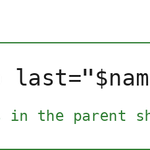
🛠️ A loop that reads from a file or a command: why one form runs in the parent shell, while the other forks
Add a "cat" and a pipe to "while read", and the loop runs in a subshell. Variables set inside it disappear when the loop exits. A redirect or process substitution keeps the loop in the current shell.
This week's Shellcraft → shellcrafthq.com/?modal=sign…

If this was useful, the full breakdown — the canonical form, the subshell mechanism, process substitution when the producer is a command — is in this week's issue:
shellcrafthq.com/p/a-loop-th…

Check the free ~50-page PDF + EPUB on the 13-tool CLI stack: kamonayeva.gumroad.com/l/mod…

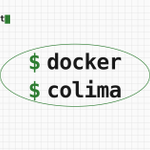
🛠️ Same docker CLI, no Docker Desktop: colima on macOS
Install colima, run two commands (colima start, docker context use colima), and your everyday docker commands run unchanged.
This week's Shellcraft → shellcrafthq.com/?modal=sign…
If this was useful, the full breakdown is in this week's issue:
shellcrafthq.com/p/colima-on…
Check the free ~50-page PDF + EPUB on the 13-tool CLI stack: kamonayeva.gumroad.com/l/mod…
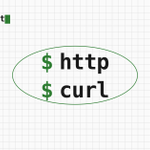
🛠️ HTTPie for the interactive half of HTTP work.
Curl is on every machine. That's not changing. But when you're poking an API by hand, the HTTPie alternative has an easy to use syntax and other niceties for your daily work: request items on the command line, JSON, request headers, dry-run mode, piped body.
This week's Shellcraft → shellcrafthq.com/?modal=sign…
The full breakdown — POST JSON, header overrides, dry-run with "--offline", and the stdin rule that makes the pipe-as-body case work — is in this week's issue:
shellcrafthq.com/p/httpie-fo…

Check out my free ~50-page PDF + EPUB on the 13-tool CLI stack: kamonayeva.gumroad.com/l/mod…
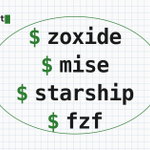
🛠️ The four-tool shell session: zoxide, mise, starship, and fzf
Four tools for improving your terminal session. Each of these four tools is useful on its own when working in the terminal.
This week's Shellcraft → shellcrafthq.com/?modal=sign…
The tools to combine: zoxide, mise, starship, and fzf.
Once installed and wired into your shell.
You have a Node project (at ~/work/some/path/to/myproj) that you frequently visit, and that has the right mise.toml file (to configure the Node version and the tasks you need).
You can have these benefits when starting your session:
- do "z myproj" to jump to the project (thanks to zoxide),
- do "mise run dev" to run the project (the task 'dev' being configured in the mise.toml),
- while you work, the prompt shows the git branch and the Node version (starship),
- do Ctrl-T, type "app" for example to do a fuzzy search over the project's files, pick the file you need and press Enter to have its path pasted for your next command.

If this was useful, the full breakdown is in this week's issue: shellcrafthq.com/p/the-four-…
And check the free ~50-page PDF + EPUB on the 13-tool CLI stack: kamonayeva.gumroad.com/l/mod…
