

A powerful tool that provides instant access to all of your aspects of your digital life. Meet the future of #productivity.
Joined December 2008
- Tweets2.4K
- Following3
- Followers3.3K
- Likes416





LaunchBar 6.9.5 adds compatibility with @1Password 7 obdev.at/products/launchbar/…

Select some file in LaunchBar, press Tab, select some folder, hit Return. Then you can choose from a bunch of file operations, including all sorts of links and aliases.


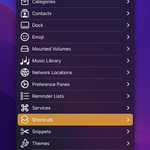
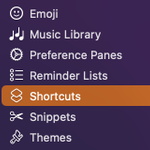
We’ve released LaunchBar 6.17 with improved support for macOS Shortcuts today.
obdev.at/launchbar/releaseno…

ALT Screenshot of LaunchBar with a list of macOS shortcuts
Yes, you are right, with Dvorak, Control-L conflicts with vi-style navigation shortcuts, which are based on the QWERTY layout. But you can turn them off in Settings → Shortcuts → Alternative Arrow Keys, by choosing “None”.
You probably mean that LaunchBar’s list oriented output (showing one line at the time) isn’t well suited for presenting multi-line results, right?
In case you haven’t yet not noticed - you can now also reach us on Mastodon.
mastodon.obdev.at/@launchbar
Would be nice to meet you over there!

That’s odd indeed. It’s just an ordinary URL. Same results if you open it via Terminal:
open -u "music.apple.com/search?term=…"
ScreenCastsOnline @sconline has released another video tutorial covering LaunchBar. A preview of this tutorial is available here:
screencastsonline.com/tutori…


LaunchBar 6.15 has been released today, adding support for Shortcuts on macOS Monterey and much more.
obdev.at/launchbar/releaseno…

To solve this, LaunchBar provides a LIFO approach. You copy, copy, copy in reverse order, then paste, paste, paste (using the "Paste and remove from history" shortcut).
The problem with FIFO is – how do you define "first"? If there are 300 items in your history you definitely don’t want to start pasting the one that was added "first".
You mean squishing the poor little icon into a quadratic cage to make it less distinguishable from other icons? Not very fond of this idea.
eclecticlight.co/2021/01/12/…
Sorry to hear that. Runs perfectly fine here on Monterey 12.0.1. Please contact us at obdev.at/support/contact/lau… with details. Thanks!
