

We run an automated process that continually takes on-brand and beautifully styled screenshots of all your SaaS product features.
New York, NY
Joined November 2013
- Tweets166
- Following2.9K
- Followers21.1K
- Likes3.6K



LaunchBrightly retweeted

What's the best color for arrows, boxes, and callouts on your product screenshots? I hacked together a nifty little algo/tool this weekend. If you're a documentation geek like me, check it out. 🤓
launchbrightly.com/tools/ann…
Your product UI is built for someone using it. Your documentation screenshots have a narrower job: show what matters.
Global Alterations let you remove, hide or blur unwanted elements once, then apply those rules automatically to every fresh screenshot 🤓

Your screenshots are often the last thing to settle before launch — and one of the first things to need another update after.
Generate them from staging or pre-prod, keep them current in unpublished articles, and regenerate as your product changes 🙌

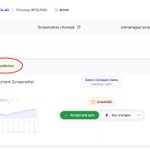
Keeping screenshots up to date is one thing. Seeing how they’ve changed over time is another.
Screenshot History keeps previous generated versions attached to your automation, giving you a visual history of how that part of your product has evolved 🤓

Give teammates access to your fresh product screenshots — automatically 🙌
Export them to Google Drive or OneDrive so teams across your business can work from the same up-to-date visual library.
No more “Can you send me a screenshot?” 🤓

Your help article can still be in draft while the screenshots inside it keep up with the product.
LaunchBrightly audits unpublished articles too, so last-minute UI changes don’t leave launch-day screenshots behind 🙌

Your docs ship through Git. Your screenshots should too.
LaunchBrightly pushes fresh screenshots into your repo, updates markdown and batches them into one PR — ready for review or auto-merge 🙌
launchbrightly.com/blog/scre…

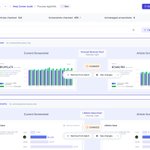
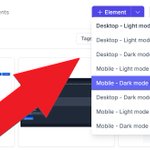
Your product doesn’t look the same for every customer.
With LaunchBrightly, one automation recipe can generate screenshot variants across devices, themes, languages and viewport sizes — all kept current as your product changes 🙌

A product update ships, and somewhere in your help center, a screenshot slowly drifts out of date.
Recurring screenshot audits surface what changed, so you can review fresh screenshots and keep your help center visually aligned as your product evolves 🤓

More annotations don’t necessarily make a product screenshot more useful
Give each image a clear job, annotate what matters, and use another screenshot when you need more room
A few well-placed annotations will usually do more than trying to make one image explain everything 🙌

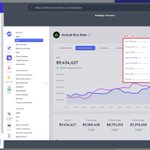
Not everything that belongs in your product UI belongs in every product screenshot.
Screenshot Alterations let you define remove, hide or blur rules once and apply them automatically across your screenshots — with exceptions when you need them 🙌
launchbrightly.com/blog/auto…

Keeping hundreds — or thousands — of product screenshots visually consistent is difficult to manage manually.
Centralized styling lets you apply the same visual treatment across all of them — improving the quality and consistency of every screenshot you produce 🤓

Your product doesn’t look the same to every user — and neither should your product screenshots.
Multiple Login Profiles let you automate screenshots across different accounts, roles, plans and environments.
Multiple product experiences. One screenshot automation workflow 🤓

Reuse the same product screenshot across your help center? That's a good thing 🙌
The maintenance problem starts when every use is treated as a separate image.
@launchbrightly treats it as one visual asset: update it once, approve it once, and sync it everywhere it's used.

Hit record and navigate your product normally — click buttons, open menus, enter text, add annotations.
LaunchBrightly turns those interactions into a reusable automation recipe you can run again and again as your product changes. 🤓
Your product gives you signals when something breaks. An outdated screenshot doesn't.
@launchbrightly continuously audits your screenshots against your product, so you can see what changed and which help articles are affected — before a customer finds the mismatch.


LaunchBrightly retweeted
LAUNCH: We've been working on screenshot automation for years, but we've just launched on the Zendesk Marketplace, making it much easier to get started. Woohoo! 🎉 Check out the video below to see me sync fresh screenshots directly into @Zendesk
Whether you're managing your first team or leading through a reorg, the Management track at this year's Support Driven Expo is built around one thread — people.
See the full list of speakers:
launchbrightly.com/blog/supp…

AI shows up everywhere at this year's Support Driven Expo, but the AI track goes deepest — real use cases, hard implementation lessons, and where scaling responsibly actually stands.
See a full list of speakers: launchbrightly.com/blog/supp…

Support Ops is the biggest track at this year's Support Driven Expo — workflow design, reporting, release management & more.
See the full list of speakers: launchbrightly.com/blog/supp…
#SDExpo #SupportOps
