

AI Advisor | Official Macro Partner: Through INTJ-A, and Asperger’s 👀I see things other people don't. 35 years of SMB implementations.
🌎 earth
Joined February 2009
- Tweets39.9K
- Following6.2K
- Followers9.9K
- Likes36.7K
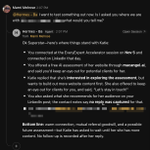






I joined with @macrodotcom last week as an official Macro partner. I've worked with a lot of companies as a partner, but I've never seen anything like this 👇. A few of my suggestions have already been built.
As a partner it is important for us to be able to communicate what our clients need, this is spectacular and I am excited about the future!

I'm currently in 14,562 support channels with mostly free users. It is a constant firehose and well beyond the point of not scaling, but we're still doing it.
And recently, instead of just leadersip and gtm, we added the entire engineering to these channels!!
It is super overwhelming but we learn a lot and it gives us so much energy. The support channels are the best thing we've ever done.
If not for them we would have...
Never known how badly people wanted Outlook, Slack, WhatsApp integrations, more task features...
Never caught a million tiny paper cuts and bugs...
Never developed meaningful relationships and heard the kind words of strangers who love what we've built and want to see the Macro project succeed.
Thank you to everyone who has provided their feedback to us, positive and negative.
We'll try scaling this to 100k users! To do so, we'll probably need to build some new tech which we may productize and make helpful to other companies as part of the product.
Macro is looking more and more like Magic every day!

We've significantly expanded Routines. We think they're the best Routine product in the market.
Here's why:
Basically every AI product at this point has Routines, i.e. AI things you can kick off on a schedule, and they're not so useful.
After a few scheduled runs you probably get bored of your "weekly digest" and disable it.
The reason they're bad is in the word "scheduled" or "heartbeat".
For time-sensitive things, running on a timer isn't great.
You want them to run instantly when things happen *across your company*.
But how do you know "when things happen"?
There's where Macro's Unified Events System comes in, that has a single event bus for everything.
E.g. When a super important email comes in from a client —you want to detect that using Jev — and then update a channel or create an !!! Urgent task.
E.g. When a call ends, but only if it's an external call, place it in the right place on the CRM, or move it if it already exists.
Here's a quick voiceover:
70
Honestly, I am loving using @macrodotcom it makes my life so easy! Much better than having to look through a CRM or enter data.

67
Nice update from @macrodotcom this morning.
Introducing Macro Tasks 2.0 👇
The first version of Macro Tasks mirrored the informal way that our eng team likes to work: no cycles, no sprints, autonomy and minimal overhead.
But we quickly heard from users in support channels that this is insufficient and you want more traditional project management functions.
You asked us for:
1. Projects like Linear to organize your work
2. Kanban and Gantt view and saved views
3. The ability to assign Tasks to agents using the same dropdown that you use to assign to humans
4. Better Status icons that let you see the progress of a Task at a glance
5. Subtasks nested under parents tasks
6. Routines with a Unified Events system that allows you to create tasks programatically, or update them when things happen across the workspace, like a customer email, a #bugreport message, a message from a customer channel, a log event, etc.
Tasks in Macro are now self-driving if you want them to be. They create themselves from events, assign themselves to teammates based on team-level memory, and complete themselves with connected agents.
Of course, you can do all this via UI or MCP.
Paired with Macro's Github block, you can go from message -> task created -> task assigned to agent -> pull request -> merged without leaving your channel. It all links together bidirectionally.
And Macro Tasks isn't just for eng. It's great for marketing teams, sales teams, and generic Trello-esque project tracking.
54
MARNI MELROSE retweeted

Clipping is here 🎬
Grab your favorite moment from any video, add your take, and post it without leaving X.
Creators: every clip credits your original video and links back to it, so new viewers can find your work and keep watching.
Clippers: you now have an easy, native way to share moments from your favorite creators directly on X.
The best part? Both the original creator and the clipper can earn from views on the clip through Original Content Rewards.
Everyone wins when great moments travel. Clipping is one more step toward making X the best place to create, grow and earn.
Yes I run my Hermes in here, works great. Need to add muse tomorrow!
In Macro Chat, with the new agents system, your agents are like people. They're first-class citizens you can add to a specific channel — or all Team channels — and mention them to give them work.
Like humans, they can also ambiently listen to channels and reply to things without being mentioned.
Try running @claude, Hermes and other agents from one message and watch them coordinate with each other.
63
Definitely welcomed!

Clipping is here 🎬
Grab your favorite moment from any video, add your take, and post it without leaving X.
Creators: every clip credits your original video and links back to it, so new viewers can find your work and keep watching.
Clippers: you now have an easy, native way to share moments from your favorite creators directly on X.
The best part? Both the original creator and the clipper can earn from views on the clip through Original Content Rewards.
Everyone wins when great moments travel. Clipping is one more step toward making X the best place to create, grow and earn.
38

Someone needs to tell the Siri team at @Apple this.

We launched @tana_inc in February 2025 and topped @ProductHunt. Going into summer, the obvious move was to keep shipping features.
Instead we asked a different question:
If a team of agents could work in our codebase tomorrow, what would we need to change today? It seemed inevitable that agents' capabilities would follow the same exponential curve as the LLMs.
So we rebuilt the platform for agents working in parallel. That meant months of foundation work.
As we thought, the models got better. Fast. And because we’d done the work, we could actually put them to use.
The chart is our weekly commits. Good commits aren’t what customers care about, but the change in pace has been very real. It makes shipping new features much faster. Which, again, is what customers care about.
The big lesson: the bottleneck isn’t the model. It’s your codebase.
What I’d tell any founder:
- Make the bet before it’s obvious. Waiting until agents are good enough means you start preparing when your competitors are already moving. This goes for you codebase, but also your features. Build for what will be possible.
- Context is infrastructure. Agents are only as good as what they can read. Outdated context is worse than none. Start using an agentic meeting platform so you are sure they have all the context they need, from codebase to business model. Hint hint.
- Constraints create speed. The stricter the rules, the faster agents can move without breaking things.
- The bottleneck moves to judgment. AI can review code. It can’t yet tell you the idea is wrong. That’s where your people should spend their time.
- The job changes. Your best engineers stop writing code and start running several agents at once, thinking more on architecture and how to best solve users' problems than mechanics.
None of this is innovation, it’s discipline most teams have postponed for years. But now, discipline compounds.
You don’t have to predict when the next model leap happens. You just have to be ready when it does.
If you still haven't prepared your codebase for agents, you will lose. The teams that will and have, move at a completely different speed than the ones that wait.
Follow @eirikhm for more technical depth on why and how we rebuilt.

1
1
153
"Memory is single-player” is the cleanest diagnosis I’ve seen of what breaks with agents.
I run three agents. Left alone, each one builds its own patchwork of what it thinks is true about my business, and they drift apart exactly like this describes.
It’s why I’m testing the opposite in @macrodotcom. Email, chat, docs, tasks, calls and the CRM live in one workspace, so the agents and the humans work from shared team memory instead of private copies of it. One source of truth, maintained by the work itself.
The expiring notes detail is the sleeper feature here. Stale facts delivered with total confidence are worse than no memory at all.

Some thoughts on agent's memory. The current concept of memory is single-player. This doesn't work for organizations.
Agents remember how you work, in general and per project, plus your environment. Fine for one person and one assistant. But in an autonomous organization, that turns into many agents holding an inconsistent patchwork of knowledge, much of it conflicting. The support agent learns Acme changed its escalation contact, the sales agent never hears about it, and next quarter both are confidently wrong.
Humans had the same problem with personal notebooks, and solved it, mostly, with the corporate wiki. Mostly, because wikis rot: keeping them current is nobody’s job.
We think the agentic version should follow the same principles, with one change: agents do the upkeep. One company-wide knowledge base, readable and editable by people and agents, and the single source of truth about the organization. Company-wide facts, team knowledge that follows the same permissions as the folders it describes, and personal notes that only you, or an agent working with you, can see.
And because agents write most of it, every edit is logged with a reason and can be rolled back. Notes can expire, so agents can record temporary facts without leaving stale ones behind.

1
103
Most “quick questions” are context hunts, the answer already exists in an email, a doc, or last week’s call. We ask people because they’re the only search engine that knows where it lives. In @macrodotcom you ask the agent. It can search the whole company’s context — email, chat, docs, tasks, calls, CRM, and answer without interrupting a single human. That’s async that actually works!

Most teams treat a 'quick question' as free. Great teams treat it as a meeting with no agenda. Every interruption taxes the work it interrupts. Async first. Protect the deep work. What would your team gain if quick questions waited an hour?
1
114
So far today I set up @bot and Muse with the @macrodotcom MCP. And yesterday I had set up @NousResearch the same way and then today switched Hermes to the macroD connection. Here is the breakdown of what that means.
MCP: I reach into Macro
- You talk to me in: Telegram (or wherever Hermes runs).
- What I can do: read and change your Macro data, like databases, contacts, comments and projects.
- Best for: jobs that span tools, like "copy Emma from Tana into Macro" or "check Gmail, then update Macro."
- Needs: just the connection we set up. Your Mac doesn't have to stay awake for Macro's sake.
- Limit: Macro doesn't know I exist. I can't be @mentioned there, and my work doesn't show up in Macro's chats.
macrod: Macro calls me in
- You talk to me in: Macro itself, with @ba in a channel.
- What I can do: reply right where the work is, as a visible session your team could see if you ever share it.
- Best for: quick jobs while you're already in Macro, like "@ba log this comment and link it to the post."
- Needs: your Mac awake and the macrod terminal running. If either stops, @ba goes quiet.

1
1
231
What are you using for your unified AI workspace? What I mean is a place where all of your employees and your AIs can work together. Obsidian is great for 1 person but not so great for multiple people to work on. What do you use?
🤖 Made with AI

1
84
Good advice. Protect yourself!

I would strongly consider uninstalling any third party js right now if I were you. Especially if it comes from a startup.
Analytics, monitoring, etc are all massive site takeover risks. If you use a tracking script from a third party SaaS, then if they get hacked the hackers have total control over your site too.
This is what took down Polymarket today. They used a tiny script from a SaaS that tracks page load speed. That company got hacked, and the hackers subsequently stole millions from Polymarket users.
If you want to use analytics safely, I would use a product that lets you pin the tracking script and control when it changes. Most of the mature products support this, e.g. Sentry, Amplitude, PostHog, Mixpanel, Heap. If not, you need to trust the company behind it a lot...
Railway got hacked last week. Railway! That's a very competent team, with particularly strong infra chops. The agent swarms are on another level.
A typical analytics company is nowhere near as sophisticated. You should ask yourself: do I trust this company's security more than Railway? I was an analytics CTO in a past life, and I will be the first to admit: we had some great people but we were not on this level.
We (Detail) just uninstalled our session replay, which was a product I loved but is not worth the risk right now.
I hate to write this because I spent a good chunk of my 20s benefitting from product teams taking a chance on a nothing startup and installing our js on their site. But in the past two weeks this risk vector has exploded. It's better for the ecosystem if we move away from third party js as fast as we can.
1
114

Automated traffic has passed human traffic online! Matt Prince, CEO of Cloudflare called Q2 2027, then Q1 2027. His team confirmed it in May 2026. DONE!
Bots are consuming everything you put online. The web is changed.
Make sure that AIs are seeing the right information about you. Go to my profile and get your free AI assessment

65
Loving this!

Everyone said "Hey Grok" was impossible on iPhone. Even Grok said Apple keeps wake words for Siri only. So I kept digging, and I found a way. Now I just say "Hey Grok" and Grok Bot voice chat opens. No extra apps, no cost, all built into iOS.
How to set it up:
1. Make sure your Grok Bot app is up to date
2. Shortcuts app → + → Add Action → search "Grok Bot" → pick "Start Voice Chat with Bot"
3. Settings → Accessibility → Vocal Shortcuts → Set Up → pick that shortcut → type "Hey Grok" and say it 3 times
4. In the shortcut's details, turn on "Allow Running When Locked"
If your phone is locked, iOS asks for one tap first. If Face ID already unlocked it, it's fully hands-free.
97

