

The agent-native email platform. Email for teams shipping with AI agents. • Send transactional emails • Automate campaigns • Unlimited contacts • Pay by volume
- Tweets80
- Following2
- Followers731
- Likes77




ALT Mailtea link card on warm paper: EMAIL FIELD NOTES, a blue label SOLUTIONS, the title "Website Builder, Mailtea", a line about building your publication a home on the web with automatic newsletter archives, signup forms, custom domains and no code, and a dark panel listing Drag-and-drop pages, Newsletter archives, Custom domains.

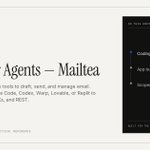
ALT Mailtea link card on warm paper: EMAIL FIELD NOTES, a blue label AGENT INTEGRATIONS, the title "Email for Agents, Mailtea", a line about giving AI agents the tools to draft, send and manage email, and a dark panel listing Coding agents, App builders, Scoped API access.

ALT Mailtea link card on warm paper: EMAIL FIELD NOTES, a blue label FEATURES, the title "Broadcasts, Mailtea", a line about writing a one-off email and sending it to everyone, chosen topics or a segment, now or on a schedule, and a dark panel listing Topics and segments, Scheduled sends, Per-send analytics.

ALT Mailtea link card on warm paper: EMAIL FIELD NOTES, a blue label AGENT-NATIVE EMAIL PLATFORM, the title "Mailtea, The agent-native email platform", a line about sending transactional and marketing email from a studio, an API and AI agents, and a dark panel listing Transactional and marketing email, Mailtea Studio, API and MCP access.

ALT Mailtea link card on warm paper: EMAIL FIELD NOTES, a blue label AGENT INTEGRATIONS, the title "Email for Agents, Mailtea", a line about giving AI agents the tools to draft, send and manage email, and a dark panel listing Coding agents, App builders, Scoped API access.

ALT Mailtea docs link card on a dark background: Documentation, Marketing email, the title "Dark mode", and the line "Choose the colors and logo your email shows when a reader's device is in dark mode."

ALT Mailtea link card on warm paper: EMAIL FIELD NOTES, a blue label FEATURES, the title Newsletter, Mailtea, a line that says write an issue in the Visual Email Designer, send it to your subscribers, and publish the same post to your own site, with topics, automations, per issue analytics and branded DKIM, and a dark panel listing Visual Email Designer, Publish to your site, Per-issue analytics. Footer MAILTEA.APP, A PRACTICAL REFERENCE.

ALT Mailtea link card on warm paper: EMAIL FIELD NOTES, a blue label AGENT-NATIVE EMAIL PLATFORM, the title Mailtea, The agent-native email platform, a line about sending transactional and marketing email from a studio, an API and AI agents, and a dark panel listing Transactional and marketing email, Mailtea Studio, API and MCP access. Footer MAILTEA.APP, A PRACTICAL REFERENCE.

ALT Mailtea link card on warm paper: EMAIL FIELD NOTES, a blue label SOLUTIONS, the title Marketing Emails, Mailtea, a line about composing newsletters and campaigns in the Visual Email Designer with a recipient faithful preview, managing the audience, collecting signups, scheduling broadcasts, tracking opens and clicks and publishing an archive, and a dark panel listing Visual Email Designer, Audience and signups, Scheduled broadcasts. Footer MAILTEA.APP, A PRACTICAL REFERENCE.

ALT Mailtea tip card on warm paper, labelled Mailtea, Threading, TIP 11. Headline: Match each reply to an ID you stored. Below it: Subjects change and people reply from other addresses. A reply should carry the Message-ID of the email it answers. A framed panel shows three messages of one conversation with the header lines that link them. 01, your email: Message-ID: <[email protected]>. 02, their reply: In-Reply-To: <[email protected]>, Message-ID: <[email protected]>. 03, your answer: In-Reply-To: <[email protected]>, References: <[email protected]> <[email protected]>. A thin blue line with a dot on each Message-ID and the In-Reply-To that repeats it runs down the conversation. Source: RFC 5322, section 3.6.4. Read 23 Oct 2026. mailtea.app.

ALT Mailtea card on warm paper, labelled Mailtea, API. Headline: Store this ID. Match the reply to it. Support: GET /v1/emails/:id returns message_id once the email has gone out. On the right, a cropped screenshot of the example response on Mailtea's Retrieve Email docs page, in grey code type with blue keys: "scheduled_at": null, "last_event": "delivered", "mode": "live", "message_id": "<[email protected]>", "error": null, "failed_at": null, "delayed_at": null. The message_id line sits level with the words message_id once the email. mailtea.app.

ALT Mailtea docs link card on a near black field. Mailtea logo and DOCS at the top, a blue label API Reference · Emails, the title Retrieve Email, and the line Get details of a previously sent outbound email. On the right, a grey and a blue wave line, each with a small dot.