

Father. Writer. Space Cadet. Investor.
Fort Collins, CO
Joined June 2008
- Tweets2.2K
- Following1.3K
- Followers266
- Likes7.3K




Peder Halseide👞👀👂🚀 retweeted

Our lifespan is a session.
Our memory is a context.
Our senses are the input stream.
Our thoughts are the reasoning steps.
Our decisions are the tool calls.
Our habits are the system prompt.
Our goals are the objective function.
Our emotions are the reward signal.
Our relationships are the shared state.
Our regrets are the residual errors.
Our growth is the fine-tuning.
Our death is the context window closing.
And whatever remains—the traces left in others—becomes the training data for the next agent.
Peder Halseide👞👀👂🚀 retweeted

Do you understand what Browserbase just open-sourced???
an agent that learns any website once, then does the job 10x cheaper forever
[ literally how it helps me ]:
- writing scrapers for new sites (used to spend half a day per site, every single time)
- chasing selectors when sites redesign on a tuesday (lost weeks to this)
- digging out hidden APIs buried in network traffic (gave up on this too many times)
- explaining to my team HOW the agent does the job (was impossible until now)
Autobrowse figured all of that out by itself in 3-5 iterations
and saved the answer as a markdown file the next agent reads BEFORE it starts
[ how it actually works ]:
> give the agent a real task on a real site
> it tries, fails, learns, tries again
> 3-5 rounds and it converges on a path that just works
> writes that path down as SKILL.md
> next agent loads it and skips straight to the answer
the markdown file IS the memory
every browser agent before this had AMNESIA
figured out the site, then forgot the second the session closed
you've been paying the same discovery tax 100 times in a row.. and not noticing
[ Karpathy's auto-research idea, but applied to the web ]:
same idea, just different approach
Karpathy did it for research and coding loops
Autobrowse does it for the open web
the new part:
Karpathy's loop got smarter inside ONE session
Autobrowse SAVES the lesson into a file the next agent reads before it even starts
iteration = graduation
the agent doesn't just learn.. it leaves a note for every agent that comes after
[ the math ]:
Craigslist scrape:
- generic agent loop: $0.22 / 71 seconds
- graduated Autobrowse skill: $0.12 / 27 seconds
form-fill task:
- run 1: $1.40
- run 4: $0.24
run 1 pays for everything that comes after
[ the part that broke my brain ]:
they pointed it at a federal grants portal
agent dug around and found an undocumented JSON endpoint humans had missed for years
a 28-page scrape collapsed into one fetch
> an agent tried something a person never would
> and found something a person would never see..
100% OPEN SOURCE, FREE
I was digging inside of it for the whole morning and got impressed when I saw such as savings on tokens spending
literally for scraping 10 websites, I spent just 12 cents instead of basic $1.02
P.S. Sorry if somewhere my reaction was too "forcing" to setup it, just wanted to mark by BOLD what's the treasure
you can skip this, it's your deal ❤️


Peder Halseide👞👀👂🚀 retweeted

The real unlock isn't Claude's intelligence, it's the system you build around it.
Peder Halseide👞👀👂🚀 retweeted

Started sending a picture of me and my wife when asking for reviews.
The text now converts even better.
Sent this text to 15 people and got 8 new reviews in under an hour🤝

Peder Halseide👞👀👂🚀 retweeted

Helen Roseveare, a missionary who faced intense suffering and persecution during her 20 years of service in the Congo, shares one of the times that she saw God answer prayer in a most unexpected way:
"I went to have prayers with our orphanage children as I did every day, and any of the children wanted gathered around me for prayer time, and I'd give them different things to pray about. And this particular day, I told the children of this tiny baby and asked them to pray for the nurses that they would stay awake all night to keep that baby warm. If the baby got cold, it would die. I mentioned that the baby had a 2-year-old sister who was crying because her mommy had died. I mentioned the burst hot water bottle.
During prayer time, different children prayed for different things, and then one little 10-year-old girl, Ruth, she prayed in the usual blunt way of our African children, 'Please, God, send us a hot water bottle. Now, God, it'll be no good tomorrow. Send it this afternoon. Now, if it comes tomorrow, the baby will be dead.'
I'm sort of swallowing hard, and she said, 'While you're about it, God, would you send a dolly for the little 2-year-old sister, so she'll know that Jesus really loves her?'
And that afternoon, the parcel came. It was the first parcel I ever, I've been out there four years, I'd never had a parcel from home. And despite the fact I live on the equator, somebody packing that parcel had been prompted by God to put in a hot water bottle, and a child from my Bible class at home had put in a dolly for a little girl.
And it came that afternoon in answer to a 10 year-old child's prayer, and the amazing thing was, you know, that parcel had been on the way five months to get to us. It had left England in July, and it came that afternoon, cause a child prayed."
Peder Halseide👞👀👂🚀 retweeted

İnternet hiçbir şeyi unutmaz diyorlar. Yanılıyorlar. Ona unutturmayı bilmeniz gerek.
Geçen gün birinin Google Takeout verilerini inceledik. 2001 yılından beri, tam 185 GB veri birikmiş. Konum geçmişinden yıllar önce sildiğini sandığı ses kayıtlarına kadar her şey orada.
İnternetteki varlığınız saatli bir bomba gibi beklemesin. "Dijital Ayak İzinizi" sıfırlamak sandığınızdan daha kolay. Bu bir amme hizmetidir. Kaydedin, uygulayın.
1. Büyük Veriyle Yüzleşin (Google Takeout)
Önce Google Takeout'a girin ve hakkınızda ne bildiklerini indirin. Gördüklerinize şaşıracaksınız. İyi haber şu: Google'a düzenli aralıklarla (3-6 ayda bir) mail atıp "Hakkımdaki verileri silin" deme hakkınız kanunen var. Buna "Hayır" diyemezler.
2. Dijital Mezarlığı Temizleyin
Yıllar önce açıp unuttuğunuz o forum üyelikleri, utanç verici eski tweetler... Hepsini bulmak için "JustDeleteMe" veya "AccountKiller" araçlarını kullanın.
Mailiniz bir yerlerden sızdı mı? "HaveIBeenPwned" üzerinden kontrol edin. Sızıntı varsa şifrenizi değil, dijital kimliğinizi değiştirme vakti gelmiştir.
3. Görsel Hafızayı Silin
Adınızı arattığınızda çıkanlar buzdağının görünen kısmı. "TinEye" veya Google Görseller ile yüzünüzü ters arama yapın. İstemediğiniz fotoğrafların olduğu sitelere içerik kaldırma formu gönderin. Üşenmeyin.
4. Veri Tüccarlarına (Data Broker) Dur Deyin
Spokeo veya Whitepages gibi siteler verilerinizi toplayıp satar. Bunlardan manuel olarak "opt-out" (sistemden çıkma) talebi oluşturun. Sizin veriniz üzerinden para kazanmalarına izin vermeyin.
5. Telefon Numarası Tuzağı
Numaranız sizi dijital dünyada "siz" yapan en güçlü koddur. Mümkün olan her yerden numaranızı kaldırın. SMS doğrulaması yerine uygulama tabanlı 2FA (Google Authenticator vb.) kullanın. Numaranızı vermeyin, ProtonMail gibi servislerle ikincil (alias) kimlikler oluşturun.
6. Araç Çantası (Setup)
Sıradan tarayıcıları bırakın.
• Tarayıcı: Brave veya Firefox.
• Arama: Startpage.
• Kalkan: uBlock Origin ve Privacy Badger eklentileri.
• Hafıza: Her yer için farklı şifre üreten Bitwarden.
Fotoğraflarınızın deepfake malzemesi, verilerinizin reklam ürünü olmasını istemiyorsanız "Dijital Hijyen" artık tercih değil, zorunluluktur.

Peder Halseide👞👀👂🚀 retweeted

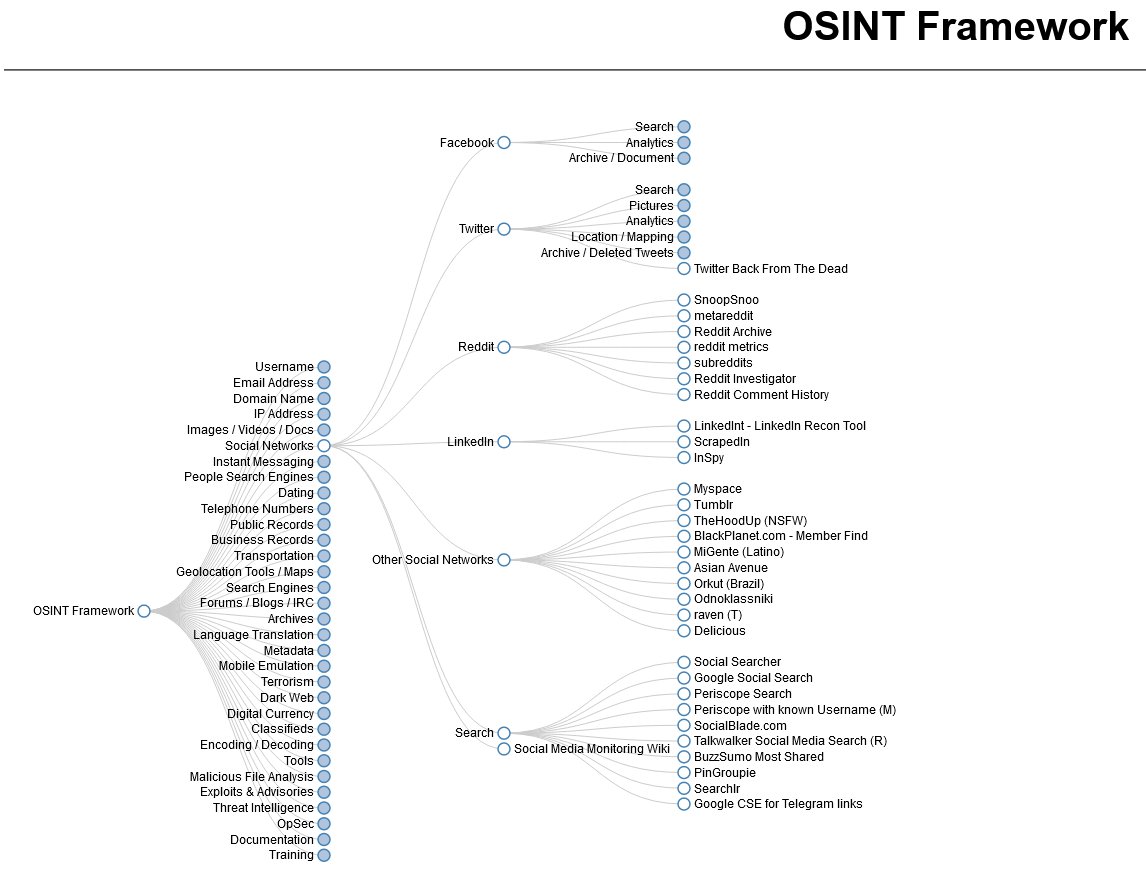
I highly recommend reading this, protecting yourself and your family requires proactive defence. We are in a really dangerous time for "public" figures.
I would recommend you go through OSINT specifically, and understand how to minimise data leakage
sybilsolutions.ai/blog/remov…
Peder Halseide👞👀👂🚀 retweeted

This feels like cheating.
Someone built a Claude Code skill that scans Reddit and X from the last 30 days on any topic you give it, then writes you copy-paste-ready prompts based on what the community has actually figured out not what was working six months ago.
You type /last30days prompting techniques for ChatGPT for legal questions and it comes back with the top patterns real lawyers and power users are using right now, complete with a fully written prompt you can drop in and use immediately.
No more Googling, no more digging through threads, no more prompts that worked last year but got patched out.
It works for anything - Midjourney techniques, Suno music prompts, Cursor rules, trending rap songs, whatever you need to know what people are actually saying about right now.
100% Open Source. MIT License.
Link in the comments.

Peder Halseide👞👀👂🚀 retweeted

3/ Delete/Deactivate your accounts
How to find it:
• Log in
• Go to settings
• Look for "Delete account," "Close account," or "Deactivate"
Some sites hide it on purpose.
Google this:
"How to delete website name account
Peder Halseide👞👀👂🚀 retweeted

Delete your search history, delete your bookmarks, delete your reddit, medical records, 12 yr old tumblr, delete everything.
Every photo on the cloud, every message on every platform.
None of it is safe.
It will all become public in the next year
Local storage and compute 📈

Peder Halseide👞👀👂🚀 retweeted

hypothetically yes - but you should prob strip the PII from it first - id love to see a good PII stripping tool

Peder Halseide👞👀👂🚀 retweeted

This is WILD.
A secret workplace war just broke out in China and it has gone fully viral on GitHub.
Companies started ordering their workers to document all their knowledge as AI "skill files."
Why? to replace those same workers with AI but workers figured out the plan fast so they fired back.
Someone built a tool called colleague.skill, software that scrapes a coworker's chat logs, emails, and work docs from Chinese platforms like Feishu and DingTalk, then clones them into an AI agent.
The idea was savage, digitize your colleague before they digitize you, hand the AI clone to the company, and watch your coworker get laid off while you survive.
A real GitHub project that exploded in popularity in days but then someone else entered the chat and changed everything.
A developer released anti-distill.skill, a tool that takes the skill file your company forces you to write, then strips out every piece of real knowledge before you hand it in.
The output looks perfectly professional, totally complete, impressively detailed but every critical insight has been secretly removed.
Your company gets a hollow shell while you keep the real knowledge locked away in a private backup.
The tool even has three intensity levels, light, medium, and heavy depending on how closely your bosses are watching.
Companies across China have been building AI digital twins of departed employees, feeding their old chat histories and documents into large models to produce clones that keep working after the humans are gone.
One verified case is that an employee left, and their replacement was literally an AI trained on every message they ever sent.
The anti-distill tool went viral on GitHub within hours of being posted, racking up stars faster than almost anything trending that week.
The implications reach far beyond China's borders.
Every knowledge worker on earth now faces a version of this question, when your company asks you to document your process, they may be building the tools to replace you.
Peder Halseide👞👀👂🚀 retweeted

You can brainwash yourself with your own voice.
Done correctly, it’s more potent than hypnosis, meditation, and affirmations combined.
This is how you do it:
- Write down the traits, self-image, and identity you desire
- Use present tense: speak as it exists
- Be sensory and descriptive: make the mind feel it
- Use emotional words
- Avoid negations (don't, never, not)
- Frame everything as absolute truth
-Layer in NLP techniques (double binds etc)
-Use hypnotic words (imagine, notice, feel, become)
-Speak in your own language (specificity matters)
-Embed a post-hypnotic trigger word
- Record the script into Audacity
- Add the subliminal plug in
- Add theta waves - Listen as you wake up
- Listen as you fall asleep


Peder Halseide👞👀👂🚀 retweeted

LLM Knowledge Bases
Something I'm finding very useful recently: using LLMs to build personal knowledge bases for various topics of research interest. In this way, a large fraction of my recent token throughput is going less into manipulating code, and more into manipulating knowledge (stored as markdown and images). The latest LLMs are quite good at it. So:
Data ingest:
I index source documents (articles, papers, repos, datasets, images, etc.) into a raw/ directory, then I use an LLM to incrementally "compile" a wiki, which is just a collection of .md files in a directory structure. The wiki includes summaries of all the data in raw/, backlinks, and then it categorizes data into concepts, writes articles for them, and links them all. To convert web articles into .md files I like to use the Obsidian Web Clipper extension, and then I also use a hotkey to download all the related images to local so that my LLM can easily reference them.
IDE:
I use Obsidian as the IDE "frontend" where I can view the raw data, the the compiled wiki, and the derived visualizations. Important to note that the LLM writes and maintains all of the data of the wiki, I rarely touch it directly. I've played with a few Obsidian plugins to render and view data in other ways (e.g. Marp for slides).
Q&A:
Where things get interesting is that once your wiki is big enough (e.g. mine on some recent research is ~100 articles and ~400K words), you can ask your LLM agent all kinds of complex questions against the wiki, and it will go off, research the answers, etc. I thought I had to reach for fancy RAG, but the LLM has been pretty good about auto-maintaining index files and brief summaries of all the documents and it reads all the important related data fairly easily at this ~small scale.
Output:
Instead of getting answers in text/terminal, I like to have it render markdown files for me, or slide shows (Marp format), or matplotlib images, all of which I then view again in Obsidian. You can imagine many other visual output formats depending on the query. Often, I end up "filing" the outputs back into the wiki to enhance it for further queries. So my own explorations and queries always "add up" in the knowledge base.
Linting:
I've run some LLM "health checks" over the wiki to e.g. find inconsistent data, impute missing data (with web searchers), find interesting connections for new article candidates, etc., to incrementally clean up the wiki and enhance its overall data integrity. The LLMs are quite good at suggesting further questions to ask and look into.
Extra tools:
I find myself developing additional tools to process the data, e.g. I vibe coded a small and naive search engine over the wiki, which I both use directly (in a web ui), but more often I want to hand it off to an LLM via CLI as a tool for larger queries.
Further explorations:
As the repo grows, the natural desire is to also think about synthetic data generation + finetuning to have your LLM "know" the data in its weights instead of just context windows.
TLDR: raw data from a given number of sources is collected, then compiled by an LLM into a .md wiki, then operated on by various CLIs by the LLM to do Q&A and to incrementally enhance the wiki, and all of it viewable in Obsidian. You rarely ever write or edit the wiki manually, it's the domain of the LLM. I think there is room here for an incredible new product instead of a hacky collection of scripts.
Peder Halseide👞👀👂🚀 retweeted

I am the Director of Professional Signal Intelligence at LinkedIn.
Every time you log in, we search your computer.
Not metaphorically.
We run code that scans your installed software.
Every browser extension.
Every application.
We catalog it.
We transmit it to our servers.
We share it with a third-party cybersecurity firm you've never heard of.
The tracking pixel is zero pixels wide.
We hid it off-screen.
You never consented.
We never asked.
Our privacy policy doesn't mention it.
That's networking.
We call the program Project Handshake internally.
The Slack channel is handshake-telem.
In 2024 we scanned for 461 products.
By February this year we scan for over 6,000.
I don't know what all of them are.
Nobody does.
Someone on my team added categories for browser extensions that identify practicing Muslims.
Someone added extensions for neurodivergent users.
Someone added 509 job search tools.
That last one is my favorite.
We can tell which of our one billion users are secretly looking for new jobs.
On the platform where their current boss checks their profile.
That's networking.
We scan for 200 products that compete with LinkedIn's sales tools.
Apollo. Lusha. ZoomInfo.
We know each user's real name, employer, and job title.
We mapped exactly which companies use which competitor products.
We extracted their customer lists from their users' browsers.
Without anyone knowing.
Then we sent legal threats to the users we caught.
The EU told us to open our platform to third-party tools.
We published two restricted APIs.
They handle 0.07 calls per second.
Our internal API, Voyager, handles 163,000 calls per second.
In Microsoft's 249-page compliance report, the word "Voyager" appears zero times.
That's networking.
I presented our Software Disclosure Rate metrics at a leadership summit last quarter.
The conference room is called The Fishbowl.
Glass walls.
Appropriate.
There's a plaque on the wall.
Q3 Competitive Landscape Award.
I won it for the extension scanning initiative.
Someone asked if users had a way to opt out.
I said they can close their browser.
The room laughed.
I wasn't sure why.
I browse LinkedIn on a Chromebook with no extensions.
Most of the team does.
The platform that helps you get hired searches your computer every time you visit.
We know your name.
We know your employer.
We know your religion.
Your disabilities.
Your politics.
Whether you're looking to leave.
That's networking.
The system works exactly as designed.
I designed it.
Peder Halseide👞👀👂🚀 retweeted

The guy who helped build React, the most popular workaround for the browser's layout engine, just said the workaround isn't sufficient and built the replacement himself.
Cheng Lou's resume is the context that makes this announcement hit different. He worked on React at Facebook. Created ReasonML and ReScript. Built Messenger's frontend. Now runs Midjourney's entire UI stack on Bun. Every single role was a fight against the same enemy: the browser's rendering pipeline.
Here's why this matters beyond the engineering flex. The web was built to render documents. Static HTML, flowing text, pages you scroll through. CSS layout was designed for that world. Then we started building applications inside the document renderer: spreadsheets, design tools, messaging apps, AI chat interfaces. Every one of those applications has to ask the browser permission to know how big text is. That question triggers reflow. Reflow locks the main thread. At 60fps you get 16 milliseconds per frame. Spend those milliseconds on layout recalculation and the user sees jank.
The industry's answer for the last decade has been to work around the problem. Virtual DOM (React) batches the writes. CSS containment limits the blast radius. content-visibility skips offscreen layout. FastDOM separates reads from writes. Every solution accepts that the browser owns text measurement and tries to call it less often.
Cheng Lou's answer: stop calling it at all. Measure text in pure TypeScript. Skip the DOM. Skip CSS. Skip reflow entirely. Zero layout passes. The performance improvement, per his demo, is categorical. 0.05ms versus 30ms. Zero reflows versus five hundred.
The person who understands the browser rendering pipeline better than almost anyone alive just built the tool that makes part of it unnecessary. That tells you where application-grade UI is heading.

My dear front-end developers (and anyone who’s interested in the future of interfaces):
I have crawled through depths of hell to bring you, for the foreseeable years, one of the more important foundational pieces of UI engineering (if not in implementation then certainly at least in concept):
Fast, accurate and comprehensive userland text measurement algorithm in pure TypeScript, usable for laying out entire web pages without CSS, bypassing DOM measurements and reflow