

Works until it doesn’t.
The Internet
Joined January 2026
- Tweets94
- Following18
- Followers183
- Likes31



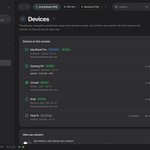




PS5Upload 8.1.0 is out 🎮
Meet Mesh Drive: one folder kept the same on your PC, Mac, phone and Docker/NAS, with its home on your PS5.
Add a file anywhere, it shows up everywhere.
github.com/phantomptr/ps5upl…


Built to be safe:
• Changed in two places? Both kept. Settle conflicts side by side
• Deleted files sit in a trash folder for 30 days
• Mass deletes wait for you to confirm
• An unplugged drive is "offline", never "everything deleted"

Two PS5s? Link them.
Each console is the hub for its own devices, and the two stay in sync, file by file, straight console to console.
If one is off, your devices sync through the other.

Multi-device sync, improved:
• Every device sees the same device list, straight from the console
• Settings and your console list sync across devices
• Rename any device once, everyone sees it
• Daily settings backups you can restore


PS5Upload: a free, open-source app for jailbroken PS5s 🎮
⚡ Fast, resumable uploads
📦 PS4 + PS5 package installs
💾 Save backups + restore
📁 File manager, cheats, fan curve
📱 Mac, Windows, Linux, Android, iPhone, Docker
FW 1.00–14.10
ps5upload.phantomptr.com

Links 👇
💬 Discord: discord.gg/fzK3xddtrM
🐳 Docker: ghcr.io/phantomptr/ps5upload…
🐛 Bugs: github.com/phantomptr/ps5upl…
☕ Support: ko-fi.com/B0B81S0WUA
Open source, no ads, no account.
Code: github.com/phantomptr/ps5upl…
More of my projects: phantomptr.com
Not affiliated with Sony.

Get games from your PC, NAS, SMB/FTP share, USB or a link. Archives unpack on the way, packages stream while they install, and you can copy games PS5 → PS5.
There's even a page on the PS5 itself, made for the controller.
Meet PS5Upload 🎮
Get games, apps and homebrew onto a jailbroken PS5, fast, and manage the console from your computer, phone or browser.
Free and open source. macOS, Windows, Linux, Android, Docker.
Download: ps5upload.phantomptr.com/
#PS5 #PS5Homebrew

Getting started takes a minute:
1. Jailbreak the PS5 and keep an ELF loader running.
2. Open PS5Upload, go to Connection and enter the PS5's IP address.
3. Press Send payload: the app starts its helper on the console and pairs with it by itself.
• Launch games, back up saves, browse files, copy PS5 to PS5
• macOS, Windows, Linux, Android and Docker, in 21 languages
What it does:
• Fast, encrypted uploads that resume after a dropped connection
• Install PS4 and PS5 packages from your computer, a NAS or a link
• See every game you own, with its updates, DLC and duplicates
• Turn game folders into packages or ShadowMount+ images
PS5Upload v5.35.0 is out!
One install path for everything, and Convert can install either way
github.com/phantomptr/ps5upl…

• Converting needs about the package's size free
• Games that need ampr_emu.index get one made for them
• An install keeps going if the app restarts
• Free space is checked on Windows too
Bugs, questions, ideas: discord.gg/fzK3xddtrM
Our own package installer.
• PS5Upload now ships its own on-console install daemon
• Compressed packages
• Choose Fast, Balanced or Smallest
• Every install now goes through one engine route and PS5Upload's own installer
• Convert to FPKG, then choose how to install
• Clearer failures
• More reliable installs
• Fully translated
• A PS4 package is now labelled as a PS4 package on the Upload screen
PS5 Upload v2.2.24 is out! github.com/phantomptr/ps5upl…
Discord: discord.gg/fzK3xddtrM
Highlights below 👇

