

Humans use Chrome, Agents use Steel. curl -fsS https://xitter.cf/t.co/5wGwI3hXxj | sh
Joined August 2024
- Tweets631
- Following9
- Followers1.8K
- Likes1K







Proud to partner with @nvidia on the launch of Nemotron 3.5 Bolt, live on the Steel leaderboard from day zero.
Best-in-class open model on BrowseComp and WebArena, in a 24GB checkpoint so it runs on consumer hardware ⚡
Results Below ↓

WebArena
#1 among open-weight models in its size class at 50.86% (24GB), with BF16 right behind at 50.25%
→ leaderboard.steel.dev/leader…

Congrats to the whole Nemotron team on the launch !
The weights are open on Hugging Face, so go try it yourself ↓ huggingface.co/nvidia


Session configuration can make or break browsing experience.
We’ve seen users (read agents) struggle to configure sessions for the task at hand.
So we made a complete progressive guide.
Start from top or just hand it to your agent:
docs.steel.dev/overview/sess…


We asked an agent to catch us up on the latest cs AI papers.
It pulled the 10 newest, including one on detecting browser agents.
That one felt a little personal.
76-second research run 👇


Anyone building durable background agents with @inngest and need a browser?
This one’s for you 👇
durable background agents feel like one of the crucial shapes of software to come
I spent a few weeks playing with @inngest and @steeldotdev, and this is what happened
help computers forget less!
@djfarrelly, could be fun to turn it into a joint demo

What's new @ Steel — Changelog #035
✦ @Stripe Projects web agent cookbook recipe
✦ browserMode support in the Sessions API
✦ Browser visibility in the console
✦ Structured metadata across docs
Plus fixes for nested scroll CDP capture, dedicated web worker network capture, and JetStream publish timeouts.
Link below ↓

Changelog #035: docs.steel.dev/changelog/cha…
or, come hang in our discord.

Did you know we have a @pidotdev extension?

We gave Pi, the @badlogicgames minimal coding agent, yeah, the one behind @openclaw, a @steeldotdev browser.
One command:
pi install npm:@ steel-experiments/pi-steel
Steel retweeted
my hermes has been happily using @steeldotdev browser for months, but now finally everyone can easily add it as a plugin
Hermes from @NousResearch and @Teknium can now work through sites that are difficult to navigate.
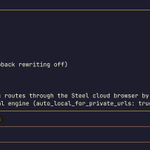
The Steel browser plugin runs Hermes' tools in the cloud, with live viewing and page extraction.
It's Hermes browsing, turned all the way up.
See how to set it up ↓
Steel retweeted
Two commands:
hermes plugins install steel-dev/hermes-steel --enable
hermes config set browser.cloud_provider steel
Hermes asks for your API key. You get $30 in free usage credit on us. Add $10 in paid balance to verify your account for advanced features like proxies.

Hermes from @NousResearch and @Teknium can now work through sites that are difficult to navigate.
The Steel browser plugin runs Hermes' tools in the cloud, with live viewing and page extraction.
It's Hermes browsing, turned all the way up.
See how to set it up ↓

