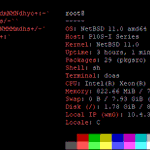
First time I've actually installed #NetBSD on "real" hardware, until now I've only run it in VMs and on a Raspberry Pi 1.
So far configuring it differs a bit from FreeBSD, but commands like ifconfig, route, sockstat, top, and so on are almost identical, which makes it intuitive.
If you want to upgrade your #FreeBSD system, here are two very useful links to ensure a smooth process:
1. freebsd.org/releases/15.1R/u…
2. docs.freebsd.org/en/books/ha…
Also don't forget to create a backup or ZFS boot environment before the upgrade, you will thank yourself later. 😎
I always find it funny when someone on the Internet says "ZFS is memory hungry" or "ZFS needs at least 8 GB of ECC RAM to run". Nonsense.
To prove it, I installed #FreeBSD 15.1 (64 bit!) on a 23 year old PC, with ZFS and only 1 GB of RAM, running multiple jails without issue. 😎
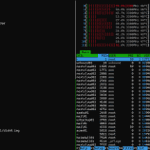
The single core AMD Athlon 64 3000+ is a bit slow, but pkgbase really helps with speeding up installing patches. It's still fast enough to reach 604 Mbit/s in iperf3 (and 490 Mbit/s in client mode).
🧵[1/2] For the last week, I've been thinking about how to best do an initial ZFS replication between two remote ZFS pools, which requires to copy 3+ TB of data, and the upload at the source is only a measly 50 Mbit/s, or 6.25 MB/s, of which I can only use 40 Mbit/s, or 5 MB/s.
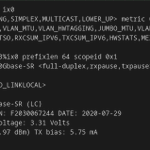
Fun fact: FreeBSD's ifconfig can display information about installed SFP modules, like their temperature, voltage, and tx/rx power. Example: ifconfig -v ix0
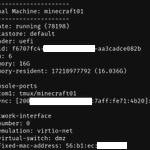
Today I migrated my last Proxmox VE VM to my FreeBSD NAS and migrated it to Bhyve. After a quick zfs send | receive of the Zvols I only had to modify the config file vm-bhyve had created and that was it. 😁
I used this blog post as reference: it-notes.dragas.net/2024/11/…
And another #FreeBSD host installed successfully. 😁 After I retired the Proxmox VE host at my parent's house, all services ran on the FreeBSD NAS, but now the secondary DNS jails run on their own thin client once more.
VNET with bridging didn't work, so I used Netgraph instead.
Luckily, I can just create VLAN interfaces on re0 and use Netgraph together with Bastille to create netgrap bridges and netgraph eiface interfaces, which do not require driver support, as they directly hook into the network card's send/receive buffer.
The cable Internet at my parent's house died and in order for IPv6 to work with the 4G internet connection, I've just created a NAT66 source NAT rule on my parent's OPNsense.
This feels wrong, but as the 4G link only gets a /64, this is all I can do. But at least it works. 🫣
Today I have set up my first mail server with Stalwart, running inside a FreeBSD 15.1 jail on my home server.
Sending and receiving mails works, but Gmail thinks it is Spam (oh well), while Tuta accepts them.
As this was only a test, I'm pretty happy it worked at all. 😁