

Learn Linux step by step🐧→ (https://xitter.cf/t.co/gPoaPe38pj, https://xitter.cf/t.co/tRwojp4bwK), https://xitter.cf/t.co/yPzCmfUyeP, @fswlinux
Learn
Joined May 2023
- Tweets5.8K
- Following30
- Followers91.6K
- Likes3.5K







Pinned Tweet
It’s out! 📚
First Steps With Linux is finally available in paperback.
And I have to admit…
Turns out I accidentally wrote a bible.
Holding the finished book in my hands for the first time was a surreal feeling.
If you’ve been waiting for a physical copy, it’s here:
firststepswithlinux.com/pape…

At this point, switching off the production servers and going for a walk is a valid incident response strategy.

🚨 CRITICAL: GitLab flaw (CVSS 10.0) affects 12 years of releases.
CVE-2026-110264 could allow unauthenticated remote code execution on self-managed servers.
Read - thehackernews.com/2026/10/cr…


Two critical vulnerabilities have been discovered in PHP, potentially putting millions of websites at risk.🚨
The flaws, dubbed “PHP2Shell” (CVE-2026-109618 and CVE-2026-109619), could allow unauthenticated attackers to remotely execute malicious code on vulnerable web servers.
What makes this particularly concerning is that the vulnerabilities exist in PHP itself, not in applications like WordPress or Laravel. Even fully updated websites could be vulnerable if the underlying PHP runtime is unpatched.
The PHP security team released emergency fixes on October 21, 2026, for PHP 8.2, 8.3, 8.4, and 8.5.
Older versions, including PHP 7.4, are still dependent on vendor backports or migration to supported releases.
If you’re running PHP on a publicly accessible server, now is a good time to check for security updates.

sysxplore retweeted


I turned this book into an interactive learning experience 🐧
📖 Learn Linux from the ground up
💻 Practise commands as you go
🧠 Test yourself with knowledge checks
📊 Track your progress
🔖 Continue where you left off
🏅 Earn completion certificates
🛤️ Follow a guided learning path
📝 Prepare for the RHCSA exam with mock exams
Same book. More ways to learn.
Start learning for free → sysxplore.com

I turned this book into an interactive learning experience 🐧
📖 Learn Linux from the ground up
💻 Practise commands as you go
🧠 Test yourself with knowledge checks
📊 Track your progress
🔖 Continue where you left off
🏅 Earn completion certificates
🛤️ Follow a guided learning path
📝 Prepare for the RHCSA exam with mock exams
Same book. More ways to learn.
Start learning for free → sysxplore.com

sysxplore retweeted

Another great day to pick up a Linux book and read.
firststepswithlinux.com/pape…


sysxplore retweeted

The internet has no shortage of amazing people. Some of the best people are people you’ve never even met in person. Just genuinely willing to help you with whatever you’re doing without expecting anything in return. You can work with people 2x, 3x your age and it doesn’t even matter. Good vibes only.
Yes! To download a Linux distro of my choice whenever I get a new PC. Surprisingly, it does that pretty damn well.


sysxplore retweeted
P.S. Learning Linux doesn’t have to be overwhelming.
I wrote First Steps With Linux, a 700+ page guide designed to take you from beginner to confident Linux user and sysadmin.
Everything you need to build real Linux skills in one place.
Get your copy:
read.sysxplore.com/l/first-s…
sysxplore retweeted
Quick Linux tip:
You can enable timestamps in your bash command history to see when you ran previous commands. This can be useful for tracing what you were working on and when.
To add timestamps to your history, just set the HISTTIMEFORMAT environment variable like so:
$ export HISTTIMEFORMAT="%F %T "
Now when you view your history or grep through it, you'll see a timestamp next to each command indicating when it was run:
$ history | tail -n 5
Or to save a couple of keystrokes:
$ history 5
The format "%F %T" shows the date and time, but you can customize it to your liking.
Note: This does not put historical timestamps on commands you executed before setting HISTTIMEFORMAT.


sysxplore retweeted
BGP OSPF IS-IS EIGRP RIP MPLS VRF VRF-Lite VLAN VXLAN EVPN STP RSTP MSTP PVST+ RPVST+ VTP DTP LACP PAgP HSRP VRRP GLBP FHRP
TCP UDP SCTP QUIC IP IPv4 IPv6 ICMP ICMPv6 ARP NDP MAC LLC MTU MSS TTL PMTUD GRE ESP AH IPsec IKE IKEv2 NAT PAT CGNAT
RIB FIB LFIB LIB CEF CAM TCAM ARP LPM ECMP AD ASN AS-PATH MED LP NLRI MP-BGP eBGP iBGP RR RP RPKI ROA
LSA LSDB SPF ABR ASBR DR BDR DROTHER NSSA N1 N2 E1 E2 IA RID DBD LSR LSU LSAck
DHCP DHCPv6 DNS mDNS DoH DoT NTP SNTP TFTP FTP SFTP SCP HTTP HTTPS TLS SSL SSH Telnet SNMP SMTP IMAP POP3 LDAP SMB NFS
QoS CoS DSCP PHB EF AF WRED RED LLQ CBWFQ FIFO CIR PIR CBS EBS RSVP
ACL ACE AAA RADIUS TACACS+ 802.1X EAP PEAP EAP-TLS NAC MACsec IPsec PKI CA CSR CRL OCSP
WLAN Wi-Fi SSID BSSID ESSID AP WLC CAPWAP LWAPP WPA WPA2 WPA3 PSK SAE WEP MIMO MU-MIMO OFDMA DFS RSSI SNR RF
SDN SD-WAN NFV VNF CNF API REST NETCONF RESTCONF YANG gNMI gRPC JSON XML YAML
VPN SSL-VPN ZTNA SASE SSE SWG CASB DLP FW NGFW IDS IPS WAF UTM DMZ
LLDP CDP UDLD BPDU BPDUGuard RootGuard LoopGuard PortFast EtherChannel MLAG VPC VSS StackWise
PoE PoE+ PoE++ SFP SFP+ SFP28 QSFP QSFP+ QSFP28 DAC AOC SMF MMF LC SC MPO WDM DWDM CWDM
LAN WAN MAN PAN SAN WLAN WWAN ISP IXP POP CPE CE PE P ONT OLT DSL DSLAM GPON EPON DOCSIS LTE 5G
VTEP VNI RD RT RTBH BFD PBR uRPF HSRP VRRP ECMP MC-LAG L2VPN L3VPN VPWS VPLS EVPN
PDU NIC PHY ASIC NPU CPU RAM ROM PSU UPS MDF IDF RU UTP STP FTP RJ45
SPAN RSPAN ERSPAN PCAP DPI NetFlow sFlow IPFIX SIEM NMS RMON Syslog SNMPv3 OID MIB
RTO RPO SLA SLO SLI HA DR BCP MTBF MTTR


EP3: Networking in Linux: How VPNs Actually Work?
In the previous guide in our Networking in Linux series, we took a deep dive into routing and looked at how the Linux kernel decides where packets should go.
When an application wants to communicate with another host, the kernel looks at the available routing information, determines the best path to the destination, and sends the packet through the appropriate network interface.
But what happens to this path when you connect to a VPN?
Rather than spending much time on what a VPN is or why you might use one, we are going to look at it from a networking perspective.
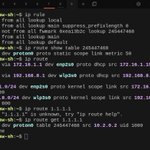
We’ll inspect the interfaces, routing tables, and policy-routing rules before and after connecting to a VPN and see exactly how the path Linux chooses for our Internet traffic changes.
Learn more in this guide:
blog.sysxplore.com/p/ep3-net…


sysxplore retweeted
EP3: Networking in Linux: How VPNs Actually Work?
In the previous guide in our Networking in Linux series, we took a deep dive into routing and looked at how the Linux kernel decides where packets should go.
When an application wants to communicate with another host, the kernel looks at the available routing information, determines the best path to the destination, and sends the packet through the appropriate network interface.
But what happens to this path when you connect to a VPN?
Rather than spending much time on what a VPN is or why you might use one, we are going to look at it from a networking perspective.
We’ll inspect the interfaces, routing tables, and policy-routing rules before and after connecting to a VPN and see exactly how the path Linux chooses for our Internet traffic changes.
Learn more in this guide:
blog.sysxplore.com/p/ep3-net…