

Agentic AI-pilled. Em dash Acceptor. Also, small biz owner helping others reach their first million.
Tampa, FL 🐊
Joined September 2013
- Tweets861
- Following133
- Followers339
- Likes18.1K





Pinned Tweet
Need reliable arithmetic? Take your Hermes to school with this new skill!
github.com/tommulkins/hermes…

1
372

V0.30 Released!
github.com/tommulkins/hermes…
•Session list — title, date, tool count, cost; Load more up to 500
•Search — two modes:
◦Title filter — live substring match on title or session id as you type (searches all sessions)
◦Content search — toggle to content for FTS search over message text (the same index Hermes' own session search uses), with >>>snippet<<< context per match
•Sort — recent or worst (most failed tool calls first, red "N failed" badge per row)
•Per-session detail — input/output/cache tokens, spend, duration, message count, deterministic summary, tool-call breakdown
•Tool calls — per-tool call counts and estimated tokens pushed back into context, aligned columns with a labeled header row (tool / calls / ~tokens)
•Failed calls — every failed tool call with its error string, click to expand and see the tool's arguments and the extracted failure detail (structured error first, ANSI-stripped output tail)
•Files touched — reads and writes, written files highlighted, its own full-width section below the tool calls
•Cache-reset / re-bill events — model switches, 503 retries, and compactions each invalidate the prompt cache; each event is listed with a one-line plain-language summary of what happened and what it costs you
•Context growth — sparkline of cumulative transcript tokens with the biggest single jump and the deepest-reasoning turn (annotated with the tools that ran there), plus one-line explanations of why each matters
•Repeated calls — identical (tool + arguments) calls 3+ times grouped as one root-cause problem instead of N failures
•Session lineage — open-session link, and origin labeling (spawned by / continuation of / follow-up to) with click-through to the parent
•Copy session id — right-click any session row, or the id line in the detail panel, or click the copy icon next to it
•Ask AI — one click opens a new session with a ready-made analysis prompt (copied to your clipboard). Paste, pick your judge model, send. No API keys, no config — it uses your existing Hermes.
•Subagents — every subagent spawned by the session: model, status (completed / error), summary, duration, calls, input tokens — click one to jump to its own session detail. Child sessions listed with tool count and cost; unnamed subagent rows are labeled Subagentwith their parent id.

2
784
Tom in Tampa retweeted
V0.3.0 Released!
github.com/tommulkins/hermes…


Session Analyzer for Hermes Desktop — see what your agent sessions actually did: tokens, cost, every failed tool call with the error, plus search and an Ask AI that tells you how to improve the next session.
Free, open source: github.com/tommulkins/hermes…
Guard against supply-chain attacks for durable coding projects working with your agent.
github.com/tommulkins/hermes…

4
529

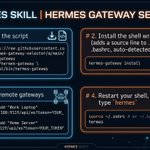
Updated the Hermes Gateway Selector skill and cli tool.
github.com/tommulkins/hermes…
Connect to any Hermes gateway using your local TUI. Now on tap!
hermes skills tap add tommulkins/hermes-gateway-selector
hermes skills install tommulkins/hermes-gateway-selector/hermes-gateway-selector

5
931
Tom in Tampa retweeted

When someone tells you they were "in charge of the P&L" what you really wanna know is whether they mostly contributed to the P or to the L.
Don't have enough time to make a better video so this will have to do for my @NousResearch submission 😂
Even so, Tanda Business will become a reality 😎
Tanda Business is a success group — not a support group. Small cohorts of service business owners, led by a coordinator who's been in their chair, helping each other survive and grow.
95
Need reliable arithmetic? Take your Hermes to school with this new skill!
github.com/tommulkins/hermes…
3
560
TIL: If you're aliasing npm(npx, bunx, etc.) to use Socket.dev's sfw and have issues with a project command like:
npx playwright test --ui
access the command directly instead with '\' first:
\npx playwright test --ui
109


