

AI event agency that helps grow your ticket sales
SF ↔ NYC
Joined December 2025
- Tweets36
- Following1
- Followers10
- Likes4




Import enough years and the same person lands in Path three times over. Fold them into one.
▪︎ Auto-detected by email overlap across years
▪︎ Preview the fields, emails, and history that will merge
▪︎ The cleaner profile wins; event history follows along

11
"The very first AI workshop I've attended where I walked out feeling like I could apply one I've learned immediately. This was excellent."
That's an event director who was in the room at PCMA Business Events Summit 2026 in Puerto Rico, where TalkValue founder and CEO Min Seon ran a session on what an event team should hand to AI and what they should never hand over.
TalkValue runs conferences end to end. We have run one of the largest LLM conferences in New York for three years. Half our team writes code, the other half runs the floor, and they are on site together.
Start with the workshop. Bring one workflow from your event, leave with it split: what AI runs, what your team keeps.
Then hand us the part that still isn't moving.
RSVP through trytalkvalue.com/playbooks
#PCMASummit #eventprofs
20
"AI-native teams are not teams that automate everything. They're teams that know what to automate, what to review, and what to protect."
At PCMA Business Events Summit 2026 in Puerto Rico, TalkValue founder and CEO Min Seon took the stage to explore the question most event teams skip: not what AI can do, but what should stay human. TalkValue runs conferences end to end, including KGC in New York, and builds the systems they run on.
We run a virtual version of this session for event teams that ask. It's called What Stays Human. Some of them hire us to run the conference after. RSVP in bio (trytalkvalue.com/playbooks)
#PCMASummit #eventprofs
18
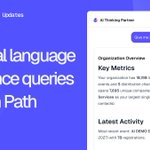
Ask anything about your audience inside Path.
▪︎ Plain-English questions across your channels, events, and people
▪︎ Follow-ups that dig deeper into your real data, not canned answers
▪︎ Charts and tables drawn live next to every answer

5
Introducing Badge templates — design your event badge once, print it from any Zebra.
• Lay out text, images, and QR codes in a visual editor — no design tool needed
• Sharp prints on industrial Zebra printers — nothing to install on the laptop
• Every check-in station logs in and loads its own badge layout
Built for events where badge printing is the bottleneck.

16
Walk into every sponsor renewal knowing how much of your audience is new vs. returning.
▪︎ First-timers — registered for this event, never before
▪︎ Returning — you've seen them at a past event
▪︎ % new this year — the number sponsors ask about at renewal

1
See who's winning your audience's attention.
▪︎ Watch your competitors' coverage side by side with your own
▪︎ Spot which sources earn the most engagement right now
▪︎ Deep-dive any competitor to see what's actually landing

Run your Luma and Eventbrite events from one place.
▪︎ Connect either platform in one click — no keys to rotate or babysit
▪︎ Registrants flow into one audience view, check-in-ready at the door
▪︎ Every integration card shows live sync status, so you never guess

Stop lumping every event into one bucket.
▪︎ Tag any event from the event form or Settings → Tags
▪︎ Slice Path Overview by tag — see one event type on its own
▪︎ Filter Analytics by tag, then break it out by channel or event

Slack stays internal — your community shouldn't.
▪︎ Turn your liveliest Slack threads into a public page anyone can read
▪︎ Spotlight the discussions worth showing off; keep the rest private
▪︎ Show prospects who haven't joined that the room is already alive

Stop measuring vanity metrics. See which channels bring new people — and which just recycle the same crowd.
▪︎ New faces vs. familiar ones, broken out for every event
▪︎ Spot at a glance which channels pull fresh registrants
▪︎ Zoom into any segment by tag to compare channels head-to-head

Introducing Spark, the community engine that keeps your event audience alive between shows.
• Curated industry news for your event community
• Daily digest delivered to your community's Slack channel
• Pick your sources — Spark collects, you decide what counts
• Editorial spotlight on the stories that matter
• Auto-publish on a schedule, with manual override when you want it
Built so the community doesn't go dark between events — same reason we run it for ours.

Introducing Badge, on-site registration that runs the event with you.
• Eventbrite, Luma, or CSV import in one click
• QR check-in with attendee detail at the door
• VIP flags and staff access roles
• Print station for on-the-spot badges
Built for the 200+ events we ran ourselves — the chaos is already handled.

Introducing Path, the audience intelligence layer at the heart of TalkValue.
• Unified registrants across every channel and event
• Audience Health and cohort analytics
• Channel Attribution that separates growth from recycle
• Ask the AI assistant anything in plain language
• One workspace, no CSV stitching
Built from running 200+ conferences with a small team — edge cases already handled.

Path is now live! 🤑

introducing Path, which goes through all your attendee data at conferences and analyzes the following:
- top customer segments that keep coming back
- top marketing channels that work
- ai analysis on how to grow
scale your next year's conference ticket sales
@trytalkvalue
1
113
Questions or want to contribute?
👉 trytalkvalue.com/community

65
That's it. Clear. Prioritized. Done in 10 seconds.
It's a free open-source Claude skill. Setup takes 2 min.
1
95
The output:
[URGENT] Calendar invite for Apr 7 → send to speakers
[TODAY] Create Luma page for Apr 23 AMA
[AWAITING] Giuseppe's reply — poster blocked until received
[MONITOR] No reply from RPI speakers — follow up by Apr 2
[ARCHIVE] 5 stale Mailsuite reminders — safe to dismiss
1
26