

Vira Software is the team behind the popular plugins for VSCode, IntelliJ, Cursor and terminals. We distribute software and design assets.
Joined May 2019
- Tweets174
- Following11
- Followers135
- Likes100




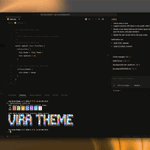
Sunday night. Tomorrow's first git diff is already waiting.
Vira Theme uses one palette in VS Code, JetBrains, Cursor and your terminal, so the diff reads the same wherever you open it.
What's the first file you'll open Monday?
vira.build

Old workflow: mockup, handoff, hope the code matches.
With an agent writing the UI, the handoff is the package: tokens, components, a11y rules and agent specs in one npm install.
ViraUI: a complete AI-centric design system, not another UI kit.
viraui.dev

Friday deploy is done. Saturday side project is open.
Your colors should look the same in VS Code, JetBrains, Cursor and the terminal.
Vira Theme: 10 variants, one palette everywhere.
What are you building this weekend?
vira.build

Fancy components are easy to find. Consistent decisions aren't.
ViraUI is a complete AI-centric design system: tokens, components, a11y and agent specs in one npm package, with controlled customization so your agent's output stays predictable.
viraui.dev
Tokens, components, a11y rules and agent specs. Same version, same npm package.
Upgrade ViraUI and your agent's specs upgrade with it. No separate prompt file to keep in sync.
A complete AI-centric design system, not another UI kit.
viraui.dev
Working in containers? Kubernetes or Docker per repo means a new editor instance every time.
Vira Theme now comes in unlimited-activation versions for VS Code, JetBrains, or both.
Is that your setup? Yes or no?
vira.build

Your agent shipped the modal. Then the empty state, the toast, the dropdown. Each a fresh guess at spacing and focus.
The fix isn't a better prompt. It's decisions your agent can read.
ViraUI: tokens, components, a11y and specs in one npm package.
viraui.dev
Switched from VS Code to Cursor. Then tried Kiro. Then Antigravity.
Your colors shouldn't reset every time your editor does.
Vira Theme keeps the same palette across VS Code forks, JetBrains and your terminal.
Which editor are you on this week?
vira.build

Before: mockup, handoff, and the agent guesses the rest.
Now: the decisions live in the system. Your agent reads tokens, components and specs from one npm package and builds inside them.
ViraUI is a complete AI-centric design system, not another UI kit.
viraui.dev
Your file tree gets read before your code does.
Vira Theme ships 530+ handcrafted file icons, so .github, .husky and your test folders stand out at a glance in the sidebar.
Which file in your repo still gets a generic icon?
vira.build

A component library tells your agent what it can render.
A design system tells it what it should render, every time.
ViraUI is the second: tokens, components, a11y and agent specs, versioned together in one npm package.
viraui.dev
Same file. 10 ways to read it.
Vira Theme ships 10 variants, Carbon High Contrast included, for VS Code, JetBrains, Cursor and your terminal.
Which one would you code in tonight?
vira.build

36 seconds to a complete ViraUI theme in Studio. No CSS touched.
The theme isn't a skin on top. It's part of the system your components and your agent read.
Complete AI-centric design system, not another UI kit.
viraui.dev
Comments: green in VS Code, gray in JetBrains, whatever your terminal pager picked.
Same note to future you, three volumes.
Vira Theme gives comments one tone across VS Code, JetBrains, Cursor and your terminal.
Louder or quieter?
vira.build

Your agent built the settings page, then billing. Two button heights, two grays.
Not a model problem. Nothing told it which decisions were already made.
ViraUI ships them in the npm package. A complete AI-centric design system, not another UI kit.
viraui.dev
Late session check.
Do your terminal and editor share colors, or does every alt-tab flip the palette?
Vira Theme keeps one palette across VS Code, JetBrains, Cursor and your terminal. Code reads the same at 8pm as at 9am.
Same or different?
vira.build

Added an AI agent to your frontend but kept the old handoff? Nothing changed.
ViraUI moves the decisions into the system. Specs ship in the npm package, so your agent builds from the contract you read.
A complete AI-centric design system, not a UI kit.
viraui.dev
VS Code soft-grays the active line.
JetBrains puts a bar in the gutter.
Terminal: no "you are here."
Same codebase. Three cues for where you are.
Vira Theme maps one current-line cue across VS Code, JetBrains, Cursor and your terminal.
Feel it? Yes/no.
vira.build

Most UI kits hand your agent more options. ViraUI hands it fewer, on purpose.
Controlled customization is the trade: faster to ship, stable across prompts, predictable for AI.
A complete AI-centric design system, not another UI kit.
viraui.dev
Your editor's blue is easy to read.
Your terminal's ANSI blue on a dark background? Squint mode.
Same color name, two tools, one tired pair of eyes.
Vira Theme maps one palette across VS Code, JetBrains, Cursor and your terminal.
Squinting too? Yes/no.
vira.build
