

Electrical Engineering Student ⚡ | Aspiring SOC Analyst 🫱 | Networking & Security | Building My Blue Team Career
255.255.255.255
Joined June 2025
- Tweets459
- Following151
- Followers130
- Likes6.4K






Eddy retweeted

Who wants to check out my CCNA OSPF labs? 🖐🏿🖐🏿🖐🏿There are 5 and if you have ever struggled with truly understanding the role of the Type 2, the last one is for you! I try to teach in the way I would have liked to have learned and I think others would benefit too. Check them out here wittynetworks.net/courses/cc… It's free.


Eddy retweeted

longest prefix match always wins first.
/25 beats /24 before AD is even checked, so OSPF takes it 😁
Cisco VoIP implementation
The configs still feel vague ....but was worth a shot today at my home lab
Cisco's technology is pretty spot on
Next will be implementing DSCP markings
Thanks to @elormkdaniel for the inspo
@wildfl0w6r @IgbojionuL31968 @Wittynetworks
#ccna #VoIp


Eddy retweeted

We compared the 4 CCNA lab tools in 2026:
- CML Free: 5-node cap ($199/yr for 20 nodes)
- GNS3: local install, bring your own IOS
- EVE-NG: local install, bring your own IOS
- PingMyNetwork Sandbox: free, in browser, no node cap
You don't need used rack gear for CCNA.
Eddy retweeted
We tracked CCNA completion data on PingMyNetwork.
- A 7-day study streak makes you 2.6x more likely to finish
- Half of finishers complete the course in under 62 days
- IP Services causes more exam errors than routing
Keep the daily streak alive and you finish in 9 weeks.
Eddy retweeted
100 winners split $10,000 in Advent of Networking 2026 on PingMyNetwork. Five Cisco certification vouchers plus 95 platform subscriptions are on the table, drawn on Dec 25. Link in bio.
100% free to join!

Eddy retweeted
Think Advent of Cyber, built for network engineering on PingMyNetwork. One free browser CLI challenge unlocks daily from Dec 1 to Dec 24, beginner-friendly with zero setup. Link in bio.
You type real commands in your browser instead of watching another playlist.

Eddy retweeted

What a journey! 🥹
Grateful to @AbbyJefia , @OnijeC and the entire @thenetclan team for creating this opportunity for women and remaining committed to our growth.
Proud to have been part of LiNE Cohort 3. Cheers to growth and many more milestones! 🎓🥳


A very simplified intro to networking for every CCNA student
It's a must check guys 👇
#CCNA

I'm slowly converting my Packet Tracer troubleshooting labs into an in-browser format. That seems to be what the people want, so I listened!
I've converted two so far, with several more planned for release later this week.
If you haven't tried my labs before, here's a convenient way to challenge yourself. I promise they won't disappoint! Oh, and they are free!
wittynetworks.net/courses/cc…
Eddy retweeted
I'm slowly converting my Packet Tracer troubleshooting labs into an in-browser format. That seems to be what the people want, so I listened!
I've converted two so far, with several more planned for release later this week.
If you haven't tried my labs before, here's a convenient way to challenge yourself. I promise they won't disappoint! Oh, and they are free!
wittynetworks.net/courses/cc…
Found a workaround!
By using static public IP translations for my network-devices in my BR-LAN, I bypassed the BR-ASA translation issue of changing port numbers and forgetting to track the session
it correctly routes TFTP traffic to my office LAN.
CCNA is fun 🙃
#ccna


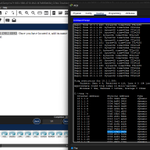
Spent the day debugging TFTP through my ASA
Turns out PT’s ASA doesn’t support "inspect tftp" connection tracking for requests and reply's using PAT.
Real ASAs will do that, but PT ASAs don't😭
Kept me in painful spot for 4 hours
@wildfl0w6r @IgbojionuL31968
#CCNA


Spent the day debugging TFTP through my ASA
Turns out PT’s ASA doesn’t support "inspect tftp" connection tracking for requests and reply's using PAT.
Real ASAs will do that, but PT ASAs don't😭
Kept me in painful spot for 4 hours
@wildfl0w6r @IgbojionuL31968
#CCNA
Eddy retweeted

You're a FOOL if you're learning NETWORKING and still can't troubleshoot these 19 problems: 🌐
1. No Internet
Check IP, default gateway, and DNS.
2. Website Not Loading
Check DNS, connectivity, and HTTP response.
3. DNS Not Resolving
Test with nslookup or dig.
4. High Latency
Inspect RTT and network congestion.
5. Packet Loss
Check interfaces, links, and congestion.
6. Port Not Reachable
Check firewall rules and listening services.
7. IP Address Conflict
Look for duplicate IP assignments.
8. DHCP Failure
Check leases, scopes, and DHCP availability.
9. Wrong Subnet Mask
Verify the local network range.
10. Gateway Unreachable
Check routing and local connectivity.
11. TCP Connection Timeout
Inspect routes, firewalls, and server availability.
12. Connection Refused
Check whether the target service is listening.
13. HTTPS Certificate Error
Check certificate validity, hostname, and trust.
14. Slow Website
Inspect DNS, TLS, network, and backend response times.
15. VLAN Communication Failure
Check VLAN membership and inter-VLAN routing.
16. MTU Mismatch
Investigate fragmentation and Path MTU Discovery.
17. SSH Connection Failure
Check port 22, sshd, firewall, and authentication.
18. VPN Not Connecting
Check credentials, tunnel configuration, and network reachability.
19. Intermittent Disconnects
Inspect interface errors, wireless signal, and logs.
Memorizing the OSI Model is EASY.
Knowing WHERE the packet fails is the real skill.
Don't just learn networking.
Learn how to DEBUG it.


Eddy retweeted

Network Engineer Question For Today.
A switch receives frequent broadcast traffic, causing network performance to drop.
Which feature can help prevent broadcast storms?
A. Port security
B. Storm control
C. DHCP snooping
D. NAT


Eddy retweeted

Hapoy to share that I have completed the Introduction to Networks thanks to @grndmaster_

Eddy retweeted

Solved DOM XSS in jquery selector using a hashchange event on PortSwigger Web Security Academy 👾 👾
Used an iframe with an onload event to trigger a hash change, injecting <img src=x onerror=print()> into the vulnerable jQuery selector sink.


Solved DOM XSS in jquery anchor href attribute sink using location.search source 👾👾
Successfully exploited the vulnerable href attribute by injecting a JavaScript payload.
