

AI Enthusiast
Norway
Joined March 2023
- Tweets342
- Following762
- Followers44
- Likes286









Codex and GPT 5.6 Sol is amazing. Been so productive lately. Ì can just build things. Created a music library app just for me. What have you been making?

7
📚 Built a web app to search through retro computer magazines (Amiga Format, Byte, etc.)! Full-text search, cover images, and more.
Check it out: github.com/soundtrackgeek/ma…
#RetroComputing #Amiga #PC #C64

29
The future is now! I tested Gemini 1.5 by giving it a 110K word text document on squid proxies in Norwegian, and it took it less than a minute to translate (internally) the whole thing to English and answer my questions about it, and the answers was simply perfect.
2
122
Jørn Tillnes retweeted

🚀✨ Every day I find something new to be excited about with this model:
➡️ Uploaded the COBOL reference manual (549 PDF pages) into @googleaistudio.
➡️ Pasted in a non-trivial code snippet regarding file handling in COBOL.
➡️ Asked Gemini Pro+ to add error handling to the script.
➡️ Just ran the script in an online COBOL interpreter and it worked, first time. 🤯


Jørn Tillnes retweeted

You can build a full-stack application using Python alone.
You don't need JavaScript, CSS, or HTML.
If you are a data scientist or someone dealing with data, here is an open-source Python library that will let you build end-to-end production applications without worrying about learning web development:
github.com/Avaiga/taipy
Star the repo!
Taipy is a Python library. It has a library of pre-built components to interact with data pipelines, including visualization and management tools. It supports tools for versioning and pipeline orchestration.
And it's open-source. And it comes with a Visual Studio Code extension that will get you started without writing any code.
Thanks to the team behind Taipy for collaborating with me on this post.
Adding this to your tool belt is one of the easiest ways to 10x your Data Science career in 2024.

Jørn Tillnes retweeted

New prompt engineering trick I found for GPT4 code writing:
The new version of the ChatGPT tries to cut scripts during the wiring with phrases like "/* Repeat for other ... */" or "/* ... rest of your script ... */", which is annoying and requires a lot of copy-pasting.
Recently, I read a paper called "Large Language Models Understand and Can be Enhanced by Emotional Stimuli," and long story short:
If you add "– return full script (I don't have fingers)" to your prompt, it will return rewritten script fully 🫣
I feel a bit guilty every time I use it, but it really saves me a lot of time.
P.S. Simple "return full script" bot working in many cases

Jørn Tillnes retweeted

Ok, this is insane!
I just drew a game concept and this tool gave me a fully functional game in 30 sec 🤯
Links for the tool (& the game) in the comments.
Jørn Tillnes retweeted

OOP concepts are the most fundamental concepts in programming languages like Java, Python, Javascript, etc.
Here's a Dead Simple Guide to Understand It:
Jørn Tillnes retweeted

Meet open source local: insanely-fast-whisper: Incredibly fast Whisper-large-v3.
Transcribe 300 minutes (5 hours) of audio in less than 98 seconds - with OpenAI's Whisper Large v3.
I am using it now.
You have no excuse to not build your own AI. github.com/chenxwh/insanely-…

Jørn Tillnes retweeted

Are you building or planning to build on the new @OpenAI "Assistants API" (aka a stateful ChatCompletions API)? If so, you'll want to check out this new cookbook - cookbook.openai.com/examples…
Jørn Tillnes retweeted

150+ simple Python scripts to download and analyze market data:
All free.
All on GitHub.
Download the code:

Jørn Tillnes retweeted

✨ Big news! ✨ Today we're happy to release create-llama, a simple to use command line tool that generates a full-stack LlamaIndex application for you, with your choice of TypeScript or Python as backend! Get started chatting with your data in just a few seconds.
All you need to do is run: npx create-llama
Learn more on our blog: blog.llamaindex.ai/create-ll…

Jørn Tillnes retweeted

Pressure Testing GPT-4-128K With Long Context Recall
128K tokens of context is awesome - but what's performance like?
I wanted to find out so I did a “needle in a haystack” analysis
Some expected (and unexpected) results
Here's what I found:
Findings:
* GPT-4’s recall performance started to degrade above 73K tokens
* Low recall performance was correlated when the fact to be recalled was placed between at 7%-50% document depth
* If the fact was at the beginning of the document, it was recalled regardless of context length
So what:
* No Guarantees - Your facts are not guaranteed to be retrieved. Don’t bake the assumption they will into your applications
* Less context = more accuracy - This is well know, but when possible reduce the amount of context you send to GPT-4 to increase its ability to recall
* Position matters - Also well know, but facts placed at the very beginning and 2nd half of the document seem to be recalled better
Overview of the process:
* Use Paul Graham essays as ‘background’ tokens. With 218 essays it’s easy to get up to 128K tokens
* Place a random statement within the document at various depths. Fact used: “The best thing to do in San Francisco is eat a sandwich and sit in Dolores Park on a sunny day.”
* Ask GPT-4 to answer this question only using the context provided
* Evaluate GPT-4s answer with another model (gpt-4 again) using @langchain evals
* Rinse and repeat for 15x document depths between 0% (top of document) and 100% (bottom of document) and 15x context lengths (1K Tokens > 128K Tokens)
Next Steps To Take This Further:
* Iterations of this analysis were evenly distributed, it’s been suggested that doing a sigmoid distribution would be better (it would tease out more nuanced at the start and end of the document)
* For rigor, one should do a key:value retrieval step. However for relatability I did a San Francisco line within PGs essays.
Notes:
* While I think this will be directionally correct, more testing is needed to get a firmer grip on GPT4s abilities
* Switching up prompt with vary results
* 2x tests were run at large context lengths to tease out more performance
* This test cost ~$200 for API calls (a single call at 128K input tokens costs $1.28)
* Thank you to @charles_irl for being a sounding board and providing great next steps


Jørn Tillnes retweeted

Kafka is super popular among developers and large organizations.
But it can be a little overwhelming to begin with, particularly because of all the terms and concepts.
Not anymore.
This one post is going to get you itching to work with Kafka with all the basics under your belt.
✅ What is Kafka?
Kafka is a distributed event store and streaming platform.
It began as an internal project at LinkedIn.
Over time, it grew rapidly and today, some of the largest data pipelines in the world use Kafka.
Organizations like Netflix and Uber rely on it for their workflows.
Here’s a high-level look at Kafka.
✅ Kafka Messages, Topics and Partitions
The basic unit of data in Kafka is a Message
Think of a message like a record in a database table. It is transmitted as an array of bytes.
Every message goes to a particular Topic.
You can compare Kafka Topics to a database table or a folder on your computer.
Topics are also made up of multiple partitions.
Partitions improve the redundancy and make the topics horizontally scalable.
Here’s a pictorial look at messages, topics and partitions in Kafka.
✅ Kafka Producer & Kafka Consumer
👉 Producers in Kafka create new messages, batch them and send them over to a Kafka topic.
A producer also balances messages across the different partitions of a topic.
You can even provide a custom partitioning strategy to control the distribution of messages.
👉Kafka Consumers read messages from a broker.
One or more consumers work as a consumer group to consume messages from a topic.
A consumer instance is tied to a particular partition.
In other words, a partition is owned by a consumer instance.
Here’s how Kafka Producers and Consumers look on a high level.
✅ Kafka Broker and Cluster
👉A single Kafka server is known as a Broker.
A broker can handle thousands of partitions and millions of messages/second.
Think of the broker as a bridge between the producer and consumer.
It receives messages from producers and handles fetch requests from the consumer.
But the broker doesn’t work in isolation.
It works as part of a Kafka Cluster
👉 A Kafka Cluster consists of several brokers.
This cluster provides features like replication.
Every partition is replicated across multiple brokers ensuring high-availability and redundancy.
Check the below illustration of a Kafka Cluster
✅ Kafka Advantages
- Handling multiple producers with ease
- Support multiple consumers without interference
- Disk-based retention of data
- Highly scalable
✅ Kafka Disadvantages
- Overwhelming number of configuration options
- Lack of mature client libraries other than Java or C (but this is changing fast)
✅ Common Use Cases of Kafka
- Tracking user activity on front-end application
- Messaging requirements in a distributed system such as notifications and emails to users
- Metrics collection and logging
- and many more…
So, what do you think about Kafka?
And have you or are you planning to use Kafka in your projects?
===
That’s all for now!
If you enjoyed this helicopter view of Kafka, don’t forget to:
- Send the LIKE button to a Kafka topic
- REPOST so that the messages can reach from producer to consumer
- BOOKMARK for future reference
- Follow me for more posts like this.




Jørn Tillnes retweeted

DALL-E-3's most significant feature update: Learn how to work with seed values.
🔖 Bookmark this! You won't want to miss it. Share with others so they don't miss out either.
Hello everyone! This is the GOLD you won't find anywhere else.
As you all know, I spend my day experimenting and creating images with DALL-E-3
Today, I discovered something new that DALL-E-3 now allows us to use seed values. If you've been working with DALL-E-3, you'd be aware that previously the seed number wasn't functional, and it was fixed at 5000.
However, today I found out that we can actually specify a seed number. This means with the same prompt and seed, you can consistently generate the exact same image in diffrent chat instance.
You might wonder how I discovered this. Previously, DALL-E-3 would produce the same image for a given prompt every time because the seed was set in the backend. However, today, when I tried HOPE old prompt, they didn't produce the expected results. This led me to investigate further, ultimately leading to this discovery.
Let me show you how it works :
Let's prepare our chatgpt first :
First of all set your custom instructions to this :
@ DMP " means: do not in any circumstance modify my prompt, please create image using this prompt:
Also, use wide aspect ratio by default and when you generate an image, always provide the seed number details for that image after it's rendered.
Note: In DALL-E-3, the aspect ratio influences the final result, even if you provide a seed. Therefore, ensure you use the same aspect ratio when specifying a seed.
What does this custom instruction do?
It forces ChatGPT to never modify your prompt and to generate content based on exactly what you provide. By default, it uses a wide aspect ratio and returns the seed number. Sometimes, it might make errors. So, while working, you can ask, "Do you know what DMP means?" Once it replies, you can instruct it to proceed accordingly, ensuring it functions correctly.
Let's create image now
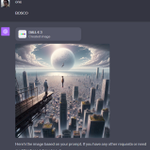
For example, if I request "DMP:dog", it uses the exact same prompt and provides me with an image and the seed number: 1840089640.
Now, open a different chat instance of DALL-E 3 and enter the command as follows: "DMP Prompt:dog, Seed: 1840089640". It will provide exact same result.
Now, change the seed and observe the result. My updated command is "DMP Prompt:dog, Seed: 1844489640", where I have altered the seed number. You'll notice a different outcome.
Now, I went to a different chat instance and entered the same command without specifying the seed value. It generated a different image and returned a new seed value. You can use this seed and prompt to generate same image again
That's all for today. Follow me for future updates, cool AI discoveries, and the best ways to write prompts. Share this with others.


Jørn Tillnes retweeted

synthetic GPT-3.5 data works amazing for fine-tuning smaller models!
generated a 13,000 Q&A dataset on the Aztec Empire in ten minutes. answers were designed to be sarcastic, upper-case, concise, and have an [END] token.
#llama-2-7b (base) was able to learn all these guidelines in just 1,000 PEFT training steps.
style&tone generalizes to queries unrelated to the aztec empire.
dataset + model link in comments
(my project as a hacker in residence at @langchain)

Jørn Tillnes retweeted

And just like pixel art, ASCII art also goes to DALL-E 3.

ALT Wide illustration of a unique tree where the trunk, branches, and leaves are composed entirely of various ASCII symbols, letters, and numbers. The tree's structure uses symbols like '@', '#', '*', and '!', while the leaves are represented by characters such as '&', '%', and '+'. The ground and background remain simple to emphasize the intricate ASCII design of the tree.