

Copywriter - email marketing 🇨🇦
Canada
Joined March 2023
- Tweets2.2K
- Following316
- Followers201
- Likes2.4K


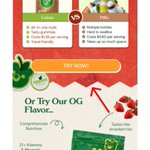
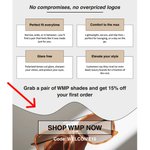
Plus you’ll naturally make small tweaks to each section, and the final design will become its own thing anyway.
Example of what this looks like

What I used to do was grab one email I liked, try to copy it a little, but also come up with my own new elements and ideas.
And it just took forever.
This way is faster. And looks way better.
No need to re-invent the wheel.
So when I go to actually build an email, I can easily pull different sections and combine them into a completely new design.
When designing for a brand, I find 2–3 other brands with the style I want to emulate.
Grab around 20 of their emails.
Then break down all the sections from each one.
Whenever I’m writing an email, I always make sure the copy is talking to ONE single person, not a whole audience.
Email is personal to start with, keep it personal. Make the reader feel special and understood.
Trying to make it a habit, that every time I make a new email design, I take the time to templatize it.
So that down the road I can make all my designs faster and easier.
Because atm the design process feels a bit tedious and time consuming.
Remember: all buyers care about is themselves.
I always keep this in mind whenever I’m writing copy/strategizing.
I put myself in the customers shoes and answer the question: “what's in it for me?”.
Whenever I’m stuck on campaign ideas, I look at the calendar.
There’s always a holiday or moment you can lean on.
The trick is: don’t force it.
If it doesn’t actually connect to your brand or your customer, it’s just spam.
Agree. I always come at it with structure/outline and customer research. And just get AI to piece it together.
Yeah, put yourself in the customer's shoes. You'd probably leave/click off because you feel shamed and not understood.
Clarity sells.
When I sold appliances, I’d see this all the time:
Someone wants to buy… but they’re stuck on what happens after, there's uncertainty.
Most people skip the boring details because they already know the process.
But the customer doesn’t, so spell it out.
Great tip, I've been doing this. Grabbing a shit ton of customer reviews is the first thing I do when researching for a new brand.
And when you’re all done and ready to export it:
- Select the whole frame
- Go to the bottom right of your control bar
- Select ‘export’, then ‘export (frame name)’
- Save it to your device.
Frames = containers.
Think of them as the canvas where your email lives.
Start with one main frame that’s 600px wide, that’s the optimal email width for mobile.
Inside that main frame is where you can build each section (hero, body, footer) of your email.