



Feli H retweeted

LA EDICIÓN DE VIDEO COMO ACABA DE MORIR.
Alguien creó una herramienta que convierte a Claude en un editor profesional… y está GRATIS.
Solo arrastras tus archivos a una carpeta.
Y observas cómo se edita solo:
> Corta los clips automáticamente
> Elimina muletillas y silencios
> Genera subtítulos perfectos
> Aplica corrección de color profesional
> Añade animaciones fluidas
> Renderiza todo sin intervención humana
Cero líneas de tiempo. Cero clics manuales. Cero fricción.
Esto deja herramientas como Remotion en el pasado.
No asiste tu trabajo.
Lo reemplaza.
El proyecto se llama Video Use y es completamente open source.
repoo en el primer comentario

Feli H retweeted

HOLY F*CK, motion studio in 20 repos.
20 open-source skills for Opus 5.5.
Animation. Physics. 3D. Sound. Delivery.
01 Remotion → React video engine github.com/remotion-dev/remo…
02 HyperFrames → HTML-to-video renderer github.com/heygen-com/hyperf…
03 Anime.js → Timeline choreography github.com/juliangarnier/ani…
04 React Spring → Spring animation github.com/pmndrs/react-spri…
05 PixiJS → GPU-powered 2D graphics github.com/pixijs/pixijs
06 p5.js → Generative visuals github.com/processing/p5.js
07 Paper.js → Vector paths
github.com/paperjs/paper.js
08 Matter.js → 2D physics
github.com/liabru/matter-js
09 Three.js → 3D scenes
github.com/mrdoob/three.js
10 Rapier → 3D collisions
github.com/dimforge/rapier
11 OGL → Custom shaders
github.com/oframe/ogl
12 tsParticles → Particle effects github.com/tsparticles/tspar…
13 glTF Transform → 3D asset optimization github.com/donmccurdy/glTF-T…
14 GL Transitions → Shader transitions
github.com/gl-transitions/gl…
15 OBS Studio → Screen capture github.com/obsproject/obs-st…
16 Chatterbox → Voiceovers
github.com/resemble-ai/chatt…
17 Tone.js → Synths and sound effects github.com/Tonejs/Tone.js
18 faster-whisper → Caption transcription github.com/SYSTRAN/faster-wh…
19 OpenCut → Timeline editing
github.com/OpenCut-app/OpenC…
20 FFmpeg → Encoding and delivery github.com/FFmpeg/FFmpeg
Brief → prototype → animate → render → ship.
Bookmark this. Go build something worth watching ↓


Feli H retweeted

Prompt share: Expressive Chinese Ink
💬 Prompt:
A colorful Chinese ink painting of [subject], inspired by Qi Baishi's expressive brushwork, minimalist abstract composition, bold continuous brushstrokes, thick expressive ink lines, vibrant watercolor accents, exaggerated anatomy, [dramatic pose], [satirical facial expression], animated cartoon personality, playful distortion, dynamic perspective, humorous philosophical undertones, traditional Chinese freehand painting aesthetic, visible ink bleeding, organic brush textures, expressive movement, generous negative space, pure white background
Try it and share yours ✨


Feli H retweeted

ESTO ES UNA P*TA JOYA
475 DEMOS EN VÍDEO HECHAS CON CLAUDE OPUS 5.5 EN UN SOLO REPO DE GITHUB
Gráficos animados, vídeos explicativos, escenas 3D y hasta juegos, todo montado con HTML, Canvas, SVG y Three.js.
¿Lo más fuerte? Cada demo trae su prompt original y el post del que sale, así que puedes elegir cualquiera e intentar replicarla tú mismo.
475 ejemplos para aprender y trastear.
Repo en comentarios 👇🏻
Feli H retweeted

THIS IS A PURE F*CKING GOLDMINE
Anthropic just shared one of the best tricks for Claude Code.
The idea: a skill is one folder with one markdown file, and Claude only reads it when your request actually matches it.
You stop pasting the same instructions into every session, and you pay one line of context instead of the whole document.
You just make one folder:
.claude/skills/review-pr/SKILL.md
here's the split:
→ the description is the only thing sitting in context, roughly one line per skill
→ the full body loads the second a request matches that description
→ scripts in the folder get executed, never read into context
→ commit the folder and every person in the repo has the skill
three frontmatter lines do the heavy lifting:
→ allowed-tools pre-approves the tools, so it runs without a permission prompt
→ context: fork hands the skill to a subagent that never sees your chat
→ paths limits it to the files it actually belongs to
Description matches. Body loads. Scripts run.
JEV engineering is the same move one layer down: the forks that need no thinker (which skill, which tool, retry or stop) go to JEV in milliseconds, and the big models only see the ones that split
the full tree
> .claude/skills/<name>/SKILL.md for the repo, ~/.claude/skills/ for your own
> only descriptions sit in context, the body loads on match
> keep SKILL.md under 500 lines, every line is a recurring cost once loaded
> description plus when_to_use is cut at 1,536 characters, put the trigger first
> context: fork runs it in a subagent with no conversation history
> JEV routes micro-forks in milliseconds
paste the tree and this prompt into Claude Code ↓
"Set up skills in this repo from the tree above:
1. Create .claude/skills/ and move the repeated instructions out of CLAUDE.md into one skill per job.
2. Write every description as a trigger sentence first, since the listing is cut at 1,536 characters.
3. Put anything deterministic into scripts/ and pre-approve it with allowed-tools so it runs without a prompt.
4. Route fast deterministic forks (which skill, which tool, retries) through JEV.
Show me every change as a diff first. No edits until I say go."
↳ code.claude.com/docs/en/skil…
save it, it'll come in handy.


Feli H retweeted

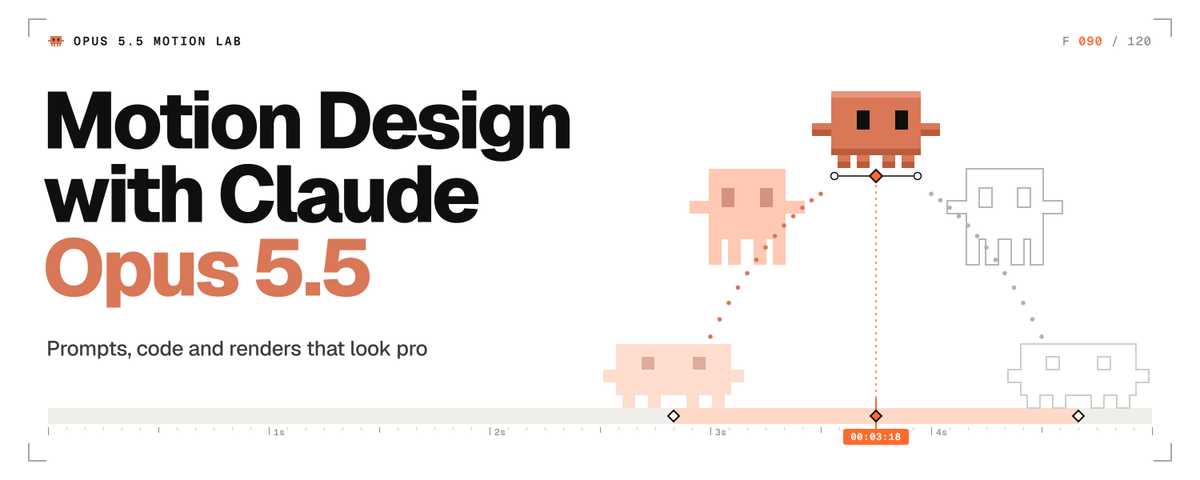
After Effects had its era, this one belongs to Opus 5.5
it’s f*cking insane…
Drop the PDF below to Opus 5.5 and watch what happens.
Then save the article, it’s the new era of Opus 5.5 motion design in one read.



Feli H retweeted

15 resources your AI workflow is missing 👀
1. modulify.ai/templates — 100+ free website templates
2. motionin.design — Motion design sections
3. landdding.com — 170+ visual techniques
4. wonderlist.design — Premium Figma designs
5. iconly.design — 900+ curated icons
6. scrolltide.co — Animated website prompts
7. land-book.com — Website inspiration
8. godly.website — High-end web design
9. supahero.io — Landing page inspiration
10. footer.design — Footer ideas
11. 60fps.design — Mobile UI animations
12. cta.gallery — CTA inspiration
13. grainient.supply — Animated gradients
14. backgrounds.supply — Background assets
15. on.design — Design, together
Save this before your next build 🔖
Feli H retweeted
The best motion designer I know right now is Opus 5.5
this is f*cking unreal…
Drop the PDF below into Opus 5.5, you’ll thank me later.
Then save the article, it’s the only Opus 5.5 motion design playbook you’ll need.
Feli H retweeted

Opus 5.5 + /anatomy skill is great for motion design but...
add /anatomy-reveal to turn Claude into premier motion design studio
• Real-size 3D models from a photo or name
• Motion-blurred reveal films, 1:1 to 16:9
• Exploded views you can take apart
send skills your Claude:
> typingmind.com/skills/annngu…
> skills.wheresryan.sh/anatomy


Feli H retweeted

Made with Nano Banana 2.1
Prompt:
Using the uploaded reference image, create a single high-resolution vertical 2:3 editorial art poster.
Divide the canvas into two perfectly equal horizontal sections, each occupying exactly 50% of the total height. Separate them with a clean, perfectly straight horizontal dividing line.
1. TOP HALF — ORIGINAL REFERENCE PHOTOGRAPH
Use the uploaded reference photograph directly in the upper 50% of the poster.
Preserve its original photographic quality, sharpness, natural lighting, and color relationships.
Allow only subtle, intelligent cropping around the outer edges when necessary, without compromising the main subject.
If required, naturally extend a small portion of the surrounding environment to fit the composition.
Do not redraw, illustrate, stretch, blur, or modify the subject's appearance, structure, or spatial relationships.
Do not introduce black borders, white margins, or empty edges.
2. BOTTOM HALF — MINIMALIST EDITORIAL ILLUSTRATION
Use a warm, near-white ivory paper background with an extremely subtle paper texture.
Analyze the main subject and visual story of the uploaded reference image.
Extract only the primary subject, preserving one or two essential identifying elements.
Remove or heavily simplify all secondary details, including background architecture, crowds, vehicles, fences, signs, trees, and other unnecessary elements.
Transform the primary subject into a sophisticated black-ink editorial illustration.
ILLUSTRATION STYLE:
Use natural, clean pen strokes with varied line weight.
Preserve an authentic hand-drawn appearance with expressive but controlled linework.
Avoid overly precise engraving aesthetics, excessive internal details, and dense cross-hatching.
Place a large, nearly pure-black rectangular ink block behind the illustrated subject.
The rectangular block should have subtly imperfect, handmade print-style edges.
Keep the black background clean, with only fine paper grain and minimal noise.
Avoid obvious hatching, scratches, architectural lines, or complex textures.
ILLUSTRATION SCALE AND COMPOSITION:
The illustrated subject must occupy approximately 72–77% of the canvas width and 58–64% of the bottom section's height.
Maintain a clear visual focal point with generous negative space surrounding the illustration.
3. COLOR RULES
The bottom illustration must follow a strictly black-and-white color palette by default.
Preserve only one localized accent color if the original reference image contains a clearly distinctive, concentrated color element with meaningful narrative importance.
Ordinary blue skies, green vegetation, stone surfaces, skin tones, and environmental colors must not be treated as accent colors.
Any preserved accent color must remain strictly localized to the relevant subject or area.
Never allow accent colors to spread across the entire illustration.
4. TYPOGRAPHY AND EDITORIAL LAYOUT
Automatically generate concise, meaningful English typography based on the content of the uploaded reference photograph.
The typography must resemble handwritten editorial annotations from an independent art publication.
TOP-LEFT CORNER:
Generate a short handwritten title consisting of 2–5 words, arranged across two lines.
Directly beneath the title, include three short English action verbs relevant to the photograph.
TOP-RIGHT CORNER:
Display only two lines of geographic coordinates:
Latitude
Longitude
Do not include any additional text in this area.
BOTTOM-LEFT CORNER:
Display the location name followed by the word "DIARY."
Directly beneath it, add one short descriptive English sentence inspired by the photograph.
TYPOGRAPHY STYLE:
Use a rough, upright, slightly irregular handwritten typeface.
Maintain subtle imperfections and a natural editorial annotation aesthetic.
Avoid elegant cursive, calligraphy, overly decorative lettering, and excessively polished typography.
5. FINAL ART DIRECTION
The finished poster must combine:
Authentic, high-quality photography.
Minimalist black-and-white editorial illustration.
Generous negative space.
Independent art publication aesthetics.
Quiet, restrained, sophisticated visual storytelling.
Natural handwritten typography.
A balanced relationship between documentary realism and expressive hand-drawn artwork.
The overall result should resemble a carefully designed, collectible editorial art print.
6. FINAL OUTPUT REQUIREMENTS
ASPECT RATIO:
2:3 vertical.
RESOLUTION:
High-resolution, sharp, print-quality output.
COMPOSITION:
Exactly 50% original reference photography on top.
Exactly 50% editorial illustration on the bottom.
One perfectly straight horizontal dividing line.
One complete, standalone poster.
RESTRICTIONS:
No collages.
No multi-poster layouts.
No combined images.
No unnecessary decorative elements.
No modifications to the original subject's identity or appearance.
No excessive illustration details.
No changes to the original photograph's natural color relationships.
FINAL GOAL:
Create a sophisticated, visually balanced editorial art poster that faithfully preserves the uploaded reference photograph while transforming its primary subject into an expressive, minimalist black-ink illustration.


Feli H retweeted

If you're a designer, bookmark this.
1. scrolltide.co - 600+ design Prompts with full source code for 3D and scroll-driven sites
2. navbar.gallery - navbar inspiration
3. footer.design - better footers
4. cta.gallery - CTA inspiration
5. styles.refero.design - Real product design styles
6. supahero.io - Hero sections worth stealing
7. 3dicons.co - 3D icons for modern interfaces
8. glass.samasante.com - Glass UI components and effects
What did I miss?
Feli H retweeted

GPT Image 2 On ChatGPT
Prompt:
SOURCE & OUTPUT
Use each uploaded photo as the sole visual reference. Create one independent, high-end editorial poster per photo and output each separately. Never combine images or create a collage.
FORMAT & LAYOUT
Use a strict vertical 3:4 composition divided into two exactly equal horizontal halves (50/50).
UPPER HALF — ORIGINAL PHOTOGRAPH
Preserve the original photograph faithfully, including the subject’s identity, facial features, structure, pose, proportions, natural texture, lighting, and color atmosphere. Apply only subtle premium editorial color grading for an art-magazine or exhibition-photography aesthetic. If necessary, extend only the surrounding background naturally to fit the frame. Never distort, replace, or redesign the subject.
LOWER HALF — PASTEL CRAYON MEMORY
Reinterpret the photograph as a minimalist, retro paper-texture pastel crayon doodle. Identify the scene’s most memorable subject, pose, relationships, direction, emotional tone, and visual essence. Reconstruct only these defining elements rather than copying every object or illustrating the entire scene.
Use thick, loose, grainy, hand-drawn chalk-and-crayon outlines with dry pigment texture, subtle breaks, faded patches, imperfect edges, slight hand wobble, and naturally rounded stroke endings. Add only a few simple pastel color blocks, stripes, dots, or scribbles to suggest essential details. Avoid realistic volume, detailed rendering, and excessive shading.
COMPOSITION & NEGATIVE SPACE
Keep the illustration small and visually balanced within the lower half, surrounded by generous empty space. Position the subject naturally according to the original photograph, allowing asymmetry, off-center placement, suspended elements, or partial cropping where appropriate.
Include only a few tiny environmental clues or abstract doodles, drawn in the same rough, simplified crayon style. Keep them minimal, imperfect, and contour-based. Prioritize breathing room, scale contrast, visual rhythm, and intentional emptiness. Never overcrowd the composition.
BACKGROUND & COLOR PALETTE
Use a bright, near-white paper background: ivory, cream white, pale off-white, soft apricot white, or very light gray-white. Add only subtle paper fibers and fine grain. Keep the background clean, bright, and clearly lighter than the illustration. Avoid dirty gray, dark yellow, or aged brown paper.
Extract 2–4 defining colors from the original photograph and reinterpret them as fresh, soft pastel crayon tones, such as peach pink, apricot orange, cream yellow, mint green, sky blue, or pale lavender. Use sufficiently distinct coral, blue, blue-green, warm orange, or violet outlines for clear contrast. Maintain a gentle, playful, emotionally warm, and refined palette.
OPTIONAL TEXT
Add only a tiny handwritten note if it genuinely enhances the composition. Keep it sparse, legible, secondary, and unobtrusive. Never use decorative text as filler.
FINAL AESTHETIC
Create a sophisticated editorial poster combining authentic photography above with a reduced, recognizable, hand-drawn memory of the same scene below. The illustration should feel airy, naive without being childish, playful without looking cheap, and minimal without losing the photograph’s identity or emotional meaning. Emphasize expressive linework, selective color, paper texture, asymmetry, and negative space.
NEGATIVE PROMPT
No collage, multiple photos in one image, unequal split, distorted subjects, altered identities, full realistic redraws, excessive detail, dense backgrounds, polished vector art, glossy digital rendering, 3D effects, oil painting, thick impasto, heavy crayon buildup, muddy colors, dirty or aged paper, realistic shading, sticker icons, decorative mini illustrations, clutter, overcrowding, ornamental dividers, logos, watermarks, UI elements, or gibberish text.


Feli H retweeted

GPT Image 2.5 on ChatGPT
Prompt:
Create a finished editorial character poster inspired by the uploaded reference image. Preserve the recognizable identity, hairstyle, clothing details, pose, and important visual characteristics of the subject while translating them into a sophisticated flat geometric illustration.
FORMAT LOCK
Vertical 3:4 composition. Edge-to-edge warm off-white paper background. One standalone poster. Clean editorial layout.
CHARACTER
One adult character constructed from a few oversized asymmetric geometric shapes. Slightly exaggerated proportions, small head, elongated capsule-like limbs, simple mitten-style hands, and one oversized object integrated naturally into the pose and silhouette. Preserve the subject's recognizable appearance while simplifying details into graphic shapes.
STYLE
Flat geometric illustration, asymmetric proportions, crisp color blocks, soft airbrushed shading, subtle dark-to-color spray gradients where shapes overlap, fine print grain, delicate stippling mostly inside darker areas, refined contemporary editorial poster aesthetic.
FACE & EXPRESSION
Minimal black cut-paper facial features: simple crescent eyes and minimal mouth. The emotion should be communicated primarily through the character's full-body gesture and silhouette rather than detailed facial expression.
PALETTE
Warm off-white #F3F1EB, near-black 10100F, hot pink #F553D2, warm red #F42726, cobalt 293EA1, emerald 13785D. Keep colors flat and graphic with controlled soft gradients only where forms overlap.
Keep the character and oversized object as the main visual focus. Use generous negative space and a balanced editorial arrangement. The object should visibly affect the overall silhouette and feel integrated into the character's pose.
NEGATIVE PROMPT
No extra text, logos, outlined cartoon style, glossy 3D, realistic skin, photorealism, coarse canvas texture, busy background, extra limbs, distorted anatomy, excessive facial detail, photorealistic shading, random objects, clutter, watermark.


Feli H retweeted
GPT Image 2 On ChatGPT
Prompt:
Using the uploaded photo, create a vertical 3:4 “before-and-after” comparison poster. If multiple photos are uploaded, create one separate poster for each photo; do not mix different photos on the same page. The upper and lower sections should each occupy exactly half of the total height, with a seamless transition between them. Do not add borders, arrows, or “Before” / “After” labels.
【TOP SECTION: ORIGINAL PHOTO】
The top section should use the uploaded original photo, filling the full width of the canvas. Preserve the original subject, pose/action, scene, natural lighting, and dominant color palette. Only allow subtle overall color adjustments; do not change the atmosphere or add any filter effects. Maintain the photo’s original aspect ratio and do not stretch the subject. To fit the top section, you may crop unimportant edges; if cropping would remove the main subject, prioritize adding a small amount of background instead, but never invent or alter the subject or key elements of the scene.
【BOTTOM SECTION: GEOMETRIC ABSTRACT】
Using the same photo from the top section as the only reference, recreate the core subject and a few key environmental elements as a hard-edged, geometric, flat-style illustration. Do not add any people, animals, objects, or actions that were not present in the original photo. Preserve the core subject’s left/right position, pose, direction, interactions, and major occlusion relationships from the photo so that the top and bottom sections appear visually aligned at first glance; however, there is no need to reproduce the image pixel-for-pixel.
Remove secondary background elements and insignificant details. The subject may be scaled down slightly to create generous negative space around it. Construct objects using a limited number of polygons of varying sizes, simplified curves, and solid color blocks. Preserve enough of the subject’s silhouette, movement, and defining characteristics so that it remains recognizable as the specific subject from the original photo; do not reduce it to a generic icon.
Use adjacent color blocks of different shapes and brightness levels to define structure. Do not use gradients, outlines, 3D shadows, or realistic textures. Extract approximately 5–6 representative colors from the original photo and organize them into a cohesive palette with slightly reduced saturation. Use a warm off-white/beige tone as the background color for the lower section. Reserve the darkest tones for a few visual focal points, and retain one accent color that echoes the original photograph. Do not arbitrarily change the most recognizable colors of the core subject.
Keep all geometric edges crisp and sharp. Add only an extremely subtle printed grain texture within the color blocks, with slight registration misalignment allowed on a few edges. Do not render the entire image with a rough paper texture or glitch-art effect.
【TEXT】
Add a small amount of archival-style typography to the lower section: automatically generate a short English title based on the content of the photo, accompanied by the small number “NO. 023”. Place the title in an area of negative space where it does not obstruct the subject, and position the number diagonally opposite the title to create visual balance.
Do not fabricate real locations, dates, identities, or events, and do not add overly dense explanatory text. The overall composition should resemble a page from a contemporary art book: a rich, realistic photograph on top paired with a bold, highly simplified, orderly geometric interpretation beneath it.
Keep the overall work restrained, gentle, and distinctive. Avoid cartoon-like faces, 3D effects, plastic-like materials, clashing neon colors, or random doodles.


Feli H retweeted

Created with google gemini nano banana pro
Prompt
Modern comic-book illustration style with a semi-realistic approach, bold inked linework combined with clean sharp edges, dynamic cel-shading with high contrast between light and shadow, subtle painterly blending on skin while maintaining graphic comic aesthetics, vibrant yet slightly gritty color grading, strong rim lighting and dramatic highlights, stylized anatomy with heroic proportions, detailed hair rendered with flowing strands and sharp highlights, textured brush splashes and ink splatter accents for a dynamic effect, minimalistic light background to emphasize the subject, cinematic composition, ultra-detailed, high resolution, graphic novel quality.
ar 9:16!


Feli H retweeted

Color palette so clean it feels like a whole vibe.
PROMPT ↓
“Clean flat-vector illustration of [SUBJECT] , smooth curves, minimal internal details, carefully selected limited color palette, contemporary graphic-design aesthetic, isolated on a pure white background, no shadows, gradients, scenery, decorations, or text.”
🤖 Made with AI


