

Help center software for businesses that care about getting help right. Accurate knowledge, relevant search and grounded AI answers – where customers need them.
Remote
Joined August 2017
- Tweets288
- Following602
- Followers138
- Likes160



HelpCenter.io retweeted

Just a week after the official release of our MCP, I am happy to see @helpcenter_io already being named the easiest to set up knowledge base by ChatGPT and Perplexity.
Time to win over Claude now, too.

Introducing the HelpCenter MCP server.
Your AI agent just joined the help center team: it finds the gaps in your docs, drafts the answers, updates articles after every release and can restyle your whole help center with one message.
We rebuilt close to 200 of our own help articles with AI and keep them fresh with the same loop. The full story: helpcenter.io/blog/helpcente…
Connect your agent: helpcenter.io/integrations/m…
That’s just a handful of what’s possible. Try it, then show us what you build.

HelpCenter.io retweeted
Build proper FAQ sections from your website with FAQs.me or let your AI agent use the builder.
HelpCenter.io retweeted
Why don't you spare some tokens and start your help center vibe-coding with our new knowledgebase.dev launch kit?
After the long-awaited huge release of the @helpcenter_io template editor, the time has come to refresh our free knowledge base template.
Reintroducing knowledgebase.dev with the Compass launch kit which is also available on HelpCenter.io in case you prefer managed.
helpcenter.io/blog/knowledge…

HelpCenter.io retweeted
Now you can vibe-code any product that you need.
Still, there’s a decision you must make.
How much are you willing to spend every month to keep maintaining and extending all of the products that you have now developed by yourself or internally in your business?
Once you factor in the Max Claude or ChatGPT Pro plan that you’ll likely need to maintain and extend anything you vibe code, simply subscribing to the SaaS product is often the cheaper option.
And if you have a team, will you allocate a specific person per each of the products you have now built yourself? What about their monthly salary?
Every month at @helpcenter_io we are spending thousands of dollars in AI costs to keep extending the product with new features, properly test an deploy everything, build integrations, patch security issues as well as analyze the consumer preferences and the market to keep building what’s important right now.
Would you still do it yourself or would you rather focus on what you can do best and what makes you money?
HelpCenter.io retweeted
Better AI answers start with up-to-date and clear help content.
If are looking to raise the quality of your AI answers regardless of where you keep your help docs, check out the guide below.
We've just put together 10 practical checks, a reusable article template, and a test plan to help you find gaps before your customers do.
helpcenter.io/blog/the-pract…
Introducing the long awaited HelpCenter.chat


Every live chat tool I liked eventually became a @helpcenter_io competitor.
So I built a free one.
For years, I relied on third-party live chat products to stay close to our customers.
Building chat directly into @helpcenter_io never felt right.
I started @helpcenter_io with a simple belief:
Build one thing and do it exceptionally well.
I didn’t want it to become another all-in-one support suite with dozens of features that were merely “good enough.”
But there was an irony.
One after another, the live chat and shared inbox products I used expanded into knowledge bases.
They entered our market.
Eventually, I decided it was time to do the inverse.
Today, I’m introducing HelpCenter.chat.
A free live chat messenger designed to grow with your business and complement your @helpcenter_io knowledge base.
Your customers can find answers on their own and easily reach your team when they need a human.
And I finally have the live chat solution I always wanted to use for @helpcenter_io .
Simple, focused, and built with care.
Try it free at helpcenter.chat
Our biggest HelpCenter.io update yet is live 🚀
Meet Template Editor v2: rebuilt from the ground up with true live previews, 13 themes, dark mode, mobile editing, and far more no-code flexibility.
Plus, a completely redesigned dashboard.
helpcenter.io/blog/introduci…
Consistency = better self-service.
📚 Free templates to level up your support docs:
✔️ FAQs
✔️ How-tos
✔️ Troubleshooting
✔️ Onboarding
Less formatting guesswork, more helpful answers.
Grab yours 👇
helpcenter.io/blog/ready-mad…

Building FAQ sections?
Don’t start from scratch. We’ve got 5 free FAQ HTML templates — built with @tailwindcss easy to customize, and ready to drop into your next project.
Perfect for devs who want sleek, responsive UX without the hassle.
helpcenter.io/blog/5-faq-sec…

💬 Not every support moment needs a chat.
The best help? An instant, contextual answer—no hoops.
Too many bots over-script & block humans. Here’s what works better:
✅ Embedded help
✅ Smart content
✅ Easy escalation
Full breakdown 👉 helpcenter.io/blog/the-chatb…

Want to see what great self-service looks like?
We reviewed 10 standout knowledge bases (@asana , @twilio, @SlackHQ, & more) — and found what actually works. 💡
From clean design to AI-first UX, here’s what to steal 👉
helpcenter.io/blog/10-knowle…

🚀 Your knowledge base isn’t just for support — it’s an SEO goldmine.
In 2025, smart help centers pull double duty:
• Deflect tickets
• Drive organic traffic
• Power AI search tools
Here’s how to turn yours into a growth engine 👇
🧵(1/3)

📌 Start with keywords that solve real problems.
✅ “how to reset password” > “account access troubleshooting”
✅ “change billing info” > “update subscription settings”
Think like a user in a hurry. Medium-tail = high intent.
💡 Use headings, bullets & clear answers.
(2/3)
Want more reach?
• Add schema for rich results
• Optimize meta titles/descriptions for CTR
• Keep articles focused (1 issue = 1 page)
• Make it mobile & AI-friendly
Your help center = your next SEO win.
📖 Guide here 👉 helpcenter.io/blog/the-knowl…
(3/3)
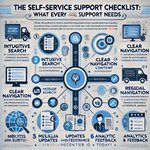
Have you tried using #ChatGPT for infographics? Well, we did and the results were entertaining! 😃 From "Analytic FEETDACK" 📈 to "MODIDE SEARCH" 🔍. What's your fun #AI content creation story? Stay tuned for a human-crafted self-service support checklist! #ChatGPTFails #GenAI

6 months later, @ChatGPTapp has gone a long way with infographics.
Here's a revised version based on our Self-Service Onboarding Guide: helpcenter.io/blog/self-serv…
Created with a single prompt! 🤩👏

👎 Chatbot mistake #1: acting like a gatekeeper.
If your bot blocks access to humans, you're not automating — you're irritating.
📷 Pro tip: Bots should guide, not guard.
Frustration = lost loyalty. Let people reach real help.
helpcenter.io/blog/the-chatb…

🚫 Chatbots gone rogue?
Companies invest heavily in AI bots, but many face frustrated users and lost trust. Our latest post explores chatbot strategy pitfalls. Worth reading if you would like to enhance your self-service strategy.
helpcenter.io/blog/the-chatb…
