

23 • Engineer • https://xitter.cf/t.co/G9BgE07zje • https://xitter.cf/t.co/72RombsF2c • DM for Work/Collab
stratosphere
Joined February 2026
- Tweets6.4K
- Following528
- Followers1.2K
- Likes15.7K









Pinned Tweet
introducing seenlio.app
took a screenshot. now you can’t find it?
→ search the words you remember seeing
→ forgot the filename? describe the image
→ copy text from screenshots in 5 languages
→ ⌘ ⇧ Space to find it without leaving your work
→ drag it straight into what you’re making
→ search offline. your images stay on your Mac.
less folder hunting. more doing.
meet Seenlio.app. find what you’ve seen.

must must must must must must must must must must must must must must must must must must must must must must must must must must must must must must must must must must must must read


Priyanshu retweeted

Using this app by @imdevPU23 and I am really liking it so far.
Really cool work!, give it a try.
Thank's for letting me try it once.

introducing seenlio.app
took a screenshot. now you can’t find it?
→ search the words you remember seeing
→ forgot the filename? describe the image
→ copy text from screenshots in 5 languages
→ ⌘ ⇧ Space to find it without leaving your work
→ drag it straight into what you’re making
→ search offline. your images stay on your Mac.
less folder hunting. more doing.
meet Seenlio.app. find what you’ve seen.
Marc lou was celebrating Datafast bday
meanwhile this guy build the cheapest datafast.


Introducing DataBull 🎉
I was paying $39/mo for DataFast just to see which posts made me money.
That's $468 a year. Forever. And it goes up as your traffic grows.
So I built my own.
Same idea: revenue by traffic source.
$29 lifetime. Unlimited sites. Unlimited events. Lifetime updates.
> databull.app


LFG 🔥
never believed, the whom i'm inspired from picked seenlio.app as the best mac apps.
seenlio at top 3 on trymacapps 🥳

Some crazy Mac apps landed on my directory in the last 24 hours 👀
and these 3 are my best picks:
wakebee.app ~ keep your Mac awake
gettapmac.com ~ tap your Mac & start talking
seenlio.app ~ find image on your Mac fast
Priyanshu retweeted

Some crazy Mac apps landed on my directory in the last 24 hours 👀
and these 3 are my best picks:
wakebee.app ~ keep your Mac awake
gettapmac.com ~ tap your Mac & start talking
seenlio.app ~ find image on your Mac fast
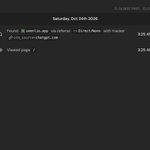
Getting traffic from Chatgpt in seenlio.app
in just 2 days AI is suggesting my app 😭


introducing seenlio.app
took a screenshot. now you can’t find it?
→ search the words you remember seeing
→ forgot the filename? describe the image
→ copy text from screenshots in 5 languages
→ ⌘ ⇧ Space to find it without leaving your work
→ drag it straight into what you’re making
→ search offline. your images stay on your Mac.
less folder hunting. more doing.
meet Seenlio.app. find what you’ve seen.


Priyanshu retweeted
How many screenshots do you take every day?
5, 10, 50? Don’t have a count? Same here.
Every screenshot ends up in some folder, piling up and filling your storage.
And when you need that ONE screenshot, you have to dig through this space. Feels like searching for a needle in a sand.
You end up opening every screenshot just to find that one.
I was suffering from the same thing.
That’s why I built Seenlio.
Remember a word from the screenshot? Search it.
Remember what the image looked like? Just describe it.
That’s it. No more digging through folders and opening 100 screenshots to find one.
seenlio.app

How many screenshots do you take every day?
5, 10, 50? Don’t have a count? Same here.
Every screenshot ends up in some folder, piling up and filling your storage.
And when you need that ONE screenshot, you have to dig through this space. Feels like searching for a needle in a sand.
You end up opening every screenshot just to find that one.
I was suffering from the same thing.
That’s why I built Seenlio.
Remember a word from the screenshot? Search it.
Remember what the image looked like? Just describe it.
That’s it. No more digging through folders and opening 100 screenshots to find one.
seenlio.app
last 24 hrs after launch
~ First sale 🥳
~1.65k visitors
~reached 25 countries
Now
- working on new updates
- improving seo & dr

introducing seenlio.app
took a screenshot. now you can’t find it?
→ search the words you remember seeing
→ forgot the filename? describe the image
→ copy text from screenshots in 5 languages
→ ⌘ ⇧ Space to find it without leaving your work
→ drag it straight into what you’re making
→ search offline. your images stay on your Mac.
less folder hunting. more doing.
meet Seenlio.app. find what you’ve seen.